MetaTrader 4 vs MetaTrader 5: Which One to Choose in 2026?
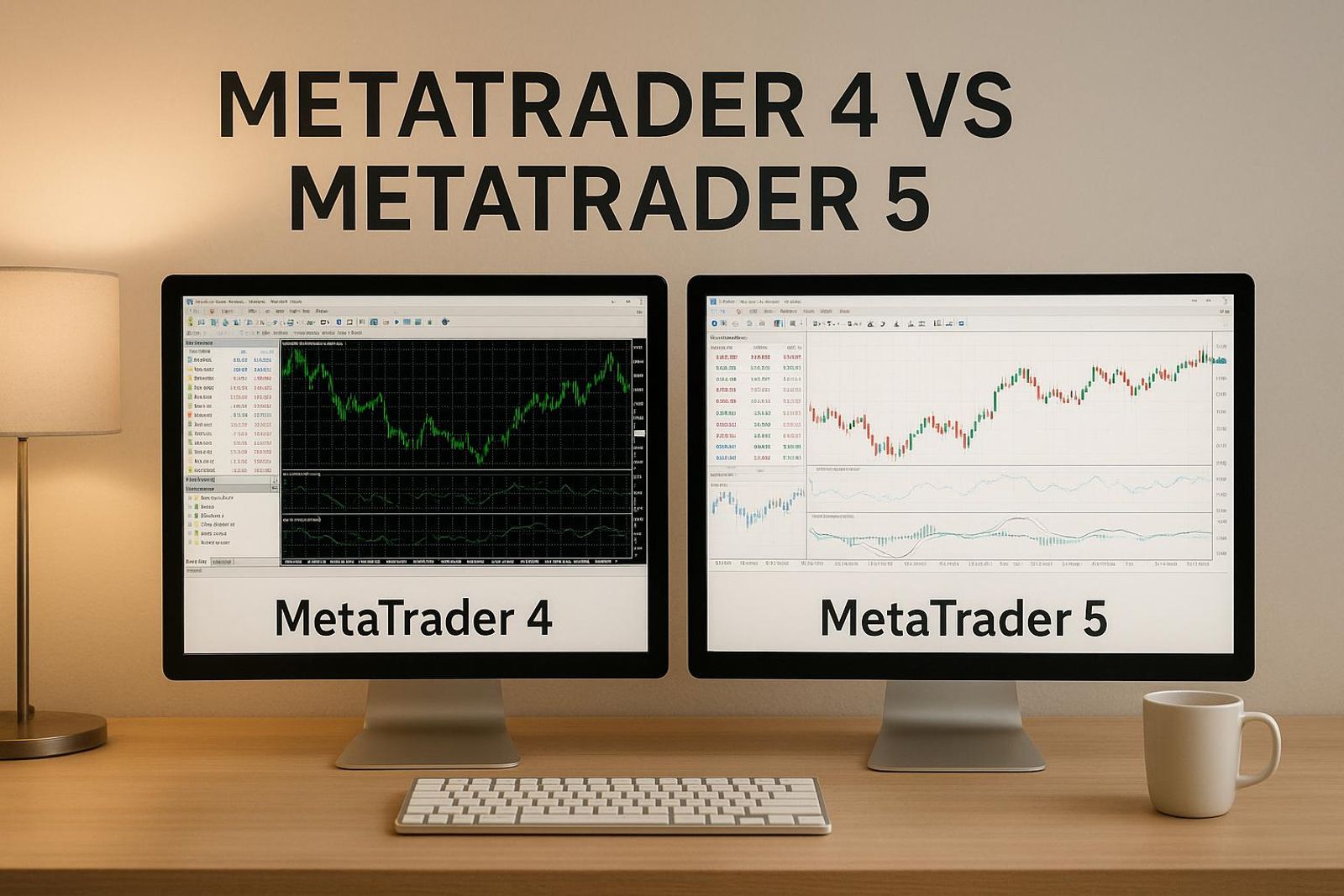
MetaTrader 4 vs 5 compared in 2026: spec table, execution and fill policies, hedging vs netting, EA migration and which platform prop challenges actually run.
By Marcel Hambálek · Senior Trader, For Traders
MetaTrader 5 is the better platform for almost everyone in 2026: it is 64-bit and multi-threaded, covers stocks and futures alongside forex, and is still developed by MetaQuotes. Choose MetaTrader 4 only if you run legacy MQL4 Expert Advisors or trade forex majors on weak hardware.
Key takeaways
- MT5 wins on architecture, backtesting and asset coverage; MT4 wins only on legacy EA compatibility and ultra-light system requirements.
- MetaQuotes stopped adding features to MT4 years ago — every new broker and prop-firm deployment in 2026 is built on MT5.
- Execution differs in substance, not just speed: MT5 supports partial fills, Fill or Kill / Immediate or Cancel / Return policies, Depth of Market and six pending order types versus MT4's four.
- MT5 supports both hedging and netting account modes, which changes how correlated gold and index positions hit your daily loss limit and max drawdown.
- MQL4 code does not drop into MQL5 — porting an EA is a rewrite, and untested ports are the fastest way to fail an evaluation.
- On a funded evaluation the platform is usually chosen for you, so check which terminal your challenge account runs on before you optimise anything.
Watch: related video
MT4 vs MT5 at a Glance: The Full Spec Table
MetaTrader 5 wins the spec sheet almost across the board — more timeframes, more built-in tools, and a 64-bit multi-threaded architecture that MT4 never got. But the difference between MetaTrader 4 and 5 that actually shows up in your P&L is narrower than the marketing suggests. Here's the full comparison, then the part that matters: which numbers you'll feel and which you'll never notice.
Side-by-side specifications
| Spec | MetaTrader 4 | MetaTrader 5 |
|---|---|---|
| Timeframes | 9 | 21 |
| Graphical objects | 31 | 44 |
| Built-in indicators | 30 | 38 |
| Pending order types | 4 | 6 |
| Programming language | MQL4 | MQL5 |
| Architecture | 32-bit, single-threaded, ~4GB memory ceiling | 64-bit, multi-threaded |
| Backtesting engine | Single-threaded, single-currency | Multi-threaded, multi-asset, multi-currency |
| Depth of Market (DOM) | Not native | Built in |
| Economic calendar | Not integrated | Integrated, filterable by impact |
| Asset coverage | Forex, CFDs | Forex, CFDs, stocks, futures, options |
| Developer | MetaQuotes | MetaQuotes |
Pick in 30 seconds: the decision block
- Forex-only scalper on an older laptop, running a legacy MQL4 EA: stay on MT4 — rewriting a working expert advisor in MQL5 just to chase timeframe count is a waste of a weekend.
- Futures, stocks, or multi-asset trader (this is most of you reading a "2026" comparison): MetaTrader 5, no debate — MT4 simply doesn't quote CME futures or equities.
- Anyone building or backtesting a new system from scratch today: MT5 — the multi-threaded strategy tester alone will save you hours per optimization run.
What the numbers actually mean day to day
Twenty-one timeframes versus nine sounds like a landslide win for MT5, but be honest with yourself: how often do you actually trade the M2 or M3 chart? Most traders live on three or four timeframes their whole career. That spec is real, it's just not the one that changes your trading session.
What does change your session: the 64-bit multi-threaded architecture. MT4's 32-bit engine hits a hard ceiling around 4GB of memory — load enough charts, indicators, and EAs during a US CPI release and it chokes exactly when volatility spikes and you need it responsive. MT5 spreads the load across cores and doesn't cap out the same way. Same logic applies to pending order types: MT4's four (buy limit, sell limit, buy stop, sell stop) cover basic entries fine, but MT5's six add buy-stop-limit and sell-stop-limit — genuinely useful if you're scaling into breakouts with conditional entries rather than market orders.
Depth of Market and the integrated economic calendar are the two MT5 additions worth pausing on. DOM shows you real order-flow context instead of guessing at liquidity, and having NFP or FOMC flagged inside the platform beats tabbing out to a browser mid-session. Neither is a marketing bullet — both are things you'll open every day once you have them.
The frame for the rest of this article: this isn't a feature beauty contest. It's a question of what platform your funded account will actually be deployed on, and whether that platform can execute the strategy you're running without getting in its own way.
What Actually Changed: MT5 Is Not 'MT4 With More Buttons'
MetaQuotes didn't upgrade MT4 into MT5 — they rebuilt it from the ground up, which is exactly why nothing carries over. Different codebase, different order system, different execution engine. That's the real answer to "is MetaTrader 5 better than 4": it's not a bigger version of the same tool, it's a different tool that happens to share a name and a similar chart window.
Architecture: 32-bit single-threaded vs 64-bit multi-threaded
MT4 runs as a 32-bit, largely single-threaded application. It was built in 2005 for a market where dial-up latency was normal and running two EAs at once felt advanced. MT5 is 64-bit and multi-threaded, which sounds like a spec sheet line until you're running eight charts, three EAs, and a strategy tester optimisation at the same time — MT4 chokes, MT5 spreads the load across every core you've got. That multi-threading also unlocks distributed optimisation across cloud agents, so a backtest that takes hours on MT4 can run in minutes on MT5 across a network of agents. If you trade one pair off one chart, you'll never feel the difference. If you run multiple EAs or heavy indicator stacks, MT4 vs 5 stops being philosophical and becomes a hardware-limitation problem.
Scope: forex and CFDs vs multi-asset including exchange instruments
MT4 was purpose-built for forex and CFD dealing desks — that's its entire universe, and it's genuinely good at that narrow job. MT5 was designed as a multi-asset trading platform from day one, with a Market Depth window and order types built to handle real exchange order books, not just dealer quotes. That matters directly for futures traders: brokers and prop firms offering CME futures — everything from ES to gold and crude contracts — build on MT5 because MT4's architecture simply has no clean way to represent exchange-traded instruments with centralized order books. If your trading plan stays in spot forex majors forever, this gap won't touch you. If there's any chance you branch into futures or equities later, MT4 is a dead end you'll have to migrate out of eventually anyway.
Development status in 2026 — one platform is frozen
Here's the plain fact worth sitting with: MetaTrader 4 is not discontinued, but it is frozen. MetaQuotes still ships maintenance and security builds, but no new features have landed on MT4 in years — every development resource at MetaQuotes goes into MT5. That's also why new broker and prop-firm platform deployments in 2026 are overwhelmingly MT5-first; nobody's building fresh infrastructure on a platform the vendor has stopped extending. Frozen software isn't broken software, but a market that keeps adding instruments, order types, and execution demands doesn't freeze with it. A platform standing still while the market moves is running on borrowed shelf life — worth knowing before you build a multi-year trading plan around it.
MT4 vs MT5 Execution: Fill Policies, Partial Fills and Depth of Market
The core difference in mt4 vs mt5 execution isn't speed — it's control. MT5 exposes a fill policy on every order (Fill or Kill, Immediate or Cancel, Return) and supports partial fills; MT4 gives you none of that — you get a full fill, a requote, or nothing.
Fill policies explained: Fill or Kill, Immediate or Cancel, Return
A fill policy is the instruction that tells the server what to do when your full requested volume isn't available at your requested price. Three flavors ship on MT5:
- Fill or Kill (FOK): execute the entire order at the requested price/volume, or cancel it entirely. No partial position, no compromise.
- Immediate or Cancel (IOC): fill whatever volume is available right now at your price, cancel the rest. You end up with a partial position instead of a rejection.
- Return: fill what's available immediately, and leave the unfilled remainder working in the book as a resting limit order.
Partial fills and why MT4 traders never see them
MT4's protocol has no field for fill policy and no mechanism for partial fills. When your size exceeds what's on offer at your price, the server either fills the whole ticket or kicks back a requote — there's no middle ground. That's not a bug; it's an architectural limit from a platform built in 2005 for retail forex lot sizes, not scaled order flow. If you're trading larger clips on indices or gold where liquidity at the top of book is thin, this matters more than most comparisons admit.
Depth of Market and Level II pricing
Depth of Market (DOM) is the visible ladder of resting bid and ask volume at each price level — Level II pricing, as opposed to the single best-bid/best-ask (Level I) view MT4 gives you. MT5 has a DOM widget built in. The catch: it's only meaningful if your broker actually pushes real book data through it. Plenty of MT5 brokers show a DOM ladder that's cosmetically populated from a synthetic feed, not genuine market depth — check with your provider before you trade off it.
Instant vs market execution, and where "MT5 is faster" comes from
MT4 traditionally runs instant execution (you get the quoted price or a requote); MT5 defaults to market execution (you get whatever price the market gives you, logged as slippage rather than rejected as a requote). That structural difference is real. But the broader claim that "MT5 is faster" gets thrown around loosely, and most of the time the reader asking the question isn't going to feel a server-side architecture difference at retail order sizes.
| Factor | Impact on perceived execution speed |
|---|---|
| Server distance to broker's matching engine | High |
| VPS latency / VPS placement | High |
| Liquidity provider routing | High |
| Terminal binary (MT4 vs MT5) | Low |
Run your own test instead of trusting forum claims: log fills, slippage, and requote frequency on the same symbol, same session, same VPS, switching only the terminal. You'll usually find the gap you attributed to "MT5 being faster" closes once VPS latency and routing are held constant. Order types like Buy Stop Limit and Sell Stop Limit — available on both platforms but implemented with different trigger logic — are worth the same side-by-side test before you build an entry system around them.
Hedging vs Netting — The Difference That Can Cost You an Evaluation
In netting mode, every trade on a symbol collapses into one net position; in hedging mode, each order is its own ticket and a long and a short can sit side by side on the same symbol. This isn't a cosmetic setting — it changes how your floating P/L is calculated in real time, and on a funded evaluation that math decides whether you're still in the game tomorrow.
What netting and hedging account modes actually do to your positions
MT4 is hedging-only, full stop — you can never toggle it. MT5 supports both hedging and netting, but here's the part traders miss: the mode is set by the account (broker/prop firm), not by you inside the terminal. Open a challenge account provisioned as netting, and a new opposite order on XAUUSD won't stack — it reduces or reverses your existing position. Open one provisioned as hedging, and you can hold a 2-lot long and a 1-lot short on the same instrument simultaneously, each with its own ticket, own stop, own swap line.
Correlated exposure on gold and indices under a daily loss limit
Hedging accounts make it deceptively easy to build correlated positions without noticing. Say you're long XAUUSD as a safe-haven hedge and also long US100 (NSDQ) because tech is ripping — in a risk-off shock both can bleed together, and because they're separate tickets, nothing forces you to see them as one combined risk bucket. Your terminal shows two manageable losers; your account equity shows one ugly hit. On a challenge with a hard daily loss limit, that gap is what trips the breaker before the "net" exposure ever looked dangerous on either chart alone.
How each mode changes your max drawdown maths
Netting keeps position size honest — you can't hide size behind multiple tickets, because they merge automatically. But it also strips out grid, martingale, and multi-ticket scaling strategies entirely; there's nothing to layer. Hedging preserves those strategies but demands you track combined floating loss yourself, since the platform won't net it for you until you close.
| Scenario | Hedging mode | Netting mode |
|---|---|---|
| 2 tickets: XAUUSD long 1 lot (-$300 floating), US100 long 1 lot (-$250 floating) | Both tickets live, combined floating loss -$550 hits daily loss limit | Not applicable per symbol — each instrument nets separately, so risk is visible per position |
| Opposite order on same symbol | New ticket opens alongside existing one | Order reduces/reverses the net position instantly |
| Grid/multi-entry strategy | Fully supported | Not supported — orders merge |
Worth noting: many US-facing brokerage setups default to netting by convention, so if you've only ever traded a US-style account, hedging behavior on an MT4 or hedging-mode MT5 challenge can genuinely surprise you the first time two tickets go against you together. None of this is real-money hedging advice — it's risk mechanics on simulated capital, and understanding which mode your mt5 vs mt4 for prop firm challenge account runs on is step one of respecting your max drawdown before it respects you.
Ready to trade funded capital?
Choose your path — Instant Accounts, One-Step or Two-Step Challenges — from just $23, with up to $300,000 in funded capital.
Choose your challengeBacktesting and EAs: Strategy Tester, Real Tick Data and MQL4 to MQL5 Migration
Short answer: MT5's Strategy Tester backtests on real tick data pulled straight from broker feeds, while MT4 reconstructs ticks from M1 bars — so if your Expert Advisor scalps, uses tight stops, or enters mid-bar, your MT4 backtest is showing you a plausible history, not the history. That gap is where most EAs die the first week live.
Why MT4's tick modelling produces equity curves that fail live
MT4's "every tick" mode isn't every tick — it's an algorithm interpolating price movement inside each M1 candle, assuming a fixed spread and guessing intrabar sequence (does price hit your stop or your take-profit first? MT4 decides, you don't see it decide). For swing strategies holding for hours, this barely matters. For anything with a stop under 15-20 pips, a breakout entry, or news-window logic, the interpolated path can flatter your win rate by a wide margin because the model never simulates the spread widening or the slippage that actually happens around NFP or FOMC. You get a smooth backtest equity curve and a choppy live one — and no amount of re-optimising fixes a data problem.
MT5 Strategy Tester: real tick data, multi-symbol, multi-threaded optimisation
MT5's tester works from actual historical ticks where the broker provides them, models variable spread instead of a fixed number, and reports a "modelling quality" score so you can see how close the reconstruction is to real ticks versus how much is still interpolated. It also runs multi-currency backtests in one pass — useful if your EA manages correlated pairs or a basket — and spreads optimisation jobs across every CPU core, plus MQL5 Cloud Network agents if you're testing thousands of parameter combinations overnight instead of over a weekend.
Can you run MT4 EAs on MT5? What breaks in a port
No — not as a straight copy. MQL4 and MQL5 look similar but MQL5 is a genuinely different object-oriented language with a different order model: MT4 gives you tickets and OrderSend calls, MT5 separates orders, deals and positions, and you have to declare a fill policy explicitly. An MQL4 EA dropped into MT5 either won't compile or will compile and misbehave — magic-number filters that no longer match positions correctly, trailing-stop logic built around ticket numbers that don't exist the same way, partial-close routines that assume MT4's netting-only order handling. Treat a port as a rewrite, not a recompile, budget the time accordingly.
How to validate a ported EA before you risk an evaluation
- Run the ported EA on MT5 demo for at least 2-3 weeks of live market conditions, not just a backtest.
- Compare live fills against tester fills — check slippage, spread at entry, and whether your stop/TP order actually hit where the tester assumed.
- Run it through one full news week (NFP, FOMC, or CPI) to see how it behaves under spread spikes, not just quiet trend days.
- Only after fills and drawdown match your backtest reasonably closely should you take the EA into a live Trading Challenge.
| Backtest factor | MT4 Strategy Tester | MT5 Strategy Tester |
|---|---|---|
| Tick source | Interpolated from M1 bars | Real tick data (where broker supplies it) |
| Spread | Fixed | Variable, broker-modelled |
| Multi-symbol testing | No (single pair per run) | Yes, multi-currency in one pass |
| Optimisation | Single-core, local only | Multi-threaded, cloud agents supported |
| Modelling quality report | Not shown | Displayed per test |
Which Is Better by Asset: Gold, Indices, Futures, Crypto and Forex
Short answer: MT5 wins on every asset except one — mature forex-majors scalping systems built for MT4. On For Traders, gold is the single most-traded instrument on the platform, and that alone tells you where the platform demand is heading. Here's the verdict broken down by what you actually trade.
XAUUSD: why gold traders lean MT5
Gold moves fast, spikes on thin liquidity around the London and New York opens, and punishes anyone using stale tick data to size stops. MT5's Depth of Market shows real order flow at those opens, and its 21 timeframes (versus MT4's 9) let you build ATR-based volatility filters on M2, M10, or H2 without approximating from bars. If you're weighing mt4 vs mt5 for gold trading, the tick-accurate Strategy Tester alone settles it — backtesting an XAUUSD grid or breakout strategy on interpolated M1 data (MT4) versus real tick data (MT5) produces meaningfully different drawdown numbers, and gold's volatility magnifies that gap.
Verdict: MT5, no contest — gold trading is where MetaTrader 5's tick data and DOM earn their keep.
US100 / NSDQ and index CFDs
Trading US100 (NSDQ) around FOMC or NFP means you need order types that protect you from slippage on the release candle, not just a market or limit order. MT5 adds stop-limit orders and an integrated economic calendar that MT4 never received. For an index trader who's flat two minutes before a Fed statement and wants a pending order that won't fill outside a defined range, that's not a nice-to-have — it's risk management.
Verdict: MT5 — the extra order types and calendar integration matter most exactly when index volatility spikes.
CME futures and crypto
MT4 was built in 2005 for retail forex CFDs. It has no native architecture for exchange-traded contracts, contract rollovers, or 24/7 crypto sessions. MT5's netting/hedging account modes and broader instrument classes make it the only viable choice for CME futures and any serious crypto trading platform setup. If your plan includes futures or round-the-clock crypto exposure, this isn't a preference — MT4 simply can't route it properly.
Verdict: MT5-only territory — MT4 wasn't designed for futures or crypto and it shows.
Pure forex scalping on majors — the one case for MT4
Here's the honest counterpoint: if you're running a stable 2017-era EA on EURUSD, with a broker feed you've traded on for years and a scalping edge that's already proven, switching to MT5 gains you almost nothing and risks breaking a system that works. MQL4-to-MQL5 conversion isn't always clean, and re-certifying a live EA costs more than the platform's extra features are worth for single-pair majors scalping.
Verdict: MT4 stays valid here — don't fix a forex scalping system that isn't broken.
| Asset | Better Platform | Why |
|---|---|---|
| XAUUSD (Gold) | MT5 | Tick-accurate testing, DOM, 21 timeframes for ATR work |
| US100 / NSDQ | MT5 | Stop-limit orders, integrated economic calendar |
| CME Futures | MT5 | Native support; MT4 not built for exchange instruments |
| Crypto | MT5 | 24/7 session handling, broader asset classes |
| Forex majors (legacy EA) | MT4 | Mature MQL4 systems, stable broker feed |
Which Platform Prop Firms Actually Deploy in 2026
On a funded evaluation, you don't pick your terminal — the challenge account does. The MT4 vs MT5 debate matters for retail traders choosing their own broker feed, but once you're trading someone else's simulated capital under a rulebook, the platform ships with the account type. MT5 is now the default deployment across most prop firms because it handles multi-asset instrument sets, netting where required, and rule enforcement cleanly. MT4 support still exists, but it's shrinking, legacy infrastructure.
Why your challenge account decides the platform, not you
A prop firm's back office runs on one execution engine per account type — that's how daily loss limits, max drawdown triggers and consistency rules get enforced consistently across thousands of traders at once. MT5's netting and hedging modes, deeper order types, and native handling of CME-style futures contracts make it the practical choice for firms offering forex, gold, indices and futures under one roof. If you're comparing mt5 vs mt4 for a prop firm challenge, the real question isn't which you prefer — it's whether the account you're about to buy even offers a choice.
For Traders: what our challenge platforms support
We're an educational prop trading firm, not a broker — we run Trading Challenges on simulated capital across Forex, Gold and Commodities, Futures, and Crypto. Pass evaluation rules on the Two-Step Challenge or go straight in with Instant Funding, and you trade toward a funded account with performance rewards paid out on simulated profits once you clear the criteria. Our challenge infrastructure is built around MT5 for the multi-asset instrument coverage this requires — gold, US indices and futures contracts don't run cleanly on a forex-only MT4 setup. What we don't do: promise real-money trading during the challenge phase (it's simulated capital throughout), and we don't let individual traders swap platforms on a given account type — that's fixed by product, the same way it is at any serious prop firm.
Questions to ask before you buy an evaluation
Before you pay for any challenge — ours or a competitor's — get these answered in writing, not in a Discord DM:
- Which terminal does this account type run — MT4, MT5, or a proprietary platform? Don't assume; check per product.
- Hedging or netting? This changes how you can scale into a position and how correlated trades get counted against drawdown.
- What's the fill policy? Market execution vs instant execution changes your slippage exposure on news spikes.
- Are EAs and VPS use allowed? Some firms ban them outright; others require a VPS for latency-sensitive strategies.
- Can you hold over weekends and through NFP/FOMC? Gap risk on Monday's open has busted more accounts than bad entries.
Get these five answers before you compare spreads or commissions — they'll tell you more about whether your process survives the account than any MT4 vs MT5 feature list ever will.
Ready to trade funded capital?
Choose your path — Instant Accounts, One-Step or Two-Step Challenges — from just $23, with up to $300,000 in funded capital.
Choose your challengeWhen to Skip Both: cTrader, TradingView and Futures Platforms
Sometimes the right answer to "MT4 or MT5" is neither — pick the platform that matches the instrument's plumbing, not the one you learned first. MetaTrader dominates retail forex and CFD flow, but it's not the only serious terminal out there, and for certain trading styles it's not even the best fit.
cTrader for depth-of-market and cBot traders
If you care more about seeing real liquidity than about running a fifteen-year-old EA, cTrader is worth the switch. Its depth-of-market (DOM) window shows aggregated liquidity levels instead of MetaTrader's single best-bid/best-ask ticket, which matters if you're scalping or reading order flow around round numbers. Automation runs on cBots written in C# rather than MQL — a steeper curve if you've never coded outside MQL4/5, but a cleaner, more modern language once you're past the learning bump. Execution transparency is the other draw: cTrader was built with ECN-style fills in mind from day one, so what you see in the ticket is closer to what you actually get.
TradingView for charting-first discretionary traders
TradingView wins the charting argument outright — Pine Script, thousands of community indicators, and a social layer of shared setups that neither MT4 nor MT5 comes close to matching. If your edge is discretionary, chart-pattern-driven, and you spend more time drawing trendlines than backtesting EAs, TradingView's front end will feel faster and more intuitive. The catch: TradingView is a charting layer, not a broker or execution venue. Fill quality, spread, and slippage still depend entirely on whatever sits behind it — increasingly that's a broker integration or a bridge like DXtrade, which several prop firms now use to connect TradingView charts to real order routing. Nice chart, same plumbing questions as always.
Dedicated futures platforms for CME products
If you're trading actual CME futures — ES, NQ, GC, CL — a CFD-style MetaTrader terminal is an approximation at best. MT5 does list futures contracts, but a dedicated futures trading platform handles contract specs, tick values, and exchange session times natively, which matters when a half-point error in tick value turns a winning trade into a losing one on paper. Futures-native platforms also model rollover and settlement mechanics correctly instead of forcing them into a CFD wrapper. For traders serious about the futures side of a futures prop trading track, this isn't a nice-to-have — it's the difference between practicing on the real instrument and practicing on a lookalike.
None of this makes MetaTrader wrong. It makes it one option among several credible MetaTrader alternatives — the right call depends on what you're actually trading and how you trade it, not on brand loyalty.
The Verdict: Pick Your Platform by Trader Profile
If you're asking "metatrader 4 or 5 which is better" as a general question, the answer in 2026 is MT5 — but the honest answer is "it depends on what you trade," and five profiles cover almost everyone. Between MT4 and MT5, which is better stops being a brand debate once you map it to your instrument and your hardware.
Verdict boxes: five profiles, five answers
- Forex-majors trader running a legacy MQL4 EA on old hardware: stay on MT4. If the EA works and rewriting it in MQL5 isn't worth the hours, don't fix what isn't broken.
- Gold and index trader (XAUUSD, US100): take MT5. Faster execution threading and deeper order types matter more once spreads widen during news.
- Anyone touching futures or crypto: take MT5, full stop. MT4 was never built for either asset class — MT5's architecture was designed with multi-asset access in mind.
- Anyone starting from zero in 2026: take MT5. Is MetaTrader 4 or 5 better for a beginner? Every current tutorial, every fresh broker deployment, every piece of new MQL5 documentation lives on MT5 — MT4 is a maintenance product, not a growth platform. As a trading platform for beginners, MT5 is simply where the ecosystem is moving.
- Anyone about to buy an evaluation: take whatever your challenge account runs. Stop optimising the terminal and start optimising your risk process — the platform choice was already made for you the moment you picked a Challenge.
Migration plan if you are moving from MT4 to MT5
- Rebuild your charts and templates from scratch — don't expect a clean import, MT5's chart engine handles timeframes and objects differently.
- Re-source or rewrite your indicators. Some MQL4 code compiles with minor edits; most custom indicators need a genuine rewrite in MQL5.
- Port your Expert Advisors and forward-test them on demo before risking anything — order execution logic (especially trade requests) is not identical between MQL4 and MQL5.
- Re-run your risk maths under the account's hedging or netting mode. Position sizing, martingale logic, and grid strategies behave differently depending on which mode your broker or challenge account uses.
- Once the EA, the charts, and the risk maths all check out clean on demo — take a Trading Challenge.
What to do this week
Pick your platform using the profiles above, not habit. Rebuild one chart template, forward-test one EA for five sessions minimum, and confirm your position sizing survives a losing streak on paper before it touches simulated capital. The terminal you choose doesn't pass an evaluation — your Two-Step Challenge risk process does. MetaTrader 4 vs MetaTrader 5 is a five-minute decision. Discipline is the part that takes months.
MT4 vs MT5: Pros and Cons Side by Side
Pros
- MT4: mature, stable codebase with near-universal broker and legacy prop support
- MT4: enormous existing library of MQL4 Expert Advisors, indicators and scripts
- MT4: minimal system requirements — runs comfortably on old machines and cheap VPS instances
- MT4: fast first-session learning curve for a new trader
- MT5: 64-bit multi-threaded architecture with no 4GB memory ceiling and multi-core optimisation
- MT5: 21 timeframes, 44 graphical objects, 38 built-in indicators and 6 pending order types
- MT5: real tick data, multi-currency and multi-timeframe Strategy Tester
- MT5: Depth of Market with Level II pricing, partial fills and explicit fill policies
- MT5: integrated economic calendar and multi-asset coverage including exchange instruments
- MT5: still actively developed by MetaQuotes and standard on new deployments in 2026
Cons / risks
- MT4: frozen feature-wise — no new development from MetaQuotes
- MT4: forex and CFD scope only, no futures or exchange-traded instruments
- MT4: no built-in economic calendar, no Depth of Market, no partial fills
- MT4: single-symbol backtesting with interpolated ticks that flatter tight-stop strategies
- MT4: dated order management and trailing stop handling
- MT5: MQL4 code will not run — porting an EA is a rewrite, not a recompile
- MT5: netting mode on some account types blocks multi-ticket and grid strategies
- MT5: heavier resource use and a slightly steeper first-week learning curve
- MT5: smaller pool of free legacy indicators compared with MT4's decades-deep ecosystem
Frequently Asked Questions
What is the difference between MetaTrader 4 and 5?+
MT5 is a newer, broader platform built for multi-asset trading, while MT4 is an older, forex-and-CFD-focused terminal still favored for its simplicity. MT5 adds a built-in economic calendar, Depth of Market, more timeframes, more order types, and native support for futures and stocks alongside forex and gold. MT4 runs on MQL4 with single-threaded strategy testing; MT5 runs on MQL5 with multi-threaded, multi-currency backtesting against real tick data. For pure forex scalping with a huge existing EA library, MT4 still holds ground — for everything else, MT5 is the more capable engine.
Is MetaTrader 4 or 5 better in 2026?+
MT5 is the better default choice in 2026 for most traders because it's actively developed, supports more instruments, and offers faster backtesting — but MT4 still wins for traders deep into legacy forex EAs or who want the simplest possible interface. If you trade XAUUSD, US100, or crypto alongside forex, MT5's broader market access makes it the practical pick. If your entire edge lives in an MT4-only Expert Advisor with no MT5 port, staying on MT4 a while longer is reasonable — just know new broker and prop firm support for it is shrinking.
How does order execution differ between MT4 and MT5?+
MT5 supports more order types and fill policies — including Fill or Kill and Immediate or Cancel alongside standard market and pending orders — while MT4 offers a narrower, simpler set. MT5 also handles partial fills more transparently and shows full market depth (DOM) on supported instruments, giving you a clearer read on liquidity at the moment of entry. In practice, actual execution speed and slippage depend far more on your broker's infrastructure and server location than on the platform itself — both terminals are only as fast as what sits behind them.
Is MetaTrader 5 actually faster than MetaTrader 4?+
MT5's core architecture is more efficient — it's multi-threaded and handles more concurrent price feeds and order types without lagging — but the speed difference you feel in live trading comes mostly from broker server infrastructure and your connection latency, not the terminal itself. Two brokers running the same platform can produce very different fill speeds. Where MT5 genuinely outpaces MT4 is backtesting and optimization: multi-threaded strategy testing on real tick data runs a fraction of the time MT4's single-symbol tester takes on the same job.
Which platform handles hedging better, MT4 or MT5?+
MT4 uses hedging accounting by default, allowing simultaneous long and short positions on the same instrument, while MT5 defaults to netting mode (like most exchange-traded futures) though many brokers now offer an MT5 hedging option too. This matters on a prop challenge because your max drawdown and daily loss limit calculations depend on how open exposure is tallied — netting nets opposing positions into one net exposure figure, hedging tracks them separately. Check your challenge provider's account type before assuming either behavior; For Traders specifies which mode applies per challenge.
Can MT4 Expert Advisors be moved to MetaTrader 5?+
MT4 Expert Advisors written in MQL4 don't run natively on MT5 and need to be rewritten or converted into MQL5, since the two languages differ in syntax, order-handling functions, and how they reference account and position data. Simple indicators often port with minor edits, but EAs using MT4-specific hedging logic, order-ticket references, or certain timer functions typically need real rework, not just a recompile. If your strategy is EA-dependent, budget real development time — or confirm a maintained MT5 version exists — before assuming a clean migration.
Is MetaTrader 4 being discontinued in 2026?+
MetaQuotes has stopped active development on MT4 and pushed new features exclusively to MT5 for years now, and more brokers and prop firms are dropping MT4 support each year, though it hasn't been formally shut down. Existing MT4 accounts and terminals still function in 2026, but you're increasingly trading on a platform that gets no new instruments, no new order types, and shrinking broker support. If you're starting fresh, building your workflow on MT5 (or an alternative like cTrader) avoids having to migrate under pressure later.
Which platform do prop firm challenges run on?+
Most modern prop trading firms, including For Traders, run their challenges primarily on MT5, since it natively supports the multi-asset mix — forex, gold, indices, and increasingly futures and crypto — that challenge traders want access to. Some firms still offer MT4 for traders with legacy EAs, but new challenge products are being built MT5-first. When choosing a challenge provider, confirm which platform your specific challenge type uses, since order types, hedging rules, and available instruments can shift your strategy's compatibility.
Which platform is better for XAUUSD and US indices trading?+
MT5 is the stronger fit for XAUUSD and US indices trading because it was built with multi-asset access in mind, offering more timeframes, Depth of Market on supported symbols, and cleaner handling of instruments beyond spot forex. MT4 can still trade gold and indices fine through most brokers' CFD offerings, but you lose MT5's extra order types and faster tick-data backtesting when refining a gold or index strategy. For crypto-adjacent instruments and futures-style contracts specifically, MT5's broader symbol architecture is the more future-proof choice.
Should I use cTrader or TradingView instead of MetaTrader?+
Skip both MT4 and MT5 when you need cTrader's cleaner algo-trading environment (cAlgo) and level II pricing, or when TradingView's charting and social-screening tools matter more to your process than native order execution. Futures traders working CME contracts often prefer a dedicated futures platform over either MetaTrader version, since order flow tools and contract specs are built in natively. The right call depends on your instrument mix and whether your prop challenge provider even supports non-MetaTrader platforms — many, including futures-focused challenges, don't route through MT4/MT5 at all.
Written by
Marcel Hambálek
Senior Trader, For Traders
Marcel trades Futures and Forex day-trading setups on funded accounts and writes about the executional details most traders skip — order types, slippage, session timing, platform quirks on MT5 and NinjaTrader. Pragmatic, mechanics-first, no fluff.
Follow on LinkedInReady to trade funded capital?
Choose your path — Instant Accounts, One-Step or Two-Step Challenges — from just $49, with up to $300,000 in funded capital.
Choose your challengeRelated Blog Posts
- How to Choose the Right Trading Strategy for Your Lifestyle
- MetaTrader 5 vs MetaTrader 4: Which One Is Best for Prop Traders?
- MetaTrader 4 in 2026: How to Download It, and Whether It's Still Worth Learning
- How to Set Up MetaTrader 5 for Prop Firm Trading
- MetaTrader 5: What It Is, How to Get It, and How It Behaves Under Prop Rules
Trade up to $300,000
Choose challenge