Trading Journal Template to Track Success
A free trading journal template with the exact columns that matter — plus MAE/MFE, daily loss limit and max DD tracking for prop evaluations. Updated Oct 2026.
By Marcel Hambálek · Senior Trader, For Traders
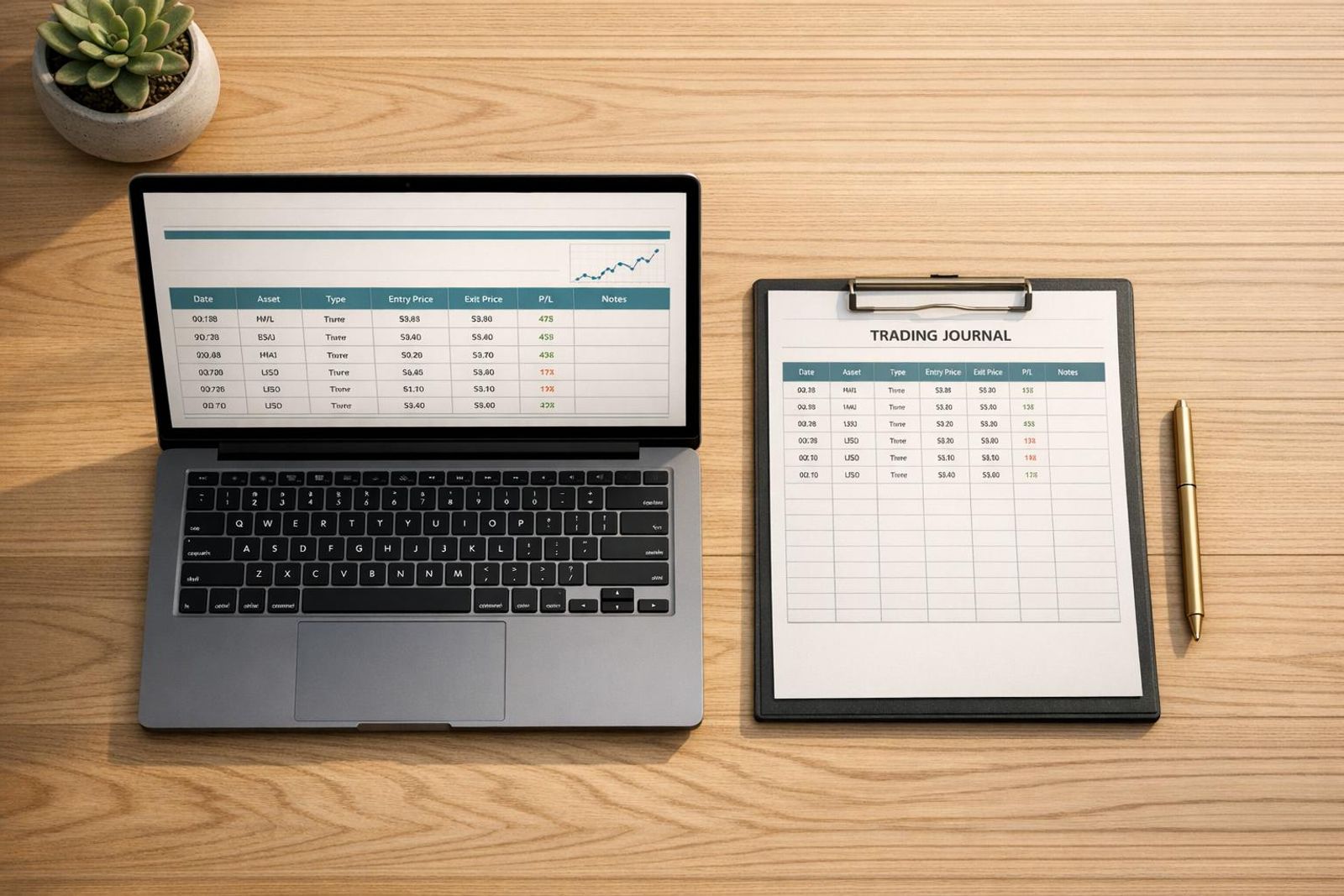
A trading journal template is a pre-built structure — spreadsheet, printable PDF or app — with fixed fields for every trade: date, instrument, setup, entry, stop, target, exit, risk in R, outcome and a one-line note. Nine columns are enough to diagnose 90% of what goes wrong in an evaluation; traders on a prop firm clock should add four more — daily loss limit consumed, max drawdown headroom, rule-breach flag and consistency exposure.
Key takeaways
- The minimum viable trading journal is nine columns — anything beyond that is optional until you've logged 50 trades without missing one.
- Record risk in R-multiples, not currency, so results from a $10,000 and a $200,000 simulated account are directly comparable.
- MAE and MFE (how far price went against you, and how far it went in your favour before you exited) are the two columns most templates omit and the two that expose premature exits and over-tight stops fastest.
- Expectancy = (Win% × Avg Win R) − (Loss% × Avg Loss R) — it is the single number that predicts whether your edge survives 100 trades.
- Traders on a Challenge need four evaluation-specific columns: daily loss limit consumed %, max DD headroom, rule-breach flag and consistency exposure.
- A journal only works on a cadence: 3 minutes at the close, 20 minutes on Sunday, one metric roll-up a month.
Watch: related video
Step 1: Build the minimum viable journal — the 9 columns that actually matter
You need nine columns, nothing more, to diagnose 90% of what's bleeding your account: date/time, instrument, setup tag, direction, entry, stop, target, exit, and outcome in R, plus one line of notes. That's the whole trading journal template. If your current trading journal spreadsheet has thirty columns and you haven't filled it in since week one, you built the wrong thing — rebuild with this spec and actually use it.
The 9-column spec, field by field
Here's exactly what to record in a trading journal, no more, no less:
- Date/time — when you entered, to the minute if you can
- Instrument — XAUUSD, NSDQ, EURUSD, ES futures, whatever you took
- Setup tag — one word or short code: "pullback," "breakout," "NFP-fade"
- Direction — long or short
- Entry — your fill price
- Stop — where you're proven wrong, not a round number
- Target — where you planned to take profit
- Exit — where you actually got out
- Outcome in R — your result expressed as a multiple of risk
Add a one-line note and you're done. No sentiment column, no "how did I feel" essay — that's for a weekly review, not every row.
What each field is supposed to reveal
A stop column isn't admin — it's the only way to calculate your risk-to-reward ratio and your R-multiple. Without a logged stop, you can't know if a loss was a 1R loss or a 3R loss because you moved it. Setup tagging exists so you can later filter 40 trades down to "every breakout I took on gold" and see if that's actually your edge or just noise you keep repeating.
| Field | What you record | What it reveals |
|---|---|---|
| Date/time | Entry timestamp | Session bias, news-window exposure |
| Instrument | Symbol traded | Where your edge actually lives |
| Setup tag | Pattern/strategy label | Which setups carry your win rate |
| Direction | Long/short | Directional bias, trend vs. counter-trend skill |
| Entry | Fill price | Entry discipline, slippage patterns |
| Stop | Invalidation price | Risk defined before the trade, not after |
| Target | Planned exit | Planned R:R vs. what you actually took |
| Exit | Actual close price | Execution gap — did you cut winners short? |
| Outcome in R | Result as multiple of risk | True edge, comparable across every instrument |
Why you log risk in R, not in dollars
Dollar P/L lies the moment account size changes. A $200 loss is nothing on a $200,000 simulated account and a disaster on a $10,000 one — and if you're running multiple evaluations, currency figures across them aren't comparable at all. R-multiples fix this: risk $500 to make $1,000 and you've booked +2R, whether that trade was gold, an index, or a futures contract. That's what lets a journal for traders actually compare a XAUUSD scalp against an ES futures swing on the same scale. For the full build — templates, formulas, automation — see our step-by-step guide to creating a trading journal.
Step 2: Add the diagnostic columns — MAE, MFE, slippage and setup tags
Nine basic fields tell you what happened. These four tell you why — and they're the difference between a trading journal template that's a record and one that's a diagnostic tool. Add maximum adverse excursion, maximum favourable excursion, slippage/fill quality, and a setup tag to every row, and patterns that were invisible in a plain P&L column suddenly jump out.
MAE: how much heat the trade took before it worked
Maximum adverse excursion (MAE) is the worst the trade looked, in R, before it turned in your favour. Log it on every winner. If you pull your last 30 winning trades and 80% of them never moved more than 0.4R against you, but you're placing a 1.5R stop "for breathing room" — that stop isn't protecting the trade, it's funding your anxiety. MAE tracking is how you find out whether your stop placement is a risk decision or a comfort decision, and on instruments like XAUUSD, where a normal pullback can eat 0.3R in spread and noise alone, that distinction matters.
MFE: how much you left on the table
Maximum favourable excursion (MFE) is the mirror image: how far the trade ran in your favour before you closed it. This is where a lot of otherwise-good trading gets quietly capped. A trade that ran to 2.8R before you took profit at 0.9R isn't a "disciplined exit" — it's a management problem your journal just caught. Track MFE against your actual exit R on every trade for a month and you'll see a number: the average R you're leaving unclaimed. That number is your trailing-stop or partial-exit argument, made with your own data instead of a feeling.
Slippage, fill quality and commissions
Every R-multiple you log is theoretical until friction is subtracted. Spreads on gold widen meaningfully into FOMC and NFP releases, and an untracked 0.1R of slippage per trade is enough to turn a marginal edge negative over a few hundred trades. Log requested price, filled price, and commission per trade — three extra fields, five seconds of entry time — and review them monthly as a separate line item, not buried inside your R-multiple.
Setup tags: the column that turns a log into an edge audit
A single "setup" column — breakout, pullback, mean-reversion, news-fade, trend-continuation — lets you filter your entire history by trade classification instead of reading it as one undifferentiated blob. This is usually where the real diagnosis happens: your breakout trades on NSDQ might be running +1.8R average while your mean-reversion trades on gold are quietly funding every one of those gains.
| Column | What it reveals | Log it on |
|---|---|---|
| MAE | Is your stop sized to real risk or to comfort? | Every trade, especially winners |
| MFE | How much R you're leaving unclaimed | Every trade, especially early exits |
| Slippage/commission | Friction eating your theoretical edge | Every trade, every instrument |
| Setup tag | Which strategies actually carry the account | Every trade, at entry |
Step 3: The four prop-evaluation columns no generic template has
A generic trading journal template assumes you're trading your own capital with no clock and no hard rules. A prop firm trading journal has to track something a retail journal never needs to: how close you are to the two numbers that end your evaluation — your daily loss limit and your max drawdown. Add these four columns and your journal stops being a diary and starts being an early-warning system.
Daily loss limit consumed (%)
Log this as a running percentage after every trade, not just at day's end. If your daily loss limit is 5% of your account and a bad open-session trade already burns 3%, that 60% figure sitting in your journal is the single most honest thing you'll read all day. Traders rarely blow the daily limit on one trade — they blow it on trade three, sized up, after trades one and two already ate 40% of the allowance trying to "get it back." The column exists to catch you before you place that third trade, not after.
Max drawdown headroom remaining
Max drawdown is the account-level ceiling — the total damage you can take before the evaluation ends regardless of how any single day went. Logging headroom remaining (not the raw drawdown number, the distance you still have left) turns an abstract rule into something you check before every entry, the same way you'd check margin. A trader with 1.5% headroom left should not be running the same position size as one with 7% left — the journal is what makes that obvious instead of assumed.
Rule-breach flag
This is the highest-signal column in the entire file. Flag every breach — and every near-miss, even ones that didn't technically violate anything. Breaches cluster: around specific hours (late-session revenge trades), specific setups (the one you force when bored), specific news windows. A column of red flags across three weeks tells you exactly where your evaluation is going to die before it actually does.
Consistency exposure — your biggest day as a share of total
Where a consistency rule applies, one oversized green day can disqualify an otherwise clean pass. Track your single largest winning day as a percentage of total gains to date — if one day is carrying 50%+ of your profit, you have a consistency exposure problem, not a strategy to be proud of.
| Column | What it catches | Check it |
|---|---|---|
| Daily loss limit consumed | Sizing-up-to-recover behavior | After every trade |
| Max DD headroom remaining | Position sizing vs. account ceiling | Before every entry |
| Rule-breach flag | Clustering by hour/setup | Every session, even near-misses |
| Consistency exposure | Over-reliance on one outsized day | Weekly |
Exact thresholds — daily loss limit, max drawdown, and whether a consistency rule even applies — vary by product, so pull the live numbers from your own account dashboard rather than memory. The For Traders Challenge and Instant Funding carry different limit structures, and the journal only works if the figures you're logging match the account you're actually trading.
Step 4: Adapt it for day trading — logging six trades before lunch
Direct answer: a day trading journal template only survives contact with six trades before lunch if you stop typing during the session. Capture screenshots at entry and exit, batch-enter the numbers from your platform export after the close, and write session-level notes instead of per-trade essays. That's the entire adaptation.
Swing traders can afford a paragraph per trade because they're placing two or three a week. Scalp XAUUSD or US100 for three hours and you might clock six, eight, sometimes a dozen entries before noon — a full trade-level write-up after every one turns your daily trading journal into a second job you'll quit by Thursday.
Screenshot-first workflow: capture now, type later
The moment you're in, screenshot the chart. The moment you're out, screenshot again. Filename convention: instrument_time — e.g. NSDQ_0932.png and NSDQ_0947.png. No typing, no judging the trade, no stopping to rate your entry quality mid-session. You're building a visual ledger you'll convert to data later, when the market isn't asking anything of you.
Session-level notes instead of trade-level essays
One note block per session, written after the close, not after every fill. "Chopped the Asian range on gold, forced two entries outside the plan, NSDQ breakout worked clean off the 9:45 pullback" tells you more in one sentence than six separate one-liners written with shaking hands mid-trade. Reserve individual commentary for outliers — the trade that hit your daily loss limit buffer, the one that broke a rule, the one that was 3x your usual size. Everything inside your normal process gets logged as a number, not a story.
Batch logging: the 12-minute post-session block
Export your trade history from the platform, paste it into your trading journal template, and reconcile it against your screenshots. This is where entry, stop, exit, and risk in R get filled in — mechanically, from data, not memory. Ten to twelve minutes, once, after the session closes. Track your trades this way and the batch becomes a habit you keep, not a task you negotiate with yourself every afternoon.
What changes versus a swing or position trading journal
Volume flips the entire structure. A swing journal rewards long-form thesis tracking — why you took the trade, what invalidates it, how the thesis holds up across multiple days. A day trading journal template rewards speed and repetition: fixed fields, screenshots, batch entry, almost no prose. The rule that keeps either version alive: if logging a single trade takes longer than 40 seconds during the session, you will stop doing it within the week. Build the day trading journal so the hard thinking happens after the bell, not between fills — see our full breakdown on how to journal your trades effectively for the field-by-field logic that applies regardless of timeframe.
Step 5: Turn rows into answers — the four metrics and their formulas
Once you've got 30+ logged trades, four calculations turn your trading journal metrics from a diary into a diagnostic. Each one answers a different question, and the order you read them in matters more than most traders realize.
Win rate (and why it's the least useful of the four)
Win Rate = Winning Trades ÷ Total Trades. It's the first number every trader checks and the one that tells you the least on its own. A 70% win rate feels like an edge — until you line it up against the size of your winners and losers. We've seen journals with a 70% win rate and a negative expectancy per trade, because the losers were three times the size of the wins. Win rate answers "how often am I right," not "am I profitable." Don't optimize for it in isolation.
Average win / average loss ratio
Avg Win/Avg Loss = Mean Win R ÷ Mean Loss R. This is where the R-multiple column (from Step 2) starts paying off — because you're comparing trades on the same scale regardless of instrument. A gold (XAUUSD) breakout and an NSDQ pullback entry both get measured in R, so you can honestly say "my average win is 1.4R, my average loss is 0.9R" without converting pips, points and ticks in your head. Low average win/average loss ratio usually means winners are getting cut early — exits need work, not entries.
Profit factor
Profit Factor = Gross Wins ÷ Gross Losses. Add up every winning R, add up every losing R, divide. Anything below 1.0 across 50+ trades means the edge isn't there yet — no matter what your equity curve did last week on a hot streak. Above 1.5 is generally considered workable; above 2.0 across a real sample is strong. Profit factor is the number that keeps you honest when a lucky week tempts you to size up.
Expectancy — the number that predicts whether you pass
Expectancy = (Win% × Avg Win R) − (Loss% × Avg Loss R). This is the headline metric — the one figure that tells you what you can expect to make, on average, per trade, going forward. A +0.18R expectancy compounded over 200 trades beats a +0.9R expectancy from 11 lucky trades, because the second number hasn't survived enough variance to mean anything yet.
| Metric | Formula | What it tells you to fix |
|---|---|---|
| Win rate | Winning Trades ÷ Total Trades | Entry accuracy only — ignore in isolation |
| Avg Win/Avg Loss | Mean Win R ÷ Mean Loss R | Exit discipline — are winners cut short? |
| Profit factor | Gross Wins ÷ Gross Losses | Whether the edge exists at all (<1.0 = no) |
| Expectancy | (Win% × Avg Win R) − (Loss% × Avg Loss R) | What you'll actually bank per trade, long run |
One caveat that gets ignored constantly: fewer than 30 trades is a story, not a statistic. A journal with 14 entries and a shiny +0.9R expectancy is telling you about one lucky stretch, not your edge. Keep logging until the sample has weight — then let the numbers, not the feeling, decide what changes next session.
Ready to trade funded capital?
Choose your path — Instant Accounts, One-Step or Two-Step Challenges — from just $23, with up to $300,000 in funded capital.
Choose your challengeStep 6: A filled-in example — one XAUUSD trade and one US100 trade, logged end to end
A template only proves its worth once real rows sit in it. Below are two actual-style entries — a gold trading journal row and a forex trading journal template row applied to an index — filled in completely, field by field, the way they'd look in your evaluation log.
| Field | Trade 1 — XAUUSD | Trade 2 — US100 |
|---|---|---|
| Date / Session | Oct 14, London | Oct 16, NY open |
| Setup | Pullback to 20-EMA, trend continuation | Breakout fade, failed retest |
| Entry | 2,643.20 | 19,842 |
| Stop (ATR-based) | 2,636.80 (1.5× ATR) | 19,886 (1.5× ATR) |
| Planned R:R | 2:1 | 1.8:1 |
| MFE (R) | 2.4R | 0.3R |
| Exit | 2,648.30 | 19,886 (stop) |
| Realised R | 0.8R | −1R |
| Daily loss limit consumed | 0% | 31% |
| Rule breach | None | None |
| One-line note | "Spooked by a pullback, closed early" | "Setup invalidated, stop did its job" |
The gold trade: 2:1 planned, 0.8R taken
The XAUUSD row tells a clean story once you read the MFE column against the exit column. Entry was a textbook London-session pullback with a 1.5× ATR stop — nothing wrong with the setup. Price ran to 2.4R in your favour. You closed at 0.8R. That gap between MFE and realised R isn't a bad-entry problem; it's an exit-management problem, and the row proves it without any guesswork.
The US100 trade: stopped at −1R, correctly
The US100 row is a good loss, and the template is what lets you call it that with confidence. Breakout fade, stop hit cleanly at −1R, zero rule breach, 31% of your daily loss limit consumed — well inside the ceiling that would've flagged a consistency exposure issue. Nothing here needs fixing. A trade review that only counts wins and losses would lump this in with a bad trade. A review that reads the full row sees discipline.
The review conclusion these two rows produce
One row is a story. Forty rows are a pattern. Across 40 similar XAUUSD and index entries logged this way, average MFE sits at 2.1R against average realised R of 0.9R — the same gap you see in the single gold trade above, just confirmed at scale. That consistency rules out bad luck and points at one mechanical fix: a partial-at-1R rule, where you bank half the position once price hits 1R and trail the rest. Not a new strategy, not a new indicator — just a rule that removes the decision from a moment when your nerves are already in charge. For the full breakdown of how to build this kind of review process from your own logged rows, see our guide on how to read a trading journal and use it to improve.
Step 7: Choose your tool — spreadsheet, printable PDF or journaling app
The right tool is whichever one you'll actually fill in after a losing trade — not the one with the most features. A free Google Sheets trading journal template handles 90% of what traders need; paid apps earn their keep once you're logging 20+ trades a week and manual entry starts eating your evening.
Google Sheets and Excel: free, flexible, yours forever
A trading journal excel template costs nothing, runs formulas for your R-multiples and win rate, and builds pivot tables that slice performance by setup, session or instrument. Nobody can lock your history behind a renewal or a pricing change — the file lives on your drive. The tradeoff is honest: you build the analytics yourself. There's no automatic MAE/MFE calculation, no tagging dashboard waiting for you. If you can write a VLOOKUP or a basic IF statement, this is the best free trading diary option on the market, full stop.
The printable PDF trading diary: when paper beats pixels
A trading journal pdf suits traders who think better with a pen in hand. Print a week's worth of sheets, pin the pre-session checklist above your monitor, and fill in the trade log by hand during the New York session. You get zero automated metrics — no formulas, no charts, no auto-sum — but you get something a spreadsheet can't replicate: the physical pause between taking a trade and writing it down, which for some traders is where discipline actually lives. It's a free trading diary in the truest sense, and it pairs well with a digital backup for the data you'll want to review later.
Notion, Edgewonk, TraderSync and Tradezella: what you get for the subscription
Among the best trading journal apps, Notion sits closest to the spreadsheet world — free templates, custom databases, no native trade-import — while Edgewonk, TraderSync and Tradezella are built specifically for traders and charge for it, typically a mid-double-digit monthly or annual fee.
| Tool | Cost | Auto-import | Best for |
|---|---|---|---|
| Google Sheets / Excel | Free | No — manual paste | Build-your-own, full control |
| Printable PDF diary | Free | No | Paper-first traders, pre-session rituals |
| Notion | Free–low cost | No | Journaling + notes + checklist in one place |
| Edgewonk | Mid-double-digit, one-time/annual | CSV import, MAE/MFE | Deep post-trade analytics |
| TraderSync / Tradezella | Mid-double-digit monthly | Broker/MT sync, tagging dashboards | High trade volume, visual reports |
Auto-importing MT4 / MT5 and CME futures trade history
Whichever tool you pick, don't retype trades by hand if you don't have to. Export your MetaTrader 5 trade history as an HTML or CSV statement from the Terminal's History tab, paste it into a raw-data tab, and let your formulas — or the app's parser — populate the journal automatically. Futures traders on CME instruments can usually pull the same style of CSV statement straight from their platform's trade blotter. This single habit is the difference between a journal you keep for three days and one you keep for three years. For more on pairing your journal with other tracking tools, see our guide on 7 tools to track and improve your funded account performance.
Step 8: The review cadence that makes journaling stick
A trading journal template only works if you open it on a schedule, not when you feel like it. Three fixed rituals — a 3-minute close-out, a 20-minute weekly review, a monthly metric roll-up — turn a spreadsheet into an actual trade review routine instead of a diary nobody rereads. Skip the cadence and you're back to guessing why last month felt worse than it was.
3 minutes at the close: the daily close-out
Before you shut the platform down, run your daily trading journal through three checks: complete any fields you left blank mid-session (exit price, R multiple, slippage), flag any rule breach — moved stop, oversized lot, traded outside your session window — and write one sentence on execution quality. Not analysis, not opinions on where gold is headed tomorrow. Just: "Entry late by 4 pips, stop was correct, exited on plan." That's it. The moment you start journaling your market thesis here, the habit gets heavy and you stop doing it by Thursday.
20 minutes on Sunday: the weekly review routine
This is where the weekly trading review earns its keep. Sort the week's trades by setup tag and look at three things:
- Compare realised R to MFE (maximum favourable excursion) — are you leaving R on the table by exiting early, or is your target placement actually fine?
- Check which hour of the day your losses cluster in. If four of your five losing XAUUSD trades happened in the thin pre-London hour, that's not bad luck, that's a session filter you're missing.
- Pick exactly one behaviour to change next week — not three. Change your entry timing, or your stop placement, or your position sizing. Never all three at once. If you adjust three variables simultaneously, next week's data can't tell you which change actually moved the needle, and you've burned a week of evidence for nothing.
One metric roll-up a month
Once a month, recompute your four core metrics — win rate, average R, expectancy, max drawdown — on the full sample and stack them against last month's numbers. This is the only point in the cadence where you make a sizing decision: scale risk up if expectancy and drawdown control both improved, hold steady if results are flat, or cut size back if the drawdown line crept up faster than your win rate did. Trying to make this call weekly gives you noise, not signal — a month of trades is roughly the minimum sample where setup-level stats stop lying to you.
Build this cadence into your calendar the same way you'd block time for backtesting, and the journal stops being a chore and starts being the tool that gets you through a funded evaluation instead of out of one. If you haven't locked in why this habit matters in the first place, our piece on why every trader needs a trading journal lays out the discipline case in full.
Seven journaling mistakes that make your data worthless
A journal full of gaps and guesses can't tell you anything — if the data's corrupted, the analysis built on top of it is fiction. Here are the seven ways traders quietly sabotage their own dataset, and the one-line fix for each.
Logging only the trades you're proud of
Selective logging is the most common of all trading journal mistakes — you log the clean breakout that hit target and skip the revenge trade that blew through your daily loss limit. That skipped row is usually the one with the lesson in it. Fix: log every ticket that touches your account, win, loss or scratch, before you know how the week looks.
Writing the note three days later
Memory reconstructs the trade you wish you'd taken, not the one you actually took — by day three you've edited out the hesitation and the moved stop. Fix: write the one-line note within minutes of the exit, while the emotional state tracking still reflects what you actually felt, not what you've rationalized since.
No setup tags, so nothing can be filtered
Without a setup tag column, you can't isolate "how does my gold breakout entry perform" from "how does my NFP fade perform" — it's all one undifferentiated pile of trades. Fix: pick 5-8 setup names and tag every single trade, no exceptions, so you can filter and find the one setup carrying your whole month.
Ignoring commissions, spread and slippage
Futures commissions, forex spread and slippage on fast-moving XAUUSD fills quietly eat 10-20% of a scalper's edge — journal the gross P/L only and you'll overestimate your real expectancy every time. Fix: add a friction-cost line, even if it's a rough estimate, so your R multiple reflects what actually hit the account.
Three more that don't need their own heading but will wreck you just as fast: recording P/L in dollars instead of R (a $50 win on a micro lot and a $50 win on a full lot look identical in currency terms but mean nothing alike in risk); writing your trade plan and stop-loss logic after you already know the outcome, which flatters your discipline and lies about your process; and building a 25-column monster template you abandon after four trades because filling it out takes longer than the trade itself. Trading discipline isn't about recording more — it's about recording the same nine fields, every time, without flattering yourself. Fix all three with the same answer: define the fields before the session starts, fill them in order, and let the data — not the story you tell yourself — do the talking.
Spreadsheet template vs journaling app: the short verdict
Pros
- Spreadsheet: free forever, fully customisable columns, formulas you control and can audit
- Spreadsheet: works offline, exports anywhere, no subscription to lapse mid-evaluation
- App: automatic MT4/MT5 and futures import removes the main reason traders quit journaling
- App: MAE/MFE, tag performance and equity curves calculated without you building a single formula
Cons / risks
- Spreadsheet: you build the analytics yourself, and manual entry is where discipline breaks down
- Spreadsheet: no automatic MAE/MFE unless you log it by hand from the chart
- App: recurring cost that only pays back at higher trade frequency
- App: your data lives in someone else's platform, and the preset fields rarely include evaluation-specific columns like daily loss limit consumed
Ready to trade funded capital?
Choose your path — Instant Accounts, One-Step or Two-Step Challenges — from just $23, with up to $300,000 in funded capital.
Choose your challengeFrequently Asked Questions
What should a trading journal template include?+
A trading journal template needs entry/exit price, date, instrument, position size, stop loss, take profit, R-multiple, and the setup name as the non-negotiable columns. Beyond that, add a screenshot of the chart at entry, your pre-trade reasoning, and a post-trade note on what actually happened versus plan. Skip columns you won't fill in consistently — an empty field is worse than no field because it breaks your review habit. Emotional state (1-5 scale) is useful; a full paragraph diary entry usually isn't, because nobody re-reads 200 of those.
Where can I get a free trading journal template?+
Free trading journal templates are widely available as Google Sheets, Excel files, Notion boards, or printable PDFs, and most cover the same core fields — date, pair, entry, exit, size, R-multiple, result. A spreadsheet version is the easiest starting point because you can add formulas for win rate and expectancy without building them yourself. The real value isn't the template's design, it's whether you open it after every session. Pick the free format you'll actually use daily rather than the most feature-heavy one you'll abandon in a week.
How is a day trading journal different from a swing journal?+
A day trading journal logs higher trade volume per session, so it needs fast-entry fields and session-level summaries (total trades, daily P&L, daily loss limit used) on top of per-trade data. Swing or position journals have fewer entries but need more context per trade — multi-day thesis, catalyst, how price behaved around key levels overnight. Day trading journals are reviewed daily; swing journals are often reviewed weekly. If you're on a prop firm evaluation, the day trading format also needs a running tally against your max drawdown and daily loss limit, since one bad session can end the challenge.
What metrics matter most from a trading journal?+
Expectancy — your average R-multiple per trade — matters more than win rate, because a 35% win rate with a 1:3 risk-reward ratio is profitable while a 70% win rate with poor risk-reward isn't. Track win rate, average R, profit factor (gross wins divided by gross losses), and max consecutive losses as your core four. Calculate these per setup, not just overall, since one strategy can be dragging down results that look fine in aggregate. Review expectancy monthly — a single week's sample is too small to mean anything in trading.
How do I journal trades during a prop firm evaluation?+
Add a running drawdown tracker to your journal that shows daily loss limit used and distance to max drawdown after every trade, not just the standard entry/exit columns. On a Two-Step Challenge or Instant Funding evaluation, one oversized loss can end the attempt, so the journal's job shifts from pure performance analysis to real-time risk monitoring. Log your position size relative to account equity on each entry — most failed evaluations trace back to sizing up after a loss rather than bad setups. Review the drawdown column daily, not weekly, while under evaluation rules.
Spreadsheet, PDF diary, or journaling app — which is best?+
A spreadsheet is the best starting point for most traders because it's free, flexible, and lets you build custom formulas for expectancy and R-multiple without paying for software. PDF diaries work for traders who want zero setup and are fine doing manual math by hand. Dedicated journaling apps earn their cost once you're placing enough trades that manual entry becomes the bottleneck — they often sync directly with MT4, MT5, or futures platforms and auto-calculate metrics. Pick based on trade volume: low-frequency traders rarely need more than a spreadsheet.
How often should I review my trading journal?+
Review daily for a quick scan (did I follow my rules, what's my drawdown status) and do a deeper weekly or monthly review for metrics like expectancy, win rate by setup, and profit factor. A useful review isn't reading your notes — it's comparing numbers across setups to find which ones are carrying your results and which are dead weight. Pull the worst three trades of the period and check if they broke a rule or if the setup itself is flawed. If a review doesn't change what you do next week, it wasn't a real review.
Can I import MT4 or MT5 trade history into a journal?+
Most MT4 and MT5 platforms let you export trade history as a CSV or HTML report, which you can then import into a spreadsheet or journaling app instead of typing each trade manually. For futures accounts, your broker or prop firm platform (like those built on CME data feeds) typically offers a similar export function. Dedicated journaling apps often connect directly via API or broker statement upload, pulling entry, exit, and P&L automatically. Manual entry still has value early on — typing trades forces you to notice details an auto-import skips, like slippage versus your intended fill.
Written by
Marcel Hambálek
Senior Trader, For Traders
Marcel trades Futures and Forex day-trading setups on funded accounts and writes about the executional details most traders skip — order types, slippage, session timing, platform quirks on MT5 and NinjaTrader. Pragmatic, mechanics-first, no fluff.
Follow on LinkedInReady to trade funded capital?
Choose your path — Instant Accounts, One-Step or Two-Step Challenges — from just $49, with up to $300,000 in funded capital.
Choose your challengeTrade up to $300,000
Choose challenge