CTrader vs TradingView vs NinjaTrader: Platform Showdown
NinjaTrader vs TradingView vs cTrader in 2026: real costs, data feeds, automation languages, order flow and execution — plus a clear winner per trader profile.
By Marcel Hambálek · Senior Trader, For Traders
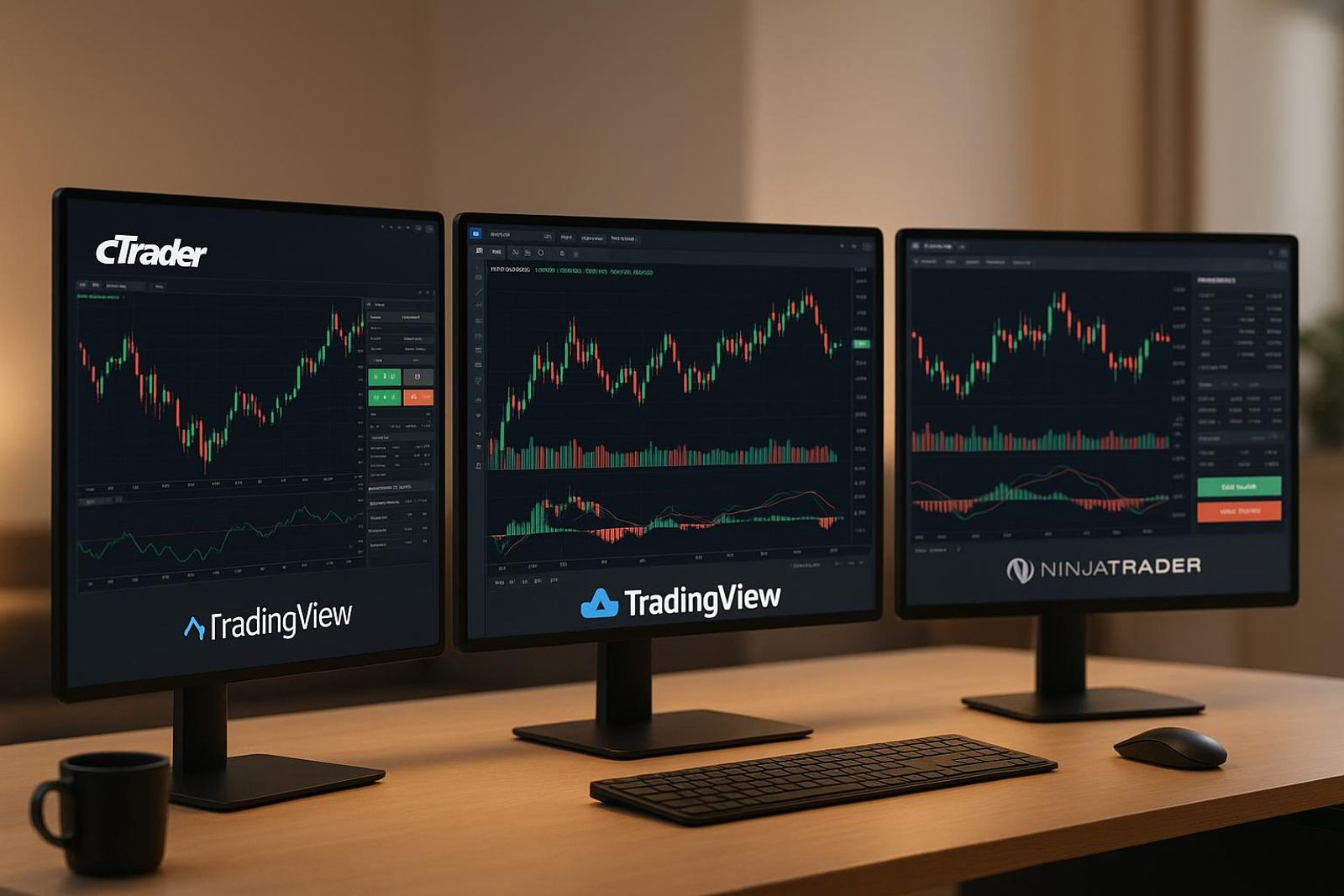
NinjaTrader wins over TradingView for futures order flow, DOM execution and tick-level backtesting; TradingView wins for charting, alerts and multi-device access, and for most traders it is a charting layer wired to an execution venue rather than a standalone platform. cTrader sits between them — better native charting and depth-of-market than NinjaTrader's free tier, C# automation via cTrader Automate, and the strongest demo/simulated and trading-competition environment of the three, which is exactly the setting a prop evaluation runs in.
Key takeaways
- TradingView is the best charting and alerting layer of the three, but execution quality depends entirely on the venue you connect it to.
- NinjaTrader is the futures specialist: DOM, Time and Sales, Market Analyzer, volume profile and tick-level backtesting with walk-forward optimisation — at the cost of a steep learning curve.
- cTrader gives you C# automation (cTrader Automate), clean multi-timeframe charting and demo accounts plus trading competitions that mirror a simulated prop evaluation.
- Automation choice matters more than UI: NinjaScript (C#) and cTrader Automate (C#) can execute full strategies natively, while Pine Script is strongest for indicators and alerts.
- Cost is not the sticker price — CME market data, licence tiers and add-on marketplace spend decide the real monthly bill, so verify current pricing before you commit.
- Pick the platform that shows your daily loss limit and max DD in the same units your challenge measures — the risk parameters should drive the platform decision, not the chart aesthetics.
Watch: related video
The quick verdict: which platform wins for which trader
NinjaTrader wins for futures order flow and tick-level backtesting, TradingView wins for charting and alerts across any device, and cTrader wins the middle ground of native depth-of-market plus C# automation. If you only remember one line from this platform showdown, that's it — everything below just proves the case with numbers.
Canonical comparison table (2026)
| Category | cTrader | TradingView | NinjaTrader |
|---|---|---|---|
| Automation language | C# (cTrader Automate) | Pine Script | NinjaScript (C#-based) |
| Backtesting depth | Tick-level, native | Bar-replay, broker-dependent | Tick-level, native — the deepest of the three |
| Order flow tools | Native DOM + Level II | Add-on / broker-dependent | Native DOM, footprint, volumetric |
| Futures access | Limited | Via connected broker | Native CME futures routing |
| Mobile | Full-featured app | Best-in-class | Basic / limited |
| Cost tier | Free with broker | Free–paid tiers | Free charting, paid data/lease for live |
| Best-fit trader | Multi-asset, DOM-focused | Chart-and-alert, multi-device | Futures, order-flow specialist |
These figures reflect the landscape as of 2026 — pricing and feature tiers move fast, so verify current terms directly with each provider before you commit a challenge account to one.
The three head-to-head calls in one line each
- NinjaTrader vs TradingView: NinjaTrader takes it for anyone trading CME futures with DOM execution and tick backtests; TradingView takes it for cross-device charting and alerting.
- cTrader vs TradingView: cTrader wins if you need native depth-of-market and C# automation baked into the platform itself, not bolted on through a broker feed.
- cTrader vs NinjaTrader: cTrader wins on broader multi-asset access and a stronger simulated/competition environment; NinjaTrader wins on futures-specific order flow depth.
Why TradingView is often a layer, not a platform
Here's the distinction most "ninjatrader vs tradingview" comparisons skip: TradingView isn't an execution environment in the way cTrader or NinjaTrader are. It's a charting, screening and alerting layer that routes your actual fills through a connected broker or venue. You can build a watchlist, set an alert on a breakout, and manage risk visually — but the order itself gets executed somewhere else. NinjaTrader and cTrader, by contrast, are execution environments with charting attached; the DOM, the order ticket, and the fill all live inside the same platform you're charting on. That's not a knock on TradingView — for a prop trading platform comparison 2026, it's simply a different job description. If you're chasing the best charting platform for futures traders and you also need native order flow, TradingView alone won't get you there without a routing partner behind it.
NinjaTrader vs TradingView: head to head
Ninjatrader vs tradingview isn't a close call once you split it by job: TradingView wins charting and alerts, NinjaTrader wins order flow and execution. Neither is lying to you — they're built for different halves of your trading day.
Charting and multi-timeframe layouts — TradingView
TradingView takes this category outright. You get 100+ built-in indicators, cloud-synced layouts that follow you from your desktop to your phone, and multi-timeframe grids you can build in seconds without touching a config file. Alerts fire server-side, meaning they trigger whether your laptop is open or asleep in your bag — NinjaTrader's alerts, by contrast, need the platform running locally. Add the idea-sharing community and Pine Script alerts and automation for anyone who wants to codify a setup without learning a heavier language, and it's clear why TradingView is the default charting layer for so many traders comparing ninjatrader vs other trading platforms. The gap: Pine Script backtests run on TradingView's own historical data, and fidelity versus tick-level replay isn't in the same league as what NinjaTrader offers for futures.
Order flow, DOM and Time and Sales — NinjaTrader
This is NinjaTrader's home turf and it isn't close. Footprint-style order flow charts, Volume Profile layered directly on price, a Depth of Market ladder you can click to trade from, and a Time and Sales tape that shows every print — this is the toolkit futures and order-flow traders build their entries around. Add Market Analyzer for scanning dozens of instruments simultaneously for volume spikes or volatility shifts, and NinjaScript automated strategies for traders who want to code and forward-test logic in C#-adjacent syntax with tick-level backtesting behind it. The trade-off: the UI feels dated next to a modern browser app, and the deepest order flow tools remain Windows-first — no real parity if you're on a Mac or want to check the ladder from your phone.
Automation and mobile — split decision
Automation splits along the same line as everything else. NinjaScript gives you tick-accurate backtesting for automated futures strategies, which matters if your edge depends on fills at specific price levels rather than bar closes. Pine Script alerts and automation are faster to write and easier to iterate on, but they lean on TradingView's own data granularity, which won't satisfy a trader stress-testing a scalping system tick by tick. Mobile is a clean split too: TradingView's app is a near-full-featured mirror of the desktop version; NinjaTrader's mobile presence is thin, built for monitoring, not for running order flow analysis on a train.
Category-by-category winner table
| Category | Winner | Why |
|---|---|---|
| Charting | TradingView | 100+ indicators, cloud sync, multi-timeframe grids |
| Order flow | NinjaTrader | Footprint charts, Volume Profile, DOM depth |
| Automation | Split | NinjaScript for tick fidelity, Pine Script for speed |
| Mobile | TradingView | Full-feature app vs monitoring-only companion |
| Cost | TradingView | Free tier usable; NinjaTrader's full toolkit costs more |
| Execution | NinjaTrader | Native DOM, Time and Sales, order ticket in one platform |
Where cTrader lands: cTrader vs TradingView and cTrader vs NinjaTrader
cTrader is the only one of the three built as a native trading platform first and a charting tool second — it beats TradingView on execution depth and beats NinjaTrader on ease of automation, but it doesn't fully replace either. If you've only used cTrader for FX pairs, you're underrating it. It's a legitimate third option, not a compromise.
cTrader vs TradingView: charting, depth and native execution
The ctrader vs tradingview debate comes down to one question: do you need the chart and the order book to live in the same window? cTrader gives you native Level II depth, one-click trading straight from the candle, and integrated order management — no plugin, no broker widget bolted onto a chart. You see the book, you click the price, the order fills. TradingView, by contrast, is a charting layer that connects out to a venue; the execution always feels one step removed, even with a fast broker link.
Where TradingView still wins cleanly: indicator library breadth and community scripts. Pine Script has years of public strategies behind it, and you can copy, tweak, and backtest someone else's RSI-divergence script in minutes. cTrader's indicator marketplace is smaller. TradingView also wins on cross-device access — the same chart, same drawings, same alerts on your phone, tablet, and desktop. cTrader's mobile app is solid but not as polished for pure charting on the move.
cTrader vs NinjaTrader: automation, order flow and futures depth
For ctrader vs ninjatrader, the automation story flips in cTrader's favor. cTrader Automate builds cBots in C#, the same language NinjaTrader's NinjaScript is built on — but the on-ramp is gentler. You write and test a cBot inside cAlgo, cTrader's built-in IDE, with cloud backtesting that doesn't require you to manage local data feeds or tick databases. For a trader who wants to code an EA-style strategy without wrestling infrastructure, that's a real edge.
NinjaTrader still owns the deep end of order flow: footprint charts, tick-level fidelity, and walk-forward optimization that stress-tests a strategy across rolling time windows — tools built specifically for futures scalpers and order-flow traders who need to see every print. cTrader doesn't compete there. If your edge lives in reading the tape on ES or NQ, NinjaTrader's DOM and footprint tooling aren't optional.
What cTrader does better than both
- Transparent execution stats — cTrader publishes slippage, spread, and fill data at the account level, giving you a real audit trail neither rival surfaces natively.
- Built-in copy trading — no third-party plugin needed to mirror or offer strategies.
- Demo and competition ecosystem — cTrader's simulated environment and trading contests mirror the pressure of a live evaluation more closely than TradingView's paper trading or NinjaTrader's sim mode, which is exactly the muscle memory a prop challenge rewards.
cTrader for futures, simulated trading and trading competitions
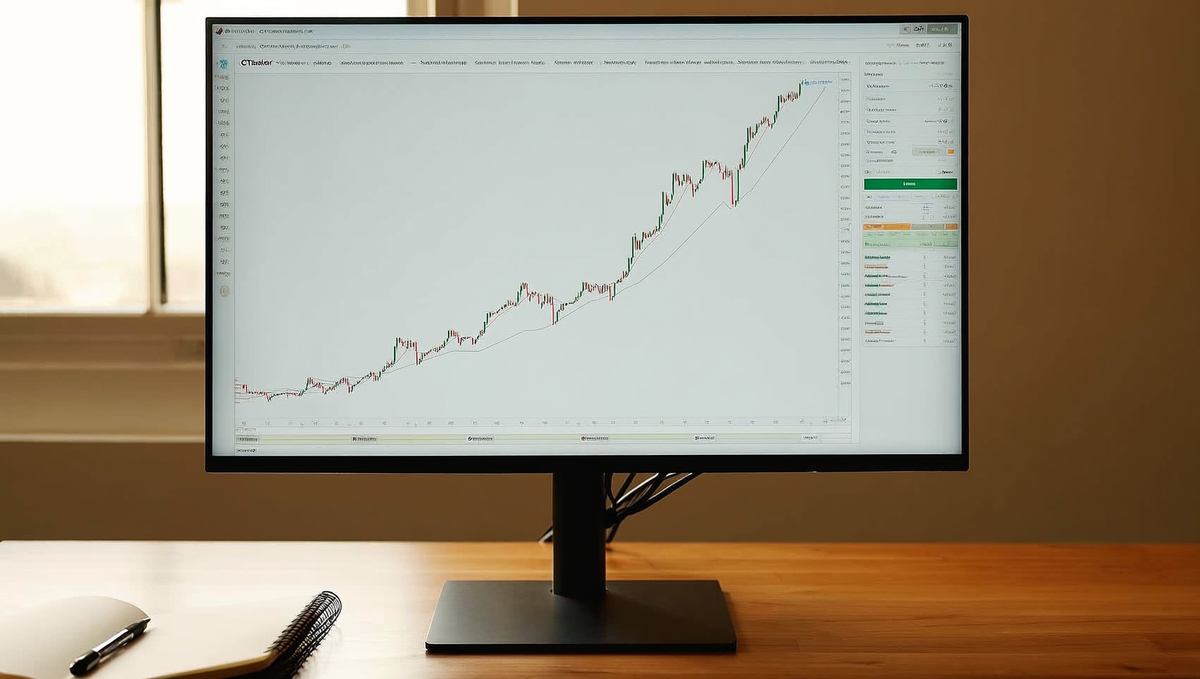
cTrader is not a direct CME futures terminal for most retail users — it's a CFD-style venue for index and commodity exposure, and the closest thing to a genuine futures rehearsal environment among the three platforms once you factor in its demo and competition tooling. If your goal is trading ES, NQ, MES, MNQ or GC as listed CME Group futures ES NQ MES MNQ GC contracts with real tick sizes and margining, you need to know exactly what your broker is routing you into before you size a position off a futures spec sheet.
Does cTrader give you real futures access?
Depends entirely on the broker plugged into the cTrader futures trading platform. Most cTrader brokers offer index and commodity CFDs — synthetic instruments that track the underlying futures price but settle differently, carry broker-set overnight financing instead of exchange-defined roll dates, and don't inherit CME margin or settlement mechanics. A smaller set of institutional-grade brokers wire in direct or near-direct access to listed futures. The practical fix: open the contract specification sheet before you trade and check for a maturity/expiry date and an exchange reference — CFDs on cTrader rarely list one, real futures always do.
cTrader as a futures trading education environment
Where cTrader earns its seat at this table is cTrader futures trading education, not live execution. Charting, order tickets, and depth-of-market ladders are pixel-identical between demo and live accounts — you're not learning on a stripped-down sim UI and then getting surprised by a different order panel on launch day. Built-in replay and backtesting tools let you step through historical bars candle by candle, which is genuinely useful for understanding how an ES or GC contract behaves around a session open or a CME settlement window, even if you're paper-trading the CFD proxy rather than the exchange contract itself.
Demo accounts, simulated trading and competitions that mirror a prop evaluation
Every cTrader broker offers a free demo account with no expiry pressure — unlimited resets, full simulated capital, identical execution logic to live. That alone beats TradingView's lighter paper trading loop. But the structural standout is cTrader simulated trading and trading competitions: broker-hosted contests running on simulated capital with public leaderboards, hard drawdown cutoffs, and fixed time windows — the same three constraints that define a prop firm evaluation.
| Feature | cTrader Demo | cTrader Competition | Typical Prop Evaluation |
|---|---|---|---|
| Capital type | Simulated, resettable | Simulated, fixed | Simulated capital |
| Drawdown rule | None enforced | Hard cutoff, disqualifies | Max DD, hard breach |
| Time limit | None | Fixed window | Fixed evaluation phase |
| Public scoring | No | Leaderboard | Internal only |
Trading a leaderboard with a clock running builds the same scored-account tension you'll feel in a Two-Step Challenge — the drawdown counter in the corner of your screen does more for evaluation-readiness than another quiet demo session ever will.
Execution mechanics: order queuing, DOM, partial fills and slippage
NinjaTrader is built around queue position and a native DOM ladder; TradingView's order panel inherits whatever the connected broker or venue serves it; cTrader sits in between with a solid depth-of-market view but no true queue-position modeling. If you scalp the tape, this isn't a cosmetic difference — it's the difference between knowing where your limit order sits in the book and guessing.
How NinjaTrader handles order queuing and queue position
NinjaTrader's DOM shows resting size at each price and updates as fills chew through the queue, which is the closest a retail platform gets to real order-flow visibility on CME futures. That's the core of what people mean by ninjatrader trade queuing software — you can watch your limit order's approximate position relative to other resting size, decide whether to hold or reprice, and read absorption at a level before it breaks. TradingView's order ticket doesn't model queue position at all; it sends the order to your connected venue and shows you a fill or a rejection, nothing in between. For a swing trader that's irrelevant. For someone scalping US100 NSDQ futures around the open, it's the whole game.
Order types across the three: OCO, bracket, trailing stop, ATM strategies
All three platforms support OCO and bracket orders and a trailing stop, but the editing experience diverges hard. On TradingView you drag your stop or target directly on the chart and the ticket updates live — fast, visual, forgiving of fat fingers. NinjaTrader's ATM (Automated Trade Management) strategies let you pre-build a bracket template — entry, stop, multiple profit targets, trail logic — and attach it to every order before you're even in the trade, which is built for repeatable, rules-based execution rather than in-the-moment adjustment. cTrader's bracket and OCO handling is ticket-based but clean, with trailing stops that update server-side rather than depending on your platform staying connected.
| Feature | NinjaTrader | TradingView | cTrader |
|---|---|---|---|
| DOM / queue position | Native, detailed | None (venue-dependent) | DOM shown, no queue depth |
| OCO / bracket orders | Yes, via ATM templates | Yes, chart-drag ticket | Yes, native ticket |
| Trailing stop | Yes, server + strategy-based | Depends on venue | Yes, server-side |
| Time and Sales granularity | Tick-by-tick | Basic print feed | Tick-by-tick |
| In-flight order edit | Ticket/ATM re-attach | Drag on chart | Ticket edit |
Gold and US100 around NFP and FOMC: what actually fills
Be honest with yourself about this part: on XAUUSD during an NFP print or an FOMC statement, spreads blow out and stops fill through the level on every platform — NinjaTrader, TradingView, cTrader, doesn't matter. What differs is how clearly you see it happening. Reading Time and Sales tick-by-tick on NinjaTrader or cTrader shows you the exact prints ripping past your stop; a candle on a TradingView chart just shows you the aftermath. Slippage is the tax you pay for demanding liquidity in a thin, fast market, and no bracket "survives" a genuine gap — it just fills wherever the next matching price lands.
Practical fix: stop sizing off ATR rather than round numbers (round numbers get front-run and hit first), and pre-place your bracket well before the release instead of reacting to the headline. By the time you're clicking, the fill you wanted is gone.
Automation: NinjaScript vs cTrader Automate vs Pine Script
If automation is the goal, pick the language by what it can actually execute, not by how fast you can learn the syntax. NinjaScript and cTrader Automate both compile C# into full algorithmic trading engines with order-level control; Pine Script writes fast and reads clean but leans on broker-side plumbing the moment you push past alerts into live execution.
What each language can actually execute
NinjaScript is native C# that compiles directly into NinjaTrader's engine. It runs NinjaScript automated strategies against live, simulated, and historical tick data with full access to order types, OCO brackets, and account-level risk logic — this is why futures desks lean on it for anything beyond a simple crossover.
cTrader Automate also runs on C#, executing as cBots inside cTrader's cloud infrastructure. cTrader Automate C# backtesting runs on the same engine that fills your live orders, so a cBot that passes backtest behaves almost identically in a funded environment — there's no separate "sim dialect" to translate.
Pine Script, TradingView's language, was built for chart logic first. Pine Script alerts and automation work well for signal generation and webhook-triggered execution through a connected broker, but the strategy itself doesn't run inside a tick-level order-matching engine — it runs on bar-close data unless you're on premium intrabar precision, and live execution depends entirely on the integration you've bolted on.
Learning curve and transferable skill
Pine Script is the fastest on-ramp — most traders write a working alert in a weekend. But that skill is largely non-transferable outside TradingView's ecosystem.
C# has a steeper first week, but the payoff compounds: the syntax, debugging habits, and object-oriented structure you learn writing a NinjaScript strategy carry over almost directly into cTrader Automate, and further into general algorithmic trading work outside either platform. Learn one C# environment and the second one costs you days, not months.
Which one to learn if a funded account is the goal
Learn C# if you intend to automate anything you'll actually trade with size — the backtest fidelity and order control matter more once real risk rules (daily loss limits, max drawdown) are attached to the strategy. Learn Pine Script if your edge is discretionary and you just want reliable alerts and structure marked on the chart while you pull the trigger yourself.
| Language | Execution scope | Backtest fidelity | Time to first working strategy |
|---|---|---|---|
| NinjaScript (C#) | Full automated strategies, live/sim/futures order flow | Tick-level, high | 1-2 weeks |
| cTrader Automate (C#) | cBots, cloud backtest + live, near-identical code | Tick-level, high | 1-2 weeks |
| Pine Script | Alerts + broker-dependent execution | Bar-based, moderate | 1-2 days |
Ready to trade funded capital?
Choose your path — Instant Accounts, One-Step or Two-Step Challenges — from just $23, with up to $300,000 in funded capital.
Choose your challengeBacktesting you can trust before a challenge
A backtest that flatters your equity curve on ten years of bar data and then blows through the daily loss limit in week one of a challenge isn't a bad strategy — it's a bad backtest. Fidelity of simulation, not the elegance of the strategy, is usually what separates a pass from a bust.
Tick-level data versus bar-close approximation
NinjaTrader's tick-replay engine rebuilds price movement tick by tick, so a strategy that scalps intrabar volatility on gold or NSDQ gets tested against what actually happened between the open and close of each bar — not a straight-line guess. It reports profit factor, max drawdown and Sharpe ratio from that reconstructed path, which is as close to "what would have happened live" as retail backtesting gets. cTrader Automate does the same with tick-based backtesting inside cTrader Automate, wrapped in a friendlier interface — you lose a bit of NinjaTrader's granular control but gain speed of setup. TradingView's strategy tester, by contrast, approximates intrabar action from OHLC bars unless you're on higher-resolution replay, which means a stop-and-target strategy on a volatile instrument can show fills that never would have happened tick-by-tick.
Walk-forward optimisation and curve-fitting traps
Ten years of clean equity growth on a single optimised parameter set is a curve-fit, not an edge. Walk-forward optimisation — optimise on one window, test forward on unseen data, roll the window, repeat — is how you find out if the strategy adapts or just memorised the past. NinjaTrader's optimizer supports this natively and is the deepest of the three for it. If your system's forward segments degrade sharply from the in-sample segments, that gap is exactly the failure mode you'll meet live in a challenge: strong backtest, rough first week.
Slippage, commission and spread modelling
Skip slippage modelling and your backtest is trading in a world without other participants. On gold and index futures, a few points of slippage per fill can turn a profit factor of 1.6 into breakeven. Both NinjaTrader and cTrader let you set realistic slippage, commission and spread assumptions per instrument — use them, and bias them pessimistic, not optimistic. TradingView's tester includes commission and slippage fields too, but the bar-close fill logic underneath means the number is a rough guide, not a fill-accurate one.
A practical protocol before you risk a challenge attempt on any system: split your data 70/30 for walk-forward, assume at least 1-2 ticks of slippage on indices and $0.20-0.50 on gold per fill, and don't trust any profit factor or drawdown number generated from fewer than 100 trades. Below that, you're reading noise, not an edge.
2026 cost reality: what's free and what the monthly bill looks like
None of these three platforms is actually free once you're trading anything beyond a single delayed chart. TradingView's free plan restricts indicators, alerts and layouts; NinjaTrader's licence tiers change your commission structure and unlock (or lock) advanced order types; cTrader is typically free from the broker or connecting venue, but the cost just moves into the spread. Add exchange data fees and add-on marketplace spend, and a "free" charting stack can run $50-150+ a month before you've placed a single trade in a prop evaluation.
Free tiers and what they actually restrict
TradingView's free plan caps you at one chart, one indicator per chart, three saved layouts, and no server-side alerts — fine for eyeballing setups, painful for multi-symbol scanning. Paid tiers (Essential, Plus, Premium) scale indicator count, alert limits and bar replay depth. NinjaTrader's free tier gives you full charting and simulated trading with real-time data feeds via connected brokers — genuinely usable for practice — but live trading, advanced order types like ATM strategies, and some automation tools sit behind a licence. cTrader's free-from-broker model means charting, DOM and cTrader Automate come bundled with the account; the trade-off is you're tied to whichever venue's spread/commission schedule you land on.
Licence tiers, lifetime versus lease, and add-on marketplace spend
NinjaTrader licence cost 2026 breaks into a monthly lease (roughly $50-60/month), an annual lease (cheaper per month), or a lifetime licence (a one-time fee, historically in the $1,500-1,600 range, though NinjaTrader periodically adjusts pricing — verify current numbers before budgeting). Lifetime buyers get every future update at no extra cost; lease traders pay indefinitely but avoid the upfront hit. On top of licensing, NinjaTrader's add-on marketplace (custom indicators, strategies, order flow tools) can add another $20-100+/month depending on how deep you go into volume profile or footprint tools. TradingView's Pine Script indicator ecosystem is mostly free or one-time-purchase from community authors, which keeps ongoing add-on spend lower.
CME and exchange market data: the fee nobody budgets for
This is the line item that blows up beginner budgets. If you're trading CME futures — ES, NQ, GC — you need a market data subscription, and CME Group charges non-professional traders separately for real-time data, with Level II depth-of-market costing extra again. Add $10-30/month per exchange bundle, more if you want full order book depth across multiple product groups. This exchange data feed cost applies whether you're on NinjaTrader or cTrader for futures — TradingView bundles some data into its paid plans but still gates full CME depth behind add-ons.
| Platform | Base software cost | Data/exchange fees | Realistic monthly total |
|---|---|---|---|
| TradingView | $0-$599.88/yr (Premium) | $10-50 exchange bundles | $15-80 |
| NinjaTrader | $0-60/mo lease or $1,500+ lifetime | $20-50 CME/CBOT data + add-ons | $40-150 |
| cTrader | Free (broker-provided) | Built into spread/commission | Spread-dependent, often $0 direct |
Pricing tiers shift often — verify current numbers directly with TradingView, NinjaTrader and your connecting broker before you build a monthly budget around them. When you're stacking this against challenge fees in any prop trading platform comparison 2026, the data bill is real money, even on simulated capital.
Risk parameters first: tracking daily loss limit and max DD in each platform
The platform that wins isn't the one with the prettiest chart — it's the one that shows your open risk, daily loss and distance to max drawdown in the same units your challenge actually measures. Miss that, and you can be flat on the chart while sitting one bad fill away from a breach. None of cTrader, TradingView or NinjaTrader natively enforces a prop firm's daily loss limit; that discipline layer is yours to build, every session.
Seeing risk in the units your challenge measures
Most Two-Step Challenge and Three-Step Challenge rules cap daily loss and max DD as a percentage of starting or trailing balance — not in raw pips or ticks. cTrader's equity and margin panel updates live in account currency and percentage, which maps directly onto a challenge rulebook. NinjaTrader's Market Analyzer can add account-level P&L columns, but you're building that view yourself, column by column. TradingView shows P&L per position in your connected broker's terms, dollars or points, and you convert to percentage in your head — fine until the market moves fast during NFP or FOMC and you need the number instantly, not after mental math.
Position sizing tools and risk-per-trade calculators
TradingView's long/short position tool draws your entry, stop and target directly on the chart and calculates R:R on the fly — genuinely the fastest way to size a discretionary trade by risk per trade before you place it. NinjaTrader answers with ATM strategies: pre-set stop, target and trail parameters attached to an order template, plus SuperDOM's risk display showing dollar exposure per contract in real time — built for traders who size in ticks and contracts, not percentages. cTrader's built-in position sizing calculator lets you input risk per trade as a percentage of equity and spits out lot size directly, which is arguably the closest native fit to how a funded evaluation actually thinks about risk.
| Platform | Native risk tool | Best for |
|---|---|---|
| TradingView | Long/short position tool, manual R:R | Discretionary chart-based sizing |
| NinjaTrader | ATM strategies, SuperDOM risk display | Futures order flow, contract-based sizing |
| cTrader | Position sizing calculator, equity/margin panel | Percentage-based risk matching prop rules |
Building a hard stop-out routine when the platform won't do it for you
Since no platform will physically stop you at your daily loss ceiling, build the routine yourself: pre-calculate lot size for your max risk per trade before the session opens, write your daily loss ceiling on a sticky note or a spreadsheet cell you actually look at, and set a platform-level price or equity alert that fires before you get there — not at the limit. In NinjaTrader, that's an ATM stop attached to every order plus a manual alert on account P&L. In TradingView, it's an alert on your broker feed's equity value if your connection supports it. In cTrader, the equity panel plus a margin-level alert does the same job with less setup. Whichever platform you pick as the best platform for prop firm challenge trading, the discipline sits with you, not the software.
Honest pros and cons of each platform
Pros
- TradingView: best-in-class charting, 100+ built-in indicators, cloud-synced multi-timeframe layouts, server-side alerts, browser and mobile parity, huge community script and idea library
- NinjaTrader: deepest futures tooling — DOM ladder, Time and Sales, volume profile, order flow, Market Analyzer scanning, ATM bracket templates, tick-level backtesting with walk-forward optimisation, free charting and simulated trading tier
- cTrader: native execution with level II depth, C# automation via cTrader Automate with tick-based backtesting, clean position sizing and risk panels, unlimited demo accounts and trading competitions that mimic a scored evaluation
Cons / risks
- TradingView: execution quality depends entirely on the connected venue, strategy backtesting approximates intrabar behaviour, and useful features sit behind paid tiers
- NinjaTrader: steep learning curve, Windows-first workflow, dated interface, and real cost arrives through licence tiers, CME market data and third-party add-ons
- cTrader: futures access varies by provider (CFD-style instruments versus direct CME contracts), smaller indicator and community ecosystem than TradingView, and no footprint order flow to match NinjaTrader
Ready to trade funded capital?
Choose your path — Instant Accounts, One-Step or Two-Step Challenges — from just $23, with up to $300,000 in funded capital.
Choose your challengeFrequently Asked Questions
NinjaTrader vs TradingView — which is better?+
NinjaTrader wins on execution and futures-specific tools, TradingView wins on charting and cross-market analysis — they solve different problems. NinjaTrader gives you DOM trading, advanced order queuing, and NinjaScript automation built around futures fills. TradingView gives you the cleanest charts on the planet, Pine Script for quick strategy testing, and social/idea-sharing features NinjaTrader doesn't touch. Most serious futures traders end up running TradingView for analysis and NinjaTrader for the actual trigger-pulling. Picking one over the other usually means picking your instrument focus first.
Is TradingView enough on its own for trading?+
TradingView alone works fine for spot forex and CFD execution through connected brokers, but it's a charting layer first — for futures DOM trading and serious automation you'll still want NinjaTrader or cTrader behind it. TradingView's execution model relies on broker integrations rather than native order routing, so latency and order-type depth (like true bracket orders with trailing) vary by connection. Traders often use TradingView for chart analysis and idea generation, then execute through a dedicated futures platform when speed and order control matter more.
How does cTrader compare to TradingView for charting?+
cTrader's charting is solid but narrower — TradingView still leads on indicator variety, multi-timeframe layouts, and community scripts. Where cTrader pulls ahead is native execution: Level II depth, cTrader Automate (C#) for bots, and a cleaner order ticket built for forex and CFD pairs. TradingView is closer to a research and idea platform that plugs into many brokers; cTrader is a full trading terminal with its own ecosystem. If you're gold/XAUUSD-focused, cTrader's DOM and one-click execution give tighter control during fast moves.
Does cTrader support real futures trading?+
No, cTrader is built for forex, CFDs, and spot crypto — it does not offer native futures contracts on CME or similar exchanges. It's an excellent practice environment for order execution mechanics (DOM, market depth, one-click trading) and cTrader Automate lets you build and backtest algorithms in C#, but if futures education and execution are the goal, NinjaTrader is the platform with actual CME futures data and contract specs. Traders often learn execution discipline on cTrader demo accounts before moving to futures-specific platforms.
How good is cTrader for demo trading and evaluations?+
cTrader's demo environment mirrors live execution closely, which makes it a reliable practice ground for prop evaluations — spreads, fills, and order behavior on demo match what you'll see on a funded simulated account. It also runs built-in trading competitions/contests that simulate evaluation-style pressure with drawdown and time limits. For a Two-Step Challenge or Instant Funding account tested on cTrader, the simulated capital behaves consistently with live conditions, so habits built in demo transfer directly rather than needing to be relearned.
What does NinjaTrader cost compared to TradingView in 2026?+
NinjaTrader charges for its platform license (or offers it free with a funded/simulated account tied to a broker) plus separate data feed fees for live futures data, while TradingView runs on a freemium model with paid tiers unlocking more indicators, alerts, and chart layouts. Neither is free end-to-end if you want real-time data and full automation. cTrader is typically free to use through supporting brokers or challenge providers, with its cost baked into spreads rather than a subscription. Budget for data fees separately from platform fees on all three.
Which automation language should I learn — NinjaScript or Pine Script?+
Pine Script is faster to learn and best for quick strategy prototyping and alerts; NinjaScript (C#) is the deeper, more powerful choice if you're building real automated futures systems with tick-level control. cTrader Automate also uses C#, so skills transfer between NinjaTrader and cTrader more than between either and Pine Script. If your end goal is live automated execution rather than backtesting ideas, start with C# — Pine Script strategies often need to be rebuilt anyway once you move past visual backtesting.
Can you trade gold and US100 on all three platforms?+
Yes, XAUUSD and US100 are available on TradingView (via broker connections), cTrader (as CFDs), and NinjaTrader (via futures contracts like GC and NQ), but the instrument type differs. NinjaTrader gives you the actual futures contract with CME specs and margin, while cTrader and TradingView typically offer CFD versions with different tick values and overnight financing. If you're testing a gold strategy for a futures-based challenge, trade the futures contract on NinjaTrader — CFD behavior on cTrader or TradingView won't match exactly.
How steep is the learning curve for NinjaTrader?+
NinjaTrader has the steepest learning curve of the three — the DOM, order queuing, and chart trader interface take real practice before you can execute cleanly during fast news like NFP or FOMC. TradingView's interface is closer to intuitive from day one, and cTrader sits in between with a cleaner ticket than NinjaTrader but more depth than TradingView's execution panel. Budget several weeks of demo reps on NinjaTrader specifically around news volatility before trusting it on a live evaluation.
Written by
Marcel Hambálek
Senior Trader, For Traders
Marcel trades Futures and Forex day-trading setups on funded accounts and writes about the executional details most traders skip — order types, slippage, session timing, platform quirks on MT5 and NinjaTrader. Pragmatic, mechanics-first, no fluff.
Follow on LinkedInReady to trade funded capital?
Choose your path — Instant Accounts, One-Step or Two-Step Challenges — from just $49, with up to $300,000 in funded capital.
Choose your challengeRelated Blog Posts
Trade up to $300,000
Choose challenge