Tools Every Funded Trader Should Be Using
The 2026 toolkit every funded trader needs: platforms, risk tools, journals, backtesting, data feeds and account rotation — picks, pricing and stack advice.
By Marcel Hambálek · Senior Trader, For Traders
Every funded trader needs six categories of tools: a prop-compliant trading platform, real-time risk and drawdown controls, a trade journal, backtesting software, reliable market data, and an account/economic-calendar layer. The right stack keeps you inside daily loss limits and trailing drawdown while your edge does the work.
Key takeaways
- Funded traders survive on six tool categories — platform, risk control, journal, backtesting, data feed, and calendar/rotation.
- Platform choice should match your prop firm's rules: DXtrade, TradeLocker and cTrader dominate 2026 prop deployments.
- AI risk monitors like QuantGuard enforce DLL and max drawdown in real time — the single fastest way to stop giving accounts back.
- A prop-focused journal (TradesViz, Edgewonk, TraderVue) is non-negotiable for tracking rule compliance, not just P&L.
- Futures funded traders need a different stack: Rithmic or Tradovate data, NinjaTrader or Jigsaw execution.
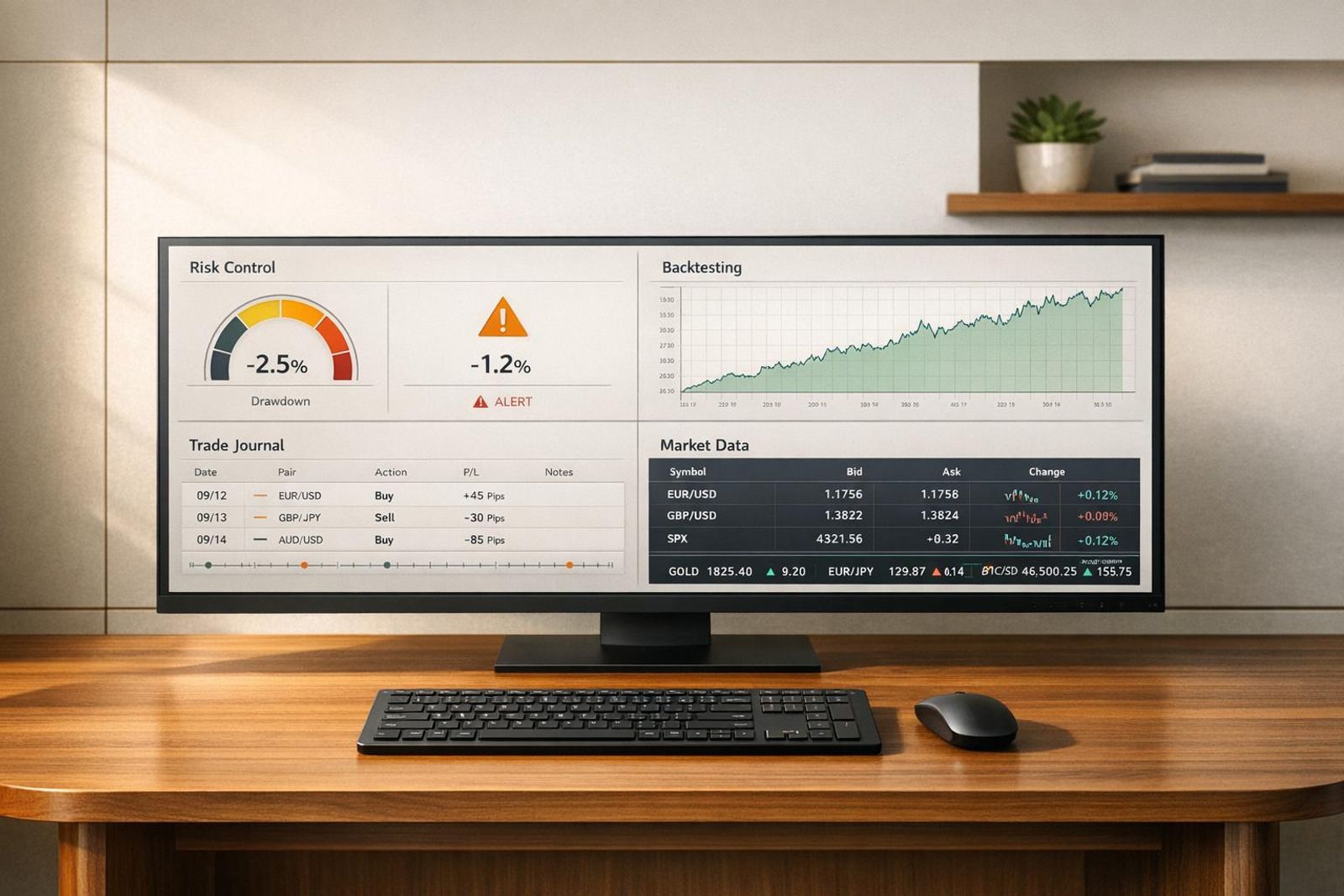
- For Traders' built-in dashboard consolidates DLL tracking, drawdown state, and payout metrics so you can trade instead of calculating.
Watch: related video
The six tool categories every funded trader needs
Why your toolkit matters more than your edge
Most traders who fail a funded challenge don't fail because their strategy stopped working. They fail because their workflow let them down — a position sized too large during a revenge trade, a second entry opened while the first was already at max loss, or a news spike caught them flat-footed with no plan. The strategy was fine. The infrastructure wasn't.
This is the uncomfortable truth the prop trading world doesn't advertise loudly enough: execution discipline kills more accounts than bad analysis. A trader with a 55% win rate and a 1:1.5 R:R can still blow a funded account in a single session if they're working without guardrails. The tools aren't a crutch — they're the difference between your edge expressing itself over hundreds of trades and one emotional moment wiping out three weeks of drawdown buffer.
Think about what a funded trader is actually managing. You're not just picking direction. You're tracking your daily loss limit (DLL), watching trailing drawdown in real time, staying within lot-size rules across potentially multiple open positions, and doing all of that while the market is moving. No human brain runs all of that cleanly on instinct alone. The traders who pass consistently are the ones who've systematised everything they possibly can — so the only variable left is the trade itself.
How a simple platform helps you avoid costly mistakes
When traders ask how a simple platform helps them avoid costly mistakes, the answer almost always comes down to three specific features: hard-coded position limits, one-click flatten, and live DLL visibility.
Hard-coded position limits mean the platform physically won't let you exceed your maximum lot size — not a warning, a hard block. That matters most in the moments when you're least rational: after a losing streak, during a fast-moving FOMC release, or when a trade is working and you want to pyramid aggressively beyond your risk parameters. One-click flatten is equally underrated. When a position is moving against you and you need out now, fumbling through menus or closing legs individually costs real ticks. A single button that closes everything instantly removes that friction entirely.
Live DLL visibility keeps your daily loss ceiling on screen at all times — not buried in a dashboard tab you have to navigate to. When that number is front and centre, it changes behaviour. You make different decisions with 40% of your daily limit remaining versus 10%, and you should. The platform makes that obvious without requiring you to calculate it manually mid-trade.
Simplicity isn't a compromise. A clean interface with fewer clicks between intention and execution is a genuine built-in risk tool for traders — it removes the operational complexity that compounds under pressure.
The six categories at a glance
The rest of this article walks through each tool category in depth. Here's the framework you'll be working with:
- Platform — your execution environment, including prop-compliance features and interface design
- Risk controls — real-time drawdown tracking, position sizing calculators, and DLL monitoring
- Trade journal — structured post-trade review, pattern recognition, and psychological tracking
- Backtesting software — historical validation of your setups before you risk evaluation capital on them
- Market data — reliable price feeds, depth of market, and instrument-specific data for the assets you actually trade
- Calendar and rotation layer — economic event tracking and account management across challenge phases
Each category solves a specific failure mode. Together, they form the operational stack that lets your trading edge — whatever it is — actually show up in your results.
Prop firm trading platforms compared (2026)
Your platform choice is not cosmetic — it determines fill quality, how natively risk rules are enforced, and whether your prop firm can even monitor your account in real time. In 2026, six platforms dominate the funded trading space, and each serves a different trader profile.
DXtrade — the prop firm default
DXtrade, built by Devexperts, has become the de facto standard for prop firm infrastructure. Its back-end allows challenge providers to configure trailing drawdown, daily loss limits, and phase-based rule sets at the account level — meaning the risk engine runs server-side, not as a bolt-on plugin. For Traders runs its challenges on DXtrade, which is why you see consistent rule enforcement across every instrument and session. The interface is clean, web-native, and requires no download. Execution is STP-routed with typical fill latency in the 50–120 ms range on liquid pairs. If you're new to prop trading, DXtrade is almost certainly the first platform you'll encounter.
TradeLocker — the newer prop-native contender
TradeLocker launched specifically to serve the prop firm ecosystem, and it shows. The UI is deliberately familiar to MT4/MT5 users — same order ticket logic, similar chart layout — but the architecture is modern. Risk parameters are embedded at the account level, not overlaid. TradeLocker supports one-click trading, partial closes, and a mobile app that doesn't strip out risk controls (a real problem on some legacy platforms). It's gaining adoption fast among mid-tier prop firms looking to move off MetaTrader licensing costs. Latency is competitive at 60–130 ms. Worth noting: TradeLocker's symbol library is still narrower than MT5 or cTrader, so futures traders may find gaps.
cTrader — DMA transparency and prop trading fit
cTrader's edge is transparency. It shows you the full execution model — STP or ECN — with a visible depth of market (DOM) panel and detailed fill reports including slippage per trade. For funded traders trying to audit execution quality, that data is invaluable. cTrader also supports algorithmic trading via cBots (C#-based), advanced conditional orders, and a detachable chart layout that serious discretionary traders appreciate. Its prop firm adoption is growing but still trails DXtrade. If execution transparency and DMA-style visibility matter to your strategy — particularly for scalping or news trading — cTrader is the strongest technical choice available.
MetaTrader 5 — legacy giant, still relevant
MT5 remains the most widely installed retail trading platform on the planet, and its Expert Advisor (EA) ecosystem is unmatched. For prop traders running automated or semi-automated strategies, the depth of third-party tools, indicators, and backtesting infrastructure inside MT5's Strategy Tester is hard to replicate. The limitation in 2026 is licensing cost — Metaquotes has made white-labelling increasingly expensive, which is pushing smaller prop firms toward DXtrade and TradeLocker. MT5 also lacks native prop-firm risk controls; firms typically layer external drawdown monitors on top, which introduces a small but real enforcement lag. Still the right call if your edge is built around an EA you've spent years refining.
TradingView — charts first, execution second
TradingView is where most traders build their analysis. Its charting engine is best-in-class: multi-timeframe layouts, hundreds of community indicators, Pine Script for custom studies, and a clean alert system that integrates with webhooks. The execution layer — via broker integrations — is functional but secondary. For funded traders, TradingView works best as the analysis and charting layer alongside a separate execution platform. Some prop firms now offer TradingView-connected accounts, but the risk controls are still managed on the back-end platform. Use TradingView for your setups; use your prop platform for your fills.
NinjaTrader — futures execution powerhouse
NinjaTrader is the serious choice for CME futures traders. Its DOM (SuperDOM), order flow tools, and Market Replay feature are purpose-built for tick-by-tick analysis on instruments like ES, NQ, CL, and GC. Latency on co-located connections can drop below 10 ms. For funded futures traders — a segment growing rapidly in 2026 — NinjaTrader's execution precision and depth of data are hard to argue against. The learning curve is steep and the platform is Windows-only, but if you're trading NQ or ES contracts through a futures prop firm, this is the professional standard.
Comparison table: platforms at a glance
| Platform | Typical Fill Latency | Prop Firm Adoption | Native Risk Controls | Best For | Execution Model |
|---|---|---|---|---|---|
| DXtrade | 50–120 ms | Very High (industry default) | ✅ Server-side, native | All-round prop trading, forex, gold | STP |
| TradeLocker | 60–130 ms | High (rapidly growing) | ✅ Account-level native | MT4/MT5 migrants, mobile traders | STP |
| cTrader | 40–100 ms | Medium (growing) | ⚠️ Partial — firm-dependent | Scalpers, DMA transparency, algos | STP / ECN |
| MetaTrader 5 | 60–150 ms | High (declining) | ⚠️ External overlay required | EA traders, deep indicator library | STP / Market maker |
| TradingView | Varies by broker | Low (analysis layer only) | ❌ Not native | Charting, analysis, alerts | Broker-dependent |
| NinjaTrader | <10 ms (co-located) | Medium (futures-specific) | ⚠️ Firm-dependent add-ons | CME futures, order flow, DOM | Direct market access |
The bottom line: DXtrade is the platform you'll live on as a prop trader in 2026, TradeLocker is worth learning as adoption accelerates, and cTrader earns its place if execution transparency is non-negotiable for your strategy. NinjaTrader stands alone for serious futures work. TradingView belongs in every trader's stack — just not as your primary execution venue.
Risk management and drawdown control tools
The single fastest way to blow a funded account isn't a bad trade — it's a bad trade you held too long because you believed it would come back. External risk enforcement removes that belief from the equation. Discipline is a finite resource; hard stops and automated flattening are not.
Why built-in risk beats willpower
Every funded trader knows their Daily Loss Limit (DLL) and Max Drawdown thresholds on paper. The problem is that knowing them at 9 a.m. and respecting them at 2:30 p.m. during a losing streak are two different cognitive tasks. Research on decision fatigue consistently shows that rule adherence deteriorates under repeated stress — and prop trading is a stress machine by design. The traders who pass evaluations and stay funded longest aren't necessarily more disciplined; they've systematised the rules so willpower never gets a vote. If your platform can hard-cap your daily loss and auto-close positions at a preset drawdown level, you don't need to make that call in the moment. That's the edge.
QuantGuard — AI risk monitor for prop accounts
QuantGuard is one of the more serious tools to emerge specifically for the prop-account context. It connects to your live account via API, reads open positions in real time, and calculates your current P&L exposure relative to your DLL buffer. When your floating loss approaches a configurable threshold — say, 70% of your daily limit — it can auto-flatten all positions before you breach. That's the critical distinction: it acts before the breach, not after the damage is done.
The AI layer monitors velocity as well as depth. If you're losing at an unusual rate — three consecutive losing trades inside ten minutes, for instance — QuantGuard can trigger a trading pause even if the raw DLL figure hasn't been hit yet. For traders running news strategies around NFP or FOMC releases, that velocity detection is often more valuable than the absolute cap.
Setup is straightforward on most REST-API-compatible platforms: connect your read/write API key, set your DLL percentage trigger, configure your flatten action, and test it in simulation before going live. Don't skip the simulation step.
Platform-native DLL and max drawdown enforcement
Not all platforms are equal here. DXtrade has native risk controls that prop firms can configure at the account level — your DLL and trailing Max Drawdown are enforced server-side, meaning they activate regardless of your internet connection or platform state. TradeLocker similarly supports firm-side rule enforcement baked into the account parameters.
NinjaTrader offers position-limit controls and daily loss stops natively, which matters for futures traders where a single tick-size move on a large contract can close the gap to your limit faster than you expect. cTrader has some native protection tools but is more variable depending on how the prop firm has configured the back end — verify with your specific challenge provider what's enforced versus advisory.
If your platform doesn't enforce rules server-side, you're relying on client-side scripts or third-party tools like QuantGuard. That's workable, but treat it as a backup layer, not the primary one.
Alert stacks: TradingView + broker webhooks
For traders who want granular, real-time awareness without full automation, a TradingView alert stack piped through webhooks is a practical middle ground. The setup: build a custom Pine Script indicator that tracks your session P&L as a percentage of your DLL, then fire a webhook alert to a service like Make (formerly Integromat) or Zapier when you hit 50%, 70%, and 90% of your daily limit. Those webhooks can push to Telegram, Discord, or SMS — wherever you'll actually see them.
Pair that with hard position-size caps set inside your execution platform. If your Max Drawdown buffer is $1,000 and your average trade risk is 0.5% of account, define the maximum lot size that keeps any single trade inside that boundary and lock it at the platform level. Remove discretion from sizing under pressure. The alert stack tells you where you are; the hard cap prevents you from making it worse.
The honest summary: use platform-native enforcement as your first line, QuantGuard or equivalent AI monitoring as your second, and the TradingView webhook alert stack as your real-time awareness layer. Three layers means three chances to catch yourself before a bad session becomes a failed account.
The For Traders Dashboard — Built-In Risk Visibility
Most funded traders spend the first weeks of their account stitching together a risk dashboard from three separate tools. The For Traders dashboard makes that unnecessary — every metric you need to stay compliant and track your performance is in one place, updated in real time, no plugins required.
What the Dashboard Shows You in Real Time
The moment you log into your For Traders account, the dashboard gives you an immediate read on account state. Open trade tracker, current equity, balance, and the gap between where you are now and where your limits sit — all live. You're not refreshing a spreadsheet or cross-referencing your broker's MT5 history; the numbers move with the market.
That real-time open trade visibility matters more than most traders admit. A position that looked fine when you opened it can drift inside your DLL zone within a single volatile hour on XAUUSD. Seeing that drift as it happens — not after the session closes — is the difference between adjusting your size and blowing your daily limit without noticing until the damage is done.
DLL, Trailing Drawdown, and Consistency Tracking
The three metrics that kill funded accounts fastest are the daily loss limit, the trailing drawdown, and inconsistent sizing. The For Traders dashboard surfaces all three explicitly:
- Daily loss limit bar: a live progress indicator showing exactly how much of your DLL you've consumed in the current session. When you're at 60% of your limit, you see 60%. No mental arithmetic, no margin-of-error guessing.
- Trailing drawdown state: your current equity relative to the trailing high-water mark. The dashboard makes it clear how much room you have before the drawdown breach — the number that ends accounts permanently.
- Consistency check: For Traders challenges include a consistency rule on some account types. The dashboard flags whether your daily P&L distribution is within the required range, so you're not blindsided by a payout rejection because one outsized day skewed your results.
This is what integrated risk visibility looks like in practice. You're not building it yourself — it ships with the account.
Payout Data and Account Performance Metrics
Once you're funded, the dashboard extends into performance history. Payout requests, their status, and the underlying simulated account performance that supports them are tracked in the same interface. You can see which trading periods contributed to your performance rewards, review your peak balance, and confirm your consistency metrics before you submit a payout request — rather than discovering a problem after the fact.
The account performance layer also gives you a running view of your win rate, average trade duration, and net P&L across sessions. That's not a journaling tool, but it's enough to identify whether a recent drawdown came from a string of small losers or one oversized position — which tells you whether your edge has stopped working or your risk management slipped.
For a funded trader, the prop firm dashboard isn't a nice-to-have. It's your primary compliance interface. The built-in risk tools For Traders provides mean your first layer of protection doesn't require a subscription or a setup — it's already running the moment your challenge account goes live.
Ready to trade funded capital?
Choose your path — Instant Accounts, One-Step or Two-Step Challenges — from just $23, with up to $300,000 in funded capital.
Choose your challengeTrade journals for prop firm compliance
A trade journal isn't a performance diary — for a funded trader, it's a compliance record. If you can't reconstruct exactly what your rule state was at entry, how far you were from your daily loss limit, and why you took the trade, you're flying blind when your drawdown starts moving against you.
The three journals below each solve a different piece of that problem. None of them is universally best — the right one depends on how you trade and what you need to prove to yourself.
TradesViz — analytics depth for multi-account traders
If you're running more than one funded account simultaneously — a common move once you pass your first challenge — TradesViz is the strongest option on the market. It handles multi-account imports cleanly, lets you tag trades by account type (challenge phase vs. funded), and produces the kind of equity-curve and drawdown visualisations that let you see exactly when you started drifting toward your trailing max. The custom tagging system is granular enough to track setup grade, session, and news proximity all in one entry. For multi-asset traders working XAUUSD alongside US100 or CME futures, the cross-instrument breakdown is genuinely useful rather than decorative.
Edgewonk — psychology and process tagging
Edgewonk is built around the idea that most traders lose their edge not because the setup stopped working but because they stopped executing it consistently. Its process-tag system forces you to rate your pre-trade routine, emotional state, and whether you followed your rules — independently of whether the trade was profitable. For prop firm compliance, that separation matters: a losing trade taken correctly is better than a winning trade taken recklessly, and Edgewonk's scoring reflects that. The "Tiltmeter" feature flags sessions where your decision-making is degrading before your P&L catches up.
TraderVue — the veteran choice
TraderVue has been around long enough that its import compatibility is essentially universal. If your platform exports a CSV, TraderVue will read it. The community sharing feature — where you can make specific trades public for peer review — is useful during the challenge phase when you want a second set of eyes on your risk management. It's less analytically deep than TradesViz and less psychology-focused than Edgewonk, but its simplicity is its strength. Setup takes fifteen minutes, not an afternoon.
What to log beyond P&L
Most traders log entry, exit, and result. That's not enough for prop firm compliance. Every journal entry should capture the following:
- Rule state at entry — were you inside your daily loss limit with margin to spare, or already 60% drawn down for the session?
- Distance to DLL — the exact dollar or percentage gap between your current equity and your daily loss limit at the moment you entered
- Session — London open, New York overlap, Asian range — context that explains spread, volatility, and fill quality
- Setup grade — A, B, or C quality at entry, rated before outcome is known
- News proximity — whether FOMC, NFP, or another high-impact event was within 30 minutes of your entry
- Emotional state — a single word or score; the pattern across losing streaks is usually visible in hindsight
| Journal | Best for | Multi-account support | Psychology tagging | Learning curve |
|---|---|---|---|---|
| TradesViz | Multi-account funded traders, heavy analytics | Yes — native | Moderate | Medium |
| Edgewonk | Process discipline and psychology tracking | Limited | Deep — core feature | Medium |
| TraderVue | Simplicity, community review, fast setup | Manual workaround | Basic | Low |
Whichever journal you choose, log the trade the same session it closes — not the next morning. Memory degrades fast, and the emotional context you skip over is usually the most important data point you have.
Backtesting software for funded accounts
Backtesting inside a prop challenge is a different exercise from backtesting in a retail account — you're not just asking "does this strategy make money?" You're asking "does this strategy survive my daily loss limit, my trailing drawdown ceiling, and a bad three-day sequence without blowing the account?" That's a harder question, and most traders never ask it until they've already failed an evaluation.
Why backtesting matters more once you're funded
The moment you're operating under a trailing drawdown, individual losing trades carry structural weight they didn't have before. A strategy that historically loses five trades in a row before recovering looks fine on an equity curve. Inside a funded account with a 5% trailing max drawdown, that same sequence might terminate your account before the recovery arrives. Backtesting against your specific drawdown parameters — not just aggregate returns — is the only way to know whether your edge and your rules can coexist. Run your historical trades through the actual numbers: if your trailing DD is $2,500 on a $50,000 account, stress-test for every five-loss streak in your dataset and measure the peak-to-trough at each one. If any of them breach the limit, your position sizing or your entry filter needs work before you go live.
Platform-native: cTrader, MT5, NinjaTrader
cTrader backtesting runs on tick data with variable spread simulation, which makes it one of the cleaner native environments available. The visual mode lets you step through bars manually — useful when you're validating a discretionary rule rather than a coded system. If your challenge runs on cTrader, test there first; the spread and execution model will be closer to what you'll actually see.
The MT5 strategy tester supports multi-currency and multi-timeframe testing, and the "every tick based on real ticks" mode is significantly more accurate than its MT4 predecessor. The limitation is data quality — MT5 is only as good as the tick history your broker or data provider supplies. Thin tick data produces misleadingly smooth equity curves. Source a quality tick feed if you're running anything that's sensitive to intrabar moves.
NinjaTrader is the standard for futures-focused traders. Its Strategy Analyzer handles walk-forward optimisation natively, and the market replay feature lets you replay full order book data on instruments like the ES, NQ, or CL. If you're building out a futures prop approach — one of the fastest-growing segments on the For Traders platform — NinjaTrader's replay environment is difficult to match for realism.
Standalone: TradingView Replay and third-party engines
TradingView's bar replay is the fastest tool for discretionary traders who want to pressure-test a setup without coding anything. Rewind to a specific date, step through bars one at a time, and mark your entries and exits as if the session is live. It won't generate statistics automatically, but paired with your trade journal it creates a disciplined simulation loop. Use it specifically to validate pattern recognition — the kind of edge that's hard to code but easy to eyeball across fifty historical examples.
For more rigorous standalone analysis, platforms like Forex Tester or Soft4FX offer dedicated replay environments with built-in performance metrics. They're worth the cost if your strategy is discretionary but rule-based enough that you need repeatable pass/fail criteria.
One final point: backtesting is hypothesis testing, not proof. The real validation step is a forward test — running your strategy on a challenge account under live market conditions with real rules enforced. If it passes that filter, you have something worth funding.
Market data feeds and Level 2 tools
Your platform is only as good as the data flowing into it. Bad feeds mean bad fills, missed signals, and — worst of all — decisions made on prices that aren't real. For funded traders, especially those running futures or gold, getting the data layer right is non-negotiable.
Rithmic vs Tradovate for futures data
For CME Group futures — ES, NQ, CL, GC — the two data feeds you'll encounter most in the prop space are Rithmic and Tradovate. They're not interchangeable, and the difference matters depending on how you trade.
Rithmic is the institutional-grade option. It connects directly to CME's co-location infrastructure, which means lower latency and more granular tick data. If you're trading order flow, running a DOM-based scalp strategy, or need sub-second precision on fills, Rithmic is the correct choice. The trade-off is cost — Rithmic charges data fees separately, and CME Group exchange fees typically run $25–$115 per month depending on the data bundle you select. Most prop firms that support Rithmic absorb or subsidise these fees during the challenge phase, so check your specific agreement before assuming you'll pay out of pocket.
Tradovate takes a different approach: it bundles data into a flat monthly subscription alongside its platform fees. That makes total cost more predictable, and the interface is cleaner for traders who don't need DOM depth. Latency is slightly higher than Rithmic, but for anything held longer than a few seconds, you won't feel it. Tradovate's web-based access is also genuinely useful if you're travelling or working across devices.
Prop firm compatibility matters here. Not every challenge provider supports both feeds — confirm which data connections your funded account allows before building your workflow around one.
dxFeed and consolidated feeds
dxFeed is worth knowing if you trade across asset classes rather than pure futures. It's an aggregated, multi-asset feed that covers equities, options, forex, and derivatives in a single connection — used by platforms like thinkorswim and several prop-facing tools. For funded traders running XAUUSD alongside NQ, or mixing forex with index futures, a consolidated feed reduces the operational complexity of managing multiple data subscriptions. The data quality is institutional, and the normalised format makes it easier to build custom indicators or scanners across instruments without reconciling different tick structures.
When Level 2 actually helps
Level 2 market data — the full order book depth, or DOM (Depth of Market) — is one of those tools that gets oversold to retail traders and undersold to the people who actually need it.
Here's the honest breakdown: if you're a futures scalper or short-term order flow trader, DOM is genuinely valuable. Watching how liquidity stacks and pulls around key price levels gives you context that a candlestick chart simply can't. Iceberg orders, stop clusters, and absorption patterns are visible in the DOM before they show up on price.
If you're a swing trader holding positions for hours or days — on forex, gold, or indices — Level 2 is mostly noise. Price at those timeframes is driven by macro positioning, not intraday book dynamics. Spending mental energy on DOM while managing a multi-day XAUUSD trade is a distraction, not an edge.
Use Level 2 if your strategy lives inside a 10-minute window. If it doesn't, close the DOM panel and protect your focus for what actually moves your P&L.
Futures-specific tools funded futures traders rely on daily
Funded futures traders operate in a different mechanical reality than forex or gold traders — tick-by-tick liquidity, centralized exchange data, and margin structures that reward precision execution. The tools that work here are purpose-built for that environment, not adapted from it.
Order flow and DOM: Jigsaw and Bookmap
In futures, DOM actually matters. Unlike XAUUSD or EUR/USD where the book is synthetic and fragmented across liquidity providers, CME-listed instruments like ES, NQ, and CL trade on a centralized exchange. Every bid, offer, and filled order is real, timestamped, and traceable — which is exactly why order flow tools have genuine edge here.
Jigsaw Trading is the go-to for traders who want to read the DOM in real time. Its Depth & Sales window lets you track absorbed bids and offers, spot iceberg orders, and identify where institutional size is actually transacting versus where it's just being shown. If you're scalping the open on NQ or fading exhaustion moves on CL, Jigsaw gives you a read on whether the move has fuel or is running on fumes.
Bookmap takes a different angle — it visualizes historical liquidity as a heatmap overlaid on price, so you can see where large resting orders have been sitting and whether price has respected or absorbed them. For swing entries on futures, Bookmap's liquidity nodes often correspond cleanly with high-probability reversal zones that a standard candlestick chart won't reveal.
Both tools require a live CME data feed to function properly. Factor that into your monthly stack cost — it's not optional.
Execution platforms: NinjaTrader and Tradovate
NinjaTrader is the execution backbone for a large share of active futures traders, and for good reason. Its native ATM strategy system lets you pre-define bracket orders, trail stops by tick or ATR, and execute complex order logic without touching a mouse mid-trade. For funded traders managing strict daily loss limits, that kind of pre-set execution removes the emotional variable at the worst possible moment. NinjaTrader also has the deepest third-party ecosystem — indicators, strategies, and add-ons built specifically for prop-style risk management.
Tradovate is the cloud-native alternative. No local install, browser or app-based, and it connects directly to the CME via its own clearing. For traders who move between machines or want a clean mobile backup during travel, Tradovate's architecture is genuinely useful. It's lighter on advanced algo features than NinjaTrader, but its execution speed and low commission structure make it a serious daily driver for discretionary futures traders. Both NinjaTrader and Tradovate integrate with For Traders' futures offering — check the platform connection docs before you set up your feed.
Automation and algo tools
Automation in funded futures accounts requires care — your algo still has to respect daily loss limits and max drawdown rules, and a runaway strategy will breach your account just as fast as a bad discretionary trade.
The practical stack looks like this:
- API connections — NinjaTrader's C#-based strategy framework lets you automate entries, exits, and position sizing natively. No third-party bridge needed.
- VPS hosting — Running your algo on a local machine introduces latency and uptime risk. A low-latency VPS co-located near CME's Aurora data center keeps your fills consistent and your strategy live 24 hours.
- Webhook services (e.g., TradingView alerts → NinjaTrader) — For traders who build signals in Pine Script and want to execute on futures, webhook bridges translate alert triggers into live orders. Useful for semi-automated setups where you want signal automation but manual size control.
- Hard-coded risk limits — Before any algo goes live on a funded account, build daily loss limit logic directly into the strategy code. Relying on the platform's kill switch alone is a single point of failure you don't want to test under live conditions.
Automation isn't a shortcut to passing a futures challenge — it's a precision instrument that amplifies both your edge and your mistakes. Get the logic right in simulation before it touches your funded account.
Economic calendars and news tools
An economic calendar isn't a nice-to-have — for funded traders, it's a compliance document. Miss a high-impact news event and you might not just lose a trade; you might lose the account if your firm restricts trading around scheduled releases and you're caught holding through NFP.
Forex Factory and Myfxbook essentials
These two are the free baseline every trader should have open before the session starts. Forex Factory gives you a filterable weekly calendar with impact ratings, previous readings, forecasts, and actual prints — all in your local timezone. The forum threads attached to each event are genuinely useful for sentiment context, not just the numbers. Myfxbook complements it with an economic calendar that layers in community sentiment data and correlation tools, which matters when you're trading XAUUSD and want to know how gold has historically reacted to CPI beats.
Neither costs anything. There's no excuse for being surprised by a red-folder event mid-trade.
News-blackout awareness for prop rules
This is where the calendar moves from useful to essential. Many prop firms — including For Traders — define specific rules around high-impact news: no new positions within a defined window before or after a release, or automatic position closure if you're holding through the event. Violating these rules can invalidate an otherwise clean evaluation, regardless of whether the trade was profitable.
Build a pre-session habit: open your calendar, mark every red-impact event for the day, and map those windows against your intended trade setups. If your strategy holds positions for hours, check whether any scheduled events fall inside your typical hold time. FOMC, NFP, CPI, and central bank rate decisions are the obvious ones — but don't sleep on flash PMIs and surprise Fed speaker appearances, which don't always show up on standard calendars until the morning of.
Cross-referencing the Forex Factory calendar with your specific challenge rules before each session takes five minutes. Failing a challenge because you were in a EURUSD trade during NFP takes considerably longer to recover from.
Real-time news feeds for event traders
If your edge is explicitly event-driven — fading the initial spike, trading the retest after a data release, or positioning ahead of central bank language shifts — the free calendars aren't enough. You need the headline before price has already moved two hundred pips.
Ransquawk and Newsquawk are the two most-used paid real-time audio and text news feeds among active prop traders. Both deliver machine-readable and human-curated headlines with sub-second latency on tier-one economic releases. Newsquawk in particular has built a strong following in the futures and forex prop community for its pre-release analysis and live commentary during FOMC press conferences.
Pricing sits in the range of a few hundred dollars per month depending on the tier — meaningful, but trivial against the cost of a single failed challenge caused by being one second late on a headline. If news trading is a core part of your strategy rather than something you occasionally do, treat a real-time feed as infrastructure, not a luxury.
Pair any news tool with a clear personal rule set: know before the session opens exactly which events you'll trade through, which you'll sit out, and which require you to flatten entirely. Discipline around the calendar is what separates traders who survive news volatility from those who blame it.
Prop firm account rotation tools
Running more than one funded account simultaneously is common among experienced traders — and managing them without the right infrastructure is where discipline breaks down fast. A proper rotation setup lets you diversify payout cycles, manage phase timelines, and protect your best-performing accounts from unnecessary drawdown exposure.
Why traders juggle multiple funded accounts
The logic is straightforward: prop firm payout cycles are typically tied to profit targets and calendar windows. If you're running three funded accounts staggered across different start dates, you're smoothing income, reducing the pressure on any single account, and giving yourself room to be selective about which account takes on higher-volatility setups. Some traders dedicate one account to trend-following strategies and another to mean-reversion — keeping the risk profiles clean and separate. Others use a phased approach: one account in active drawdown recovery, one in payout territory, one in a new evaluation phase. The multi-account funded trader model isn't about greed; it's about treating your trading operation like a business with multiple revenue lines rather than a single fragile bet.
Account rotation and copier software
The most widely used prop firm account rotation tool category is trade copiers — software that mirrors positions from a master account to one or more follower accounts in near real-time. Tools like MT4/MT5's built-in signal copier, third-party platforms such as Trade Copier or FX Blue's Trade Copier, and more advanced solutions like Duplicat or custom EA scripts give you the ability to execute once and replicate across accounts. For traders running several MetaTrader instances simultaneously, local copiers (running on the same machine or VPS) are faster and more reliable than cloud-based alternatives — latency matters when your daily loss limit is tight.
Beyond simple copying, some traders build custom rotation scripts that route specific strategy signals to specific accounts based on drawdown headroom. If account A is within 1% of its max daily loss, the script skips it and routes the next signal to account B. That kind of conditional logic, even if basic, is closer to professional portfolio management than most retail setups ever reach.
Compliance risks to watch
Here's where you need to be honest with yourself before automating anything: many prop firms explicitly prohibit copying trades between accounts held at the same firm, and some extend that prohibition across firms entirely. The concern from the firm's side is coordinated position-taking that inflates simulated exposure and distorts payout calculations. Violating this rule — even accidentally through a copier you forgot was running — can result in account termination with no recourse.
Before you set up any trade copier prop workflow, read the terms of service for every account you hold. Look specifically for language around "account grouping", "coordinated trading", "copy trading", and "third-party signal services." If the terms are ambiguous, contact support and get written clarification. A VPS running a copier you set up six months ago and forgot about is not a defence. The compliance risk is real, and it's entirely avoidable — check the rules, then build the system.
VPS Hosting and Infrastructure
If you're running an algo or expert advisor around the clock, a VPS isn't optional — it's the difference between a strategy that executes cleanly and one that misses fills because your laptop went to sleep. If you're a discretionary swing trader checking charts twice a day, you almost certainly don't need one.
When You Actually Need a VPS
The honest answer is that VPS need breaks cleanly along trading style lines. Algo traders and EA users need continuous uptime, stable latency, and a connection that doesn't hiccup when your home ISP reroutes traffic at 3 a.m. Discretionary traders — especially swing traders holding positions for hours or days — gain almost nothing from one. You're not racing for a fill; you're waiting for a setup.
Where it gets murky is scalping and high-frequency discretionary work. If you're manually entering trades on the one-minute chart and slippage is eating into your edge, a low-latency VPS colocated near your broker's matching engine can make a measurable difference. A few milliseconds of round-trip time matters when you're targeting 3-5 pips.
New algo traders consistently make the same setup mistakes. The most common: running an EA on a VPS with a different timezone offset than the backtest environment, which shifts session-open logic and produces live results that look nothing like the backtest. Second: choosing a VPS server location based on price rather than proximity to the broker's server — a $5/month node in Frankfurt connecting to a broker hosted in New York adds latency you didn't account for. Third: forgetting the VPS is running at all. As noted at the end of the previous section, a copier or signal-receiver running on a forgotten VPS is still your compliance responsibility.
Best VPS Providers for Traders in 2026
Three providers dominate the serious trader conversation in 2026:
- BeeksFX — Purpose-built for trading infrastructure, with colocation nodes in LD4 (London), NY4 (New York), and TY3 (Tokyo). Plans start around $30/month for a single MT4/MT5 instance. Latency to major broker servers in LD4 typically runs 0.3–1.2 ms. The go-to for professional algo traders who want proximity guarantees in writing.
- ForexVPS — More accessible price point, starting around $18/month, with optimised routing to the most common retail broker server clusters. Not colocated in the same sense as BeeksFX, but for EA traders running longer-timeframe strategies, the latency difference is irrelevant. Good uptime record and MT4/MT5 pre-configured on arrival.
- TradingFX VPS — Sits between the two on price (~$25/month entry) and offers Windows-based environments with one-click MT5 install. Popular with traders running multiple EAs simultaneously who need the RAM headroom without paying enterprise rates.
Latency Benchmarks to Expect
For algo trading infrastructure, the numbers that matter are round-trip ping to your broker's server and order execution latency. On a colocated VPS in LD4, expect 0.3–2 ms round-trip to brokers also hosted in LD4. On a non-colocated but well-routed VPS in the same region, 5–20 ms is realistic. On a general-purpose cloud node (AWS, DigitalOcean) not optimised for trading, you might see 20–80 ms — fine for a swing EA, potentially problematic for anything tick-sensitive.
Run a continuous ping test and an order-execution speed log for the first week on any new VPS. If average execution is spiking above your baseline at predictable times, you're likely sharing infrastructure with high-traffic neighbours — a common issue on cheaper shared nodes. The fix is either upgrading to a dedicated plan or switching providers. Don't optimise the EA when the problem is the pipe.
The Right Stack by Trading Style
There is no universal funded-trader toolkit — the tools that keep a scalper inside daily loss limits will actively slow down a swing trader, and a news trader running without a real-time feed is flying blind at the worst possible moment. Match your stack to your style first, then optimise within it.
The table below gives you a clean reference for each style. Detailed breakdowns follow.
| Trading Style | Platform | Risk Tool | Journal | Data Feed | Nice to Have |
|---|---|---|---|---|---|
| Scalper | cTrader / DXtrade | QuantGuard | Edgewonk | Level 2 DOM | Hotkey order manager |
| Swing Trader | TradingView | Built-in ATR alerts | TradesViz | Delayed is fine; EOD sufficient | Economic calendar overlay |
| Futures Algo | NinjaTrader | Strategy Analyzer + max DD stop | Automated via broker API | Rithmic | Dedicated VPS (low-latency) |
| News/Event Trader | Any fast-execution platform | Platform-native news blackout | TradesViz or Notion log | Real-time wire (Benzinga Pro / Refinitiv) | Pre-set bracket orders |
Scalper Stack
Speed and precision are non-negotiable. cTrader and DXtrade both offer one-click execution with configurable hotkeys — that matters when you're targeting 3–5 pip moves on XAUUSD and a two-second hesitation is half your target. Pair either platform with a Level 2 DOM feed so you can read order flow rather than just reacting to price. QuantGuard sits on top as your real-time drawdown watchdog: set it to hard-stop your session the moment you hit 80% of your daily loss limit, not 100%. Leaving a 20% buffer stops the revenge-trade spiral that ends most scalper evaluations early. For journalling, Edgewonk's session-level tagging lets you isolate which time windows your edge actually holds up — most scalpers discover their win rate collapses after the first 90 minutes of the London session.
Swing Trader Stack
Swing traders can live almost entirely inside TradingView — multi-timeframe analysis, alert management, and broker bridging in one tab. You don't need a Level 2 feed; by the time you're entering on a daily or four-hour pullback, microstructure noise is irrelevant. What you do need is an honest journal, and TradesViz is the best purpose-built option for multi-day position tracking. Its MAE/MFE charts will show you whether your exits are actually optimal or whether you're leaving significant R on the table by closing early. The one nice-to-have: an economic calendar overlay directly on your charts so you're not caught holding through an unplanned FOMC or NFP print.
Futures Algo Stack
NinjaTrader remains the standard for retail algo development on CME futures. Build and backtest your strategy in Strategy Analyzer, then deploy it live against a Rithmic data feed — Rithmic's tick-level accuracy is meaningfully better than generic feeds for anything trading on volume signals or order flow. The non-negotiable infrastructure piece is a dedicated VPS located close to CME's Aurora, Illinois data centre. As covered in the previous section, shared nodes spike execution latency at predictable high-traffic windows — that's a death sentence for a latency-sensitive algo. Journalling is largely automated: log every fill via the broker API into a database and review weekly aggregate stats rather than trade-by-trade.
News/Event Trader Stack
A news trader lives and dies by feed latency. Benzinga Pro or a Refinitiv terminal gives you machine-readable headlines seconds ahead of most retail aggregators — that gap is your entire edge. The critical platform feature to understand is news blackout awareness: some prop challenge platforms automatically restrict or flag trades opened within a defined window of high-impact releases. Know your platform's rules before you build a strategy around fading the first spike. Pre-set bracket orders (a buy-stop and sell-stop straddling the pre-news range) remove the execution hesitation that kills news trades. For journalling, even a structured Notion log with timestamp, headline, entry, and outcome fields beats nothing — the pattern you're hunting is which release types and which instruments give you a repeatable edge, and you won't find it without the data.
Ready to trade funded capital?
Choose your path — Instant Accounts, One-Step or Two-Step Challenges — from just $23, with up to $300,000 in funded capital.
Choose your challengeFrequently Asked Questions
What tools does every funded trader need daily?+
Funded traders rely on a core stack: a reliable execution platform (MT4/MT5 or cTrader), a trade journal for compliance tracking, a risk calculator tied to their max drawdown rules, and real-time P&L monitoring. Beyond the basics, drawdown alert tools, economic calendars flagging FOMC and NFP dates, and a VPS for uninterrupted execution round out the daily toolkit. The traders who consistently pass and stay funded aren't using more tools — they're using the right ones with discipline.
How does cTrader perform for prop trading and funded accounts?+
cTrader is a strong fit for funded account trading due to its native one-click execution, detachable depth-of-market panel, and granular order types including stop-limit and trailing stops. Its built-in cAlgo environment lets traders automate rule-based risk controls without third-party plugins. For prop firm compliance, cTrader's detailed trade history export simplifies journal reconciliation. The platform's low-latency fill quality also reduces slippage risk during high-volatility events — a meaningful edge when daily loss limits leave no room for bad fills.
What built-in risk tools should funded traders look for in a platform?+
Prioritise platforms offering configurable daily loss limit alerts, trailing drawdown visualisers, and position-size calculators that auto-adjust to account equity. Hard stop-out warnings — not just soft alerts — matter most when you're within 1% of your max DD threshold. Order confirmation prompts and one-click risk-off buttons (flatten all positions instantly) are underrated features that prevent the panic-close mistakes that end funded accounts. If the platform can't show you your real-time drawdown exposure at a glance, it's working against you.
What does the For Traders dashboard offer funded traders?+
The For Traders dashboard gives funded traders a centralised view of their simulated account metrics: current drawdown level, daily loss consumed, open P&L, and challenge phase progress. It surfaces the numbers that matter for compliance — not just raw equity — so traders can make rule-aware decisions without switching between tabs. The dashboard is designed around the reality that funded trading is as much about staying within parameters as it is about finding edge, making it a practical risk-management layer on top of your execution platform.
What trade journal is best for prop firm compliance tracking?+
Tradervue and TradesViz are the two most prop-firm-friendly journals in 2026, both supporting automated import from MT4/MT5 and cTrader. For funded traders, the critical features are daily loss limit tracking, drawdown curve visualisation, and rule-breach flagging — not just win-rate stats. TradesViz edges ahead for futures traders given its tick-level replay and multi-account comparison. Whatever journal you choose, the habit of reviewing every session against your challenge rules is what separates traders who stay funded from those who blow accounts on avoidable rule violations.
Do funded traders need a VPS and why?+
A VPS matters most if you're running automated strategies or trading during low-liquidity sessions where a dropped connection could leave a position unhedged against a drawdown limit. For manual traders in liquid sessions, a stable home connection is often sufficient. The real risk a VPS mitigates isn't latency — it's the scenario where your internet drops mid-trade, your stop isn't in the market, and price moves 40 pips against you before you reconnect. When your funded account has a hard daily loss limit, that scenario is account-ending.
How do AI risk tools like QuantGuard enforce daily loss limits?+
AI-assisted risk tools like QuantGuard sit between your execution platform and the broker's server, monitoring real-time P&L against pre-set thresholds. When your account approaches the daily loss limit, the tool can automatically flatten all open positions and block new orders for the session — removing the emotional decision entirely. For funded traders, this is the mechanical enforcement of a rule that most people know but struggle to follow when they're down and chasing. The tool doesn't make you a better trader; it stops you from being a worse one on bad days.
Is there a prop firm account rotation tool for funded traders?+
Account rotation tools — dashboards that let you manage multiple prop firm accounts simultaneously and switch active trading accounts based on drawdown status — are a niche but growing category. Platforms like Funded Trader Manager and some MT5 multi-account managers offer this functionality. The practical use case: if Account A hits its daily loss limit, you rotate to Account B without missing a setup. For traders running multiple For Traders challenges or funded accounts in parallel, a rotation workflow (even a manual one) prevents the common mistake of accidentally trading a locked account.
What tools help funded futures traders manage tick-level risk?+
Futures traders on CME instruments need tools calibrated to tick value and contract size, not just pip value. Sierra Chart and NinjaTrader both offer native tick-based P&L displays and ATR-based stop calculators that account for contract multipliers. Bookmap adds order-flow context — seeing where liquidity is stacked helps avoid stops placed at obvious levels that get swept before price moves in your direction. For funded futures traders, where a single ES contract move of 4 ticks can represent meaningful drawdown, tick-precision risk tools aren't optional.
How can a simple trading platform help avoid costly funded account mistakes?+
Complexity kills funded accounts. A platform with a cluttered interface, too many indicators, or confusing order entry increases the chance of fat-finger errors — wrong lot size, wrong direction, market order instead of limit. Traders who simplify to a clean chart, two or three confluent signals, and a pre-set risk template make fewer execution errors under pressure. The platform's job is to get your intended trade into the market accurately and fast. If you're spending cognitive load managing the platform, you have less left for managing the trade.
Written by
Marcel Hambálek
Senior Trader, For Traders
Marcel trades Futures and Forex day-trading setups on funded accounts and writes about the executional details most traders skip — order types, slippage, session timing, platform quirks on MT5 and NinjaTrader. Pragmatic, mechanics-first, no fluff.
Follow on LinkedInReady to trade funded capital?
Choose your path — Instant Accounts, One-Step or Two-Step Challenges — from just $49, with up to $300,000 in funded capital.
Choose your challengeTrade up to $300,000
Choose challenge