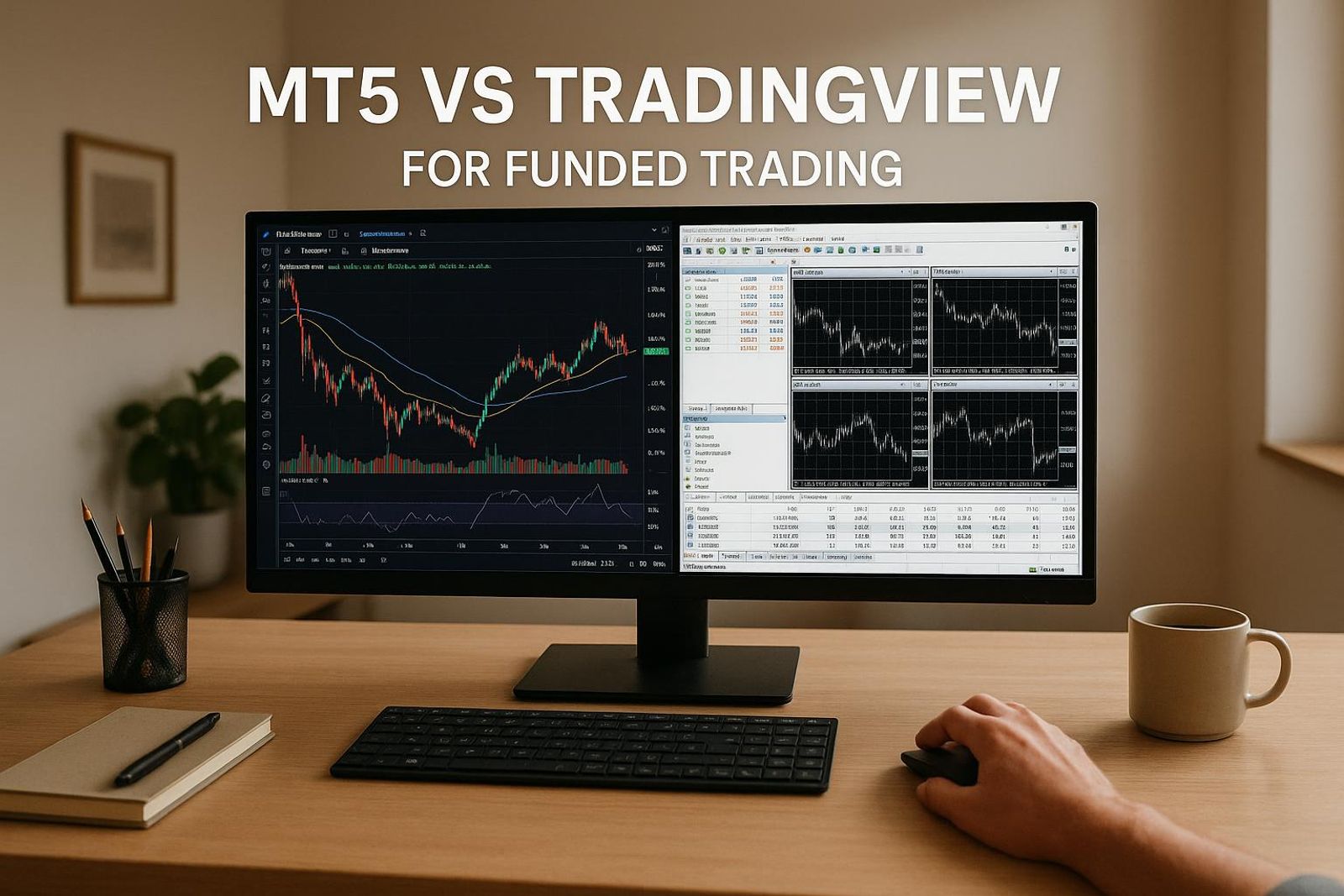
MT5 vs TradingView for Funded Trading
MT5 vs TradingView in 2026: charting, execution, Pine Script vs MQL5, pricing, and which platform helps you pass a prop firm challenge.
By Marcel Hambálek · Senior Trader, For Traders
MT5 wins on execution, automation, and cost (free through most prop firms and brokers); TradingView wins on charting depth, cross-asset analysis, and Pine Script accessibility. For a funded challenge in 2026, most serious traders run TradingView for analysis and MT5 for execution — often bridged by a trade copier.
Key takeaways
- MT5 is the execution and automation engine — free through brokers and prop firms, with MQL5, Expert Advisors, DOM, and a serious Strategy Tester.
- TradingView is the analysis layer — 100+ indicators, 80+ drawing tools, Pine Script, multi-chart layouts, and cross-asset watchlists.
- MT5 and TradingView charts often show different prices because of bid-vs-mid pricing, session cutoffs, and different data providers — neither is 'wrong'.
- Pine Script is faster to learn and prototype; MQL5 is more powerful for tick-level automation and broker-integrated execution.
- TradingView Premium and Ultimate tiers in 2026 range roughly from $14.95 to $59.95/month billed annually — MT5 stays free through your broker or prop firm.
- The winning workflow for a funded challenge: chart on TradingView, execute on MT5, optionally bridge with a webhook-based trade copier.
Watch: related video
TL;DR: MT5 vs TradingView in 2026 — the honest verdict
MetaTrader 5 is the execution and automation engine; TradingView is the charting and analysis layer. They solve different problems, which is exactly why most serious funded traders in 2026 use both — TradingView to build the case for a trade, MT5 to place it. If you're only going to run one, the choice comes down to what you're optimising for: clean fills and algorithmic control, or deep multi-asset analysis and a charting environment that doesn't feel like it was designed in 2003.
For funded trading specifically, the platform question matters more than people admit. A bad charting setup costs you edge. A bad execution environment costs you the challenge. Get either one wrong and you're refilling your evaluation fee before you've figured out why.
Pick MT5 if...
- Your prop firm routes execution through MetaTrader — which is still the majority of funded trading platforms in 2026, including most Forex and gold-focused challenges.
- You run Expert Advisors or any form of algorithmic strategy. MT5's native MQL5 environment and Strategy Tester are purpose-built for this; TradingView's Pine Script is analysis-first, not execution-first.
- You trade XAUUSD heavily. Gold execution on MT5 is tight, familiar, and the lot-sizing mechanics are well-understood by most experienced traders.
- You want a zero-cost funded trading platform — MT5 is free through virtually every prop firm that supports it.
Pick TradingView if...
- Your analysis spans multiple asset classes — equities, crypto, futures, Forex — and you need a single workspace that handles all of them without switching terminals.
- You rely on community scripts, custom indicators, or Pine Script alerts to surface setups. The TradingView library is orders of magnitude larger than what's available natively in MT5.
- You want clean, modern charting with multi-timeframe layouts, replay mode, and drawing tools that actually behave predictably.
- You're trading a futures-based funded challenge — TradingView's CME data integration is significantly stronger than MT5's for US futures instruments.
Run both if you're serious about a funded challenge
The traders who consistently pass funded evaluations aren't religious about one platform. The typical setup looks like this: TradingView handles the watchlist, the higher-timeframe context, the entry trigger — then the order goes into MT5 for execution, either manually or via a trade copier bridge. It sounds like extra friction until you realise that each platform is doing exactly what it's best at, and nothing it isn't.
One-line recommendations before we go deeper:
- Algo trader: MT5 is non-negotiable — build there, test there, run there.
- Discretionary multi-asset trader: TradingView for analysis, MT5 or your firm's native platform for execution.
- New to funded challenges: Start with whatever your prop firm supports natively; add TradingView charting once your process is stable.
- Futures-focused trader: TradingView's data depth makes it the stronger primary workspace, with execution through your firm's designated terminal.
MT5 vs TradingView at a glance: side-by-side comparison table
If you want the short version before we go deep: MT5 is a free execution and automation engine with solid charting; TradingView is a subscription-based charting and analysis platform with a growing execution layer. Most funded traders use both — and the table below shows exactly where each one wins.
| Feature | MetaTrader 5 (MT5) | TradingView |
|---|---|---|
| Timeframes | 21 built-in timeframes | Fully custom (seconds to months) |
| Built-in indicators | 38 built-in indicators | 100+ built-in; 100,000+ community scripts |
| Drawing tools | ~24 drawing objects | 80+ drawing tools |
| Order types | Market, Limit, Stop, Stop-Limit, Trailing Stop | Market, Limit, Stop (broker-dependent) |
| DOM / Depth of Market | Yes — native DOM window | Yes — on Essential+ plans, broker-dependent |
| Automation / bots | MQL5 Expert Advisors (EAs) — full native support | Pine Script alerts + webhooks; no native EA execution |
| Backtesting | Strategy Tester — tick-level, multi-currency, optimisation | Pine Script backtester — bar-based, good for strategy prototyping |
| Broker / firm integration | Directly supported by most prop firms and brokers | Broker connections via API; growing but not universal |
| Pricing (2026) | Free — provided by broker or prop firm | Free (limited); Essential ~$12.95/mo; Plus ~$24.95/mo; Premium ~$49.95/mo; Ultimate ~$59.95/mo (billed annually) |
| Mobile app | iOS & Android — functional, execution-focused | iOS & Android — polished, full charting suite |
| Multi-device sync | Limited — profiles are local or server-side per broker | Full cloud sync across all devices |
| Asset coverage | Forex, metals, indices, futures, stocks — via broker feed | Forex, stocks, crypto, futures, bonds — unified data feed |
Charting and analysis
MT5's 21 timeframes and 38 built-in indicators cover everything you need for structured price action work — MACD, Bollinger Bands, Ichimoku, the full standard toolkit. But TradingView's 80+ drawing tools and 100+ native indicators, backed by a community library that runs into the hundreds of thousands of scripts, make it the stronger pure-analysis workspace. If you live in Fibonacci clusters, multi-timeframe confluence, or volume profile, TradingView's interface is simply faster to navigate. The layout is also genuinely multi-monitor friendly without the configuration overhead MT5 requires.
Execution and order types
MT5 wins here, and it's not close. Native DOM access, a full suite of pending order types including Stop-Limit, and direct integration with virtually every prop firm's infrastructure means your fills go through exactly the way you set them up. TradingView's execution layer depends entirely on which broker you've connected — order types, slippage handling, and even available instruments vary by integration. For a funded challenge where a misrouted order can breach your daily loss limit, MT5's execution certainty matters.
Automation and coding
MQL5 is a compiled, C++-style language — steeper learning curve, but Expert Advisors run natively on MT5 with direct market access, real tick-level data, and full optimisation through the Strategy Tester. Pine Script is more accessible: readable syntax, fast iteration, and a massive community. The catch is that Pine Script runs alerts and webhooks rather than executing trades directly — you need a bridge (like 3Commas or a custom webhook relay) to convert signals into live orders. For serious automation on a funded account, MQL5 EAs remain the more robust path; for strategy prototyping and alert-based semi-automation, Pine Script is faster to build with.
Pricing in 2026
MT5 costs you nothing — prop firms and brokers provide it as part of their infrastructure. TradingView's free tier is genuinely useful for basic charting but caps you at one chart per layout and limited indicators. The Essential plan (~$12.95/month billed annually) removes most day-to-day friction. Serious multi-asset traders typically land on Plus (~$24.95/month) or Premium (~$49.95/month) for additional chart layouts, more indicators per chart, and intraday data depth. At the Premium tier, you're paying roughly $600/year for charting — worth it if analysis is your edge, harder to justify if you're primarily an execution trader.
Mobile and multi-device
TradingView's mobile app is genuinely good — full charting, cloud-synced layouts, and alert management that works the way you'd expect. MT5 mobile covers the basics: open positions, pending orders, price monitoring, basic charting. It's fine for checking exposure on the go; it's not where you want to be making complex analytical decisions. If you're managing a funded account across desktop and mobile, TradingView handles the cross-device workflow more cleanly. MT5's profile sync is broker-dependent and inconsistent — indicators and templates that work perfectly on your desktop often need to be reconfigured when you log in elsewhere.
MetaTrader 5: what it does better than TradingView
When it comes to execution infrastructure, automation, and raw backtesting power, MT5 is the stronger platform — and for funded challenge traders running systematic strategies, that gap is significant.
Expert Advisors and MQL5 automation
This is where MT5 genuinely separates itself. Expert Advisors run server-side on your broker's or prop firm's infrastructure, which means your strategy executes even when your machine is off. TradingView's Pine Script is elegant and readable, but it requires the browser to be open and an active connection to fire alerts — it's not a true execution engine. MQL5 is a full object-oriented language closer to C++ in structure, which makes it capable of handling complex tick-level logic, position management across multiple symbols, and conditional order trees that Pine Script simply can't replicate. If your edge is systematic — grid systems, mean-reversion algos, news-spike scalpers — MT5 automation is the environment built for it. The MQL5 marketplace also gives you access to thousands of community-built indicators and EAs, many free, which accelerates development time considerably.
Market Depth (DOM) and native execution
Scalpers already know this: the Market Depth window (DOM) in MT5 shows live bid/ask volume stacked at each price level, letting you read order flow directly from the platform without a third-party tool. TradingView has no native DOM — you're relying on chart-based volume indicators as a proxy. For traders working XAUUSD or US indices on tight timeframes, seeing where liquidity is sitting before you press the button matters. MT5's one-click trading and direct order entry from the DOM make it faster to get in and out cleanly, with less interface friction between decision and fill.
Strategy Tester with tick-level backtesting
MT5's built-in Strategy Tester is multi-currency, multi-threaded, and supports real tick data — not just OHLC approximations. You can run an EA across a decade of tick history, stress-test it across correlated pairs simultaneously, and get a detailed forward-walk report before risking a single evaluation dollar. TradingView's backtesting runs on bar data only, and while Pine Script's strategy() function is useful for discretionary rule-checking, it's not in the same league for systematic validation. If you're about to run an automated strategy on a funded challenge account, the Strategy Tester gives you the evidence base to justify that decision.
Free through brokers and prop firms
MT5 costs you nothing. Most prop firms — including For Traders — provide MT5 access as part of the challenge setup. TradingView's free tier is genuinely useful, but serious traders typically need the Pro or Pro+ plan ($14.95–$29.95/month) to unlock multiple chart layouts, more indicators per chart, and faster data refresh. During a challenge where capital is simulated and you're already paying an evaluation fee, keeping platform costs at zero is a real advantage. MT5's cost structure is effectively subsidised by the ecosystem around it.
Where MT5 falls short: the UI feels dated compared to TradingView's clean, modern interface. Cross-asset workflow — switching between forex, commodities, and crypto in one analytical session — is clunkier. The charting toolkit is thinner, drawing tools are less refined, and if you trade off visual chart structure, you'll feel the difference immediately. MT5 is built for execution; TradingView is built for analysis. That distinction matters when you're choosing where to do each job.
TradingView: what it does better than MT5
TradingView is the analysis layer that MT5 isn't — a browser-based charting environment built from the ground up for visual traders who think in structure, correlation, and context before they think in order types. If MT5 is the execution engine, TradingView is the cockpit.
100+ indicators and 80+ drawing tools
Out of the box, TradingView ships with over 100 built-in indicators and more than 80 drawing tools — Fibonacci retracements, Gann fans, anchored VWAPs, Pitchforks, Elliott Wave annotations, and more. The difference isn't just quantity. The tools are genuinely precise: you can lock a VWAP anchor to a specific session open, drag Fibonacci levels to exact swing highs with magnetic snapping, and layer multiple overlapping zones without the chart becoming unreadable. MT5's drawing toolkit covers the basics; TradingView's covers the edge cases too, which is exactly where setups live.
Trading Central's technical analysis integration is also available inside TradingView, giving you a second opinion on key levels and pivot points directly on the chart — useful when you want to cross-check your own bias before sizing into a position.
Pine Script and the shared script library
Pine Script is TradingView's native scripting language, and it has a lower barrier to entry than MQL5 by a significant margin. You can write a working custom indicator in an afternoon. More practically, the public script library holds tens of thousands of community-published strategies and indicators — everything from ICT concepts coded into visual tools to multi-timeframe RSI overlays. You don't have to write a line of code to access sophisticated logic someone else has already built and shared. For funded traders who want to backtest an idea quickly without hiring a developer, that library is genuinely valuable.
The social feed attached to each chart — where other traders publish their analysis on the same instrument — can be noise or signal depending on who you follow. Filter it carefully, but don't ignore it entirely.
Multi-chart layouts and cross-asset analysis
This is where TradingView creates the most distance from MT5 for the kind of trading that wins funded challenges. You can open XAUUSD, US100, DXY, and US10Y in a single synchronized layout, each on its own timeframe, all visible at once. Watching gold sell off while DXY lifts and the 10-year yield spikes tells a different story than watching gold in isolation. That correlation context — cross-asset analysis done visually, in real time — is cumbersome to replicate inside MT5. For multi-asset funded accounts, this layout capability alone justifies keeping TradingView open.
Bar replay and alerts / webhooks
Bar replay lets you step through historical price action bar by bar, making decisions in real time as if the session were live. It's one of the most underused practice tools in retail trading. Running your setups through replay on XAUUSD before risking evaluation capital is a legitimate edge — you'll find out fast whether your entry logic holds up under pressure or only looks clean in hindsight.
TradingView alerts are equally powerful. You can trigger alerts on price levels, indicator crossovers, or custom Pine Script conditions, and route them via webhook to a third-party automation layer or trade copier. That pipeline — TradingView alerts feeding execution into MT5 — is how many funded traders bridge the gap between the two platforms in 2026.
The real limitation to keep in mind: TradingView's execution depends entirely on your broker integration. If your prop firm's bridge is imperfect, fills happen on MT5 anyway. Mobile execution through TradingView is also thinner than MT5's app — for managing open positions on the go, MT5 still wins that round.
Why are MT5 and TradingView charts different? (Bid, mid, sessions, feeds)
MT5 and TradingView show different prices for the same instrument because they use different pricing conventions, different session cutoffs, and different data sources — not because one is wrong. Understanding exactly where the divergence comes from is what stops you second-guessing a signal that was never actually broken.
Bid vs mid vs last-trade pricing
This is the biggest single source of chart price mismatch, and it catches traders every time they flip between platforms.
MT5 defaults to bid price. Every candle you see — open, high, low, close — is drawn from the bid side of your broker's quote stream. The ask side exists in the background (it's what triggers your buy stops and buy limit entries), but the chart itself is bid-based. On XAUUSD with a $0.20–$0.30 spread, that's a meaningful offset from what TradingView is drawing.
TradingView uses mid or last-trade price depending on asset class. For forex and gold, it typically displays a mid-price derived from its aggregated feed. For futures and equities, it shows last-traded price. Neither convention is more "real" — they're just different reference points. The practical consequence: a resistance level you mark at $2,385.50 on TradingView might sit at $2,385.20 on MT5's bid chart. That 30-cent gap is not slippage — it's a pricing convention difference. If you're backtesting on TradingView data and then executing on MT5, your stop placement needs to account for this offset, especially on tighter R:R setups.
Session cutoff and daily candle boundaries
MT5 uses your broker's server time to draw daily candles. Most prop firm and retail broker servers run on GMT+2 in winter, GMT+3 in summer (following Eastern European time). TradingView defaults to either UTC or the relevant exchange session depending on the instrument and how you've configured your account timezone.
The result: a Monday daily candle on MT5 might open at 00:00 GMT+3 (21:00 UTC Sunday), while TradingView's Monday candle opens at midnight UTC. That's a three-hour difference in where the open prints. On a volatile Sunday Asia open — think a weekend gap on XAUUSD or a surprise macro event — those two candles can look structurally different. A wick that appears on TradingView's Sunday candle might be absorbed into MT5's Monday candle entirely. Before you trust a daily level from either platform, check which session clock is running.
Data provider differences (broker feed vs aggregator)
TradingView's forex and commodities data comes from its own liquidity aggregators — a composite of banks, ECNs, and data vendors — not from your specific broker or prop firm. MT5's feed comes directly from your broker's liquidity provider chain. During thin liquidity windows (late Friday, major holiday sessions), these feeds can diverge noticeably. A wick that appears on TradingView's XAUUSD feed might not exist on your broker's MT5 feed, and vice versa.
The practical rule: align your analysis session time and your data source before trusting a signal across platforms. If you chart on TradingView, set its timezone to match your MT5 broker server time. And when a key level gets hit on one platform but not the other, the MT5 feed — the one your orders actually execute against — is the one that matters for your funded challenge.
Ready to trade funded capital?
Choose your path — Instant Accounts, One-Step or Two-Step Challenges — from just $23, with up to $300,000 in funded capital.
Choose your challengePine Script vs MQL5: which language wins for strategy building?
Pine Script is the faster path from idea to chart; MQL5 is the faster path from chart to live execution. If you want to prototype an indicator in an afternoon, Pine Script wins. If you want an expert advisor that manages partial closes, trailing stops, and hedging logic across multiple positions, MQL5 isn't just better — it's the only real option.
Learning curve and syntax
Pine Script v5 and v6 are Python-adjacent. The syntax is forgiving, the error messages are readable, and TradingView's built-in editor gives you instant visual feedback on every save. A trader who has never written a line of code can build a working RSI-based signal script in a few hours. That accessibility is real, and it matters.
MQL5 is C++-like. Strongly typed, object-oriented, and unforgiving about structure. The MetaEditor IDE is functional but dated. Expect a steeper ramp — most traders spend two to four weeks before their first EA does exactly what they intend rather than something adjacent to it. That said, the ceiling is far higher. Once you can write MQL5 fluently, you're writing production-grade code, not just signal logic.
What each language can actually do
Pine Script runs server-side on TradingView's infrastructure. No local install, no VPS required — but that architecture also means it cannot send orders directly to a broker. Pine is genuinely excellent for indicators, alert conditions, and backtesting visual strategies. Where it struggles: true order management, tick-level logic, and anything requiring persistent state across sessions at execution level. You can prototype in Pine; you cannot deploy in Pine.
MQL5 runs on your MT5 terminal or a VPS. It supports full position management, custom order types, hedging mode, DLL integration, and multi-timeframe logic within a single EA. For algorithmic trading language purposes, it is the more complete tool — capable of handling everything from a simple moving average crossover to a multi-leg statistical arbitrage system. Backtesting in MT5's Strategy Tester is also more rigorous: tick-by-tick simulation using real historical tick data gives you a more honest picture of slippage and spread impact than Pine's bar-close model.
Ecosystem, community, and marketplace
TradingView's public script library is enormous — tens of thousands of community scripts, most of them free and copy-paste ready. The quality varies wildly, but the volume means almost any indicator concept you can name already has a Pine implementation you can study or adapt. For learning trading strategy coding, this open library is genuinely useful.
The MQL5 Marketplace operates differently: paid EAs and indicators from vetted vendors, with user reviews and forward-test statistics attached. The signal-to-noise ratio is higher, but so is the cost of entry. For serious algorithmic trading, the Marketplace's commercial ecosystem is more mature.
| Dimension | Pine Script | MQL5 |
|---|---|---|
| Syntax style | Python-adjacent, forgiving | C++-like, strongly typed |
| Learning curve | Low — hours to first indicator | Steep — weeks to first clean EA |
| Order execution | None (alerts only) | Full — market, limit, stop, partial close |
| Backtesting model | Bar-close | Tick-by-tick with real tick data |
| Runs on | TradingView servers | MT5 terminal or VPS |
| Community scripts | Tens of thousands, mostly free | Marketplace — paid, vetted vendors |
| Best use case | Prototyping, signal generation | Automated execution, production EAs |
The practical workflow most serious funded traders land on: build and validate your logic in Pine Script where iteration is fast, then port the confirmed edge into MQL5 for actual execution. It's more work upfront, but you're not deploying an idea you haven't stress-tested — and in a funded challenge, untested automation is one of the fastest ways to breach a drawdown rule you forgot the EA doesn't know about.
TradingView Premium pricing in 2026 vs MT5 (free)
MT5 costs you nothing. TradingView Premium costs around $720 a year. That gap is real, and whether it's justified depends entirely on how you trade — not on which platform looks better in a YouTube thumbnail.
TradingView tiers: Essential, Plus, Premium, Ultimate
TradingView runs four paid tiers in 2026, billed annually. The free plan exists but caps you at one chart per tab, three indicators, and no alerts worth speaking of — it's a demo of the platform, not a working setup for active trading.
| Tier | Annual price (per month) | Indicators per chart | Price alerts | Intraday intervals |
|---|---|---|---|---|
| Free | $0 | 3 | 1 | 1-min minimum |
| Essential | ~$14.95/mo | 5 | 20 | 1-min minimum |
| Plus | ~$29.95/mo | 10 | 100 | 1-min minimum |
| Premium | ~$59.95/mo | 25 | 400 | Second-based intervals |
| Ultimate | ~$99.95/mo | 50 | 400+ | Second-based intervals |
What each tier unlocks for active traders
Essential is fine if you run a clean, minimal setup — one moving average, one oscillator, maybe a volume indicator. Most funded traders outgrow it fast. Plus bumps you to 10 indicators and 100 alerts, which covers the majority of multi-confluence setups without breaking the bank at roughly $360 a year.
Where most serious funded traders end up is Premium. The jump isn't cosmetic. Second-based intervals matter if you're scalping XAUUSD around London open or trading US100 in the first five minutes after an FOMC print — you simply cannot replicate that resolution on lower tiers. Four hundred simultaneous alerts sounds like overkill until you're managing watchlists across gold, indices, and a few forex pairs during a high-volatility session. At ~$59.95 per month billed annually, that's roughly $720 a year — a real line item in your trading budget.
Ultimate adds more indicators per chart and priority customer support. For most funded traders it's the diminishing-returns tier — the traders who genuinely need 50 indicators per chart are usually institutional desks, not solo prop challengers.
MT5 cost: free through your broker or prop firm
MetaTrader 5 is free. Full stop. You download it, connect it to your prop firm or broker's server, and every execution feature — depth of market, multi-timeframe analysis, built-in economic calendar, EA deployment — is available at no additional cost. For Traders, like most prop challenge providers, gives you MT5 access as part of the challenge itself. There is no subscription, no tier, no annual renewal.
So the honest cost comparison for a funded trader who wants a complete analysis and execution stack looks like this: $0 per year if you work entirely within MT5, versus ~$720 per year if you run TradingView Premium alongside it. Some traders treat that $720 as a legitimate business expense for the charting depth and Pine Script workflow they can't replicate in MQL5. Others run MT5 only and never miss what they haven't used. Neither position is wrong — but go in knowing the number before you decide.
Connecting TradingView to MT5: the trade copier workflow
You can have the best of both platforms — TradingView's charting and Pine Script on one screen, MT5's execution engine doing the actual order work — but only if the bridge between them holds up under pressure. Here's exactly how that bridge is built, and where it breaks.
How webhook-based copiers work
The standard TradingView to MT5 trade copier flow has four steps, and understanding each one tells you where the risk lives:
- Pine Script strategy fires an alert. Your script hits a condition — a crossover, a breakout close, an ATR-based entry trigger — and TradingView generates an alert with a JSON payload you've defined. Something like {"action":"buy","symbol":"XAUUSD","lot":0.10}.
- Alert sends a webhook POST. TradingView pushes that JSON to a URL — either a third-party copier service's endpoint or a server you're running yourself. This step requires at minimum a TradingView Essential plan; Premium removes the alert queue delays that can stack up on lower tiers.
- Copier service receives and parses the payload. The middleware validates the instruction, applies any lot-scaling or symbol-mapping rules you've configured, and forwards the order.
- MT5 EA places the order. A lightweight Expert Advisor on the MT5 side — either provided by the copier service or a custom bridge — receives the instruction via a local socket or API call and submits the market or limit order to the execution layer.
End-to-end, the automated trading bridge adds latency on top of whatever MT5's native execution already has. On a calm session, that's manageable. During a news spike, it's where things get expensive.
Popular tools (TradingConnector, PineConnector, custom bridges)
PineConnector is the most widely used solution in the prop trading community as of 2026. It uses a simple text-based alert syntax rather than raw JSON, which lowers the setup barrier considerably, and the EA side is well-documented for MT5. Subscription runs roughly $30–$60 per month depending on the tier.
TradingConnector takes a slightly different architecture — a Windows-based listener application rather than a cloud intermediary — which can reduce one network hop and give you more direct control over the EA bridge. The trade-off is that your PC needs to stay on and stable during trading hours.
Custom bridges — Python listeners, Node.js servers, or MT5's own Python API — are favoured by traders who want zero recurring cost and full control over logic. The build time is real (expect a weekend minimum), and you own all the debugging when something misfires at 8:30 AM on an NFP print.
Latency, reliability, and prop challenge risk
Typical end-to-end latency across the full webhook chain runs 200ms to 1.5 seconds depending on the service, your server geography, and TradingView's own alert delivery timing. On slower-moving setups — daily bias trades, swing entries — that's irrelevant. On scalp entries keyed to a 1-minute close, 1.5 seconds is a different price.
The real danger for funded traders isn't the latency itself — it's the failure modes. If the copier service drops the webhook during a volatility spike, you get one of two outcomes: the order never fills (you miss the trade, which is fine) or the acknowledgement fails and the EA fires twice (you're double-filled into a position twice your intended size, right as the market is moving hardest against you). A double-fill on XAUUSD during a news candle can eat a significant portion of your daily loss limit in seconds.
The recommendation here is straightforward: run the full stack on a demo account for at least one week — including through at least one scheduled news event — before you point it at a live challenge account. Verify that duplicate-order protection is active in your EA settings, and set a hard max-lot guard so no single webhook instruction can exceed your position sizing rules regardless of what the payload says. The copier workflow is powerful, but it earns its place in your setup only after it's proven reliable on capital that doesn't count.
Which is better for a prop firm challenge? (Drawdown, discipline, execution)
For a prop firm challenge, execution reliability beats charting aesthetics every time. When a single bad fill or a price-feed discrepancy can blow your daily loss limit before you've had your morning coffee, the platform you trade through matters more than the platform you analyse on.
Prop firm evaluation rules are unforgiving by design. Daily loss limits, maximum drawdown thresholds, and consistency requirements don't care how clean your TradingView layout looks — they respond to the price your order actually filled at, on the server that's actually tracking your account. That server almost always runs MetaTrader 5.
How platform choice interacts with daily loss limits
Daily loss limits are calculated on your account's equity or balance in real time, server-side. MT5 connects directly to that server. If you're managing risk through TradingView and routing orders via a broker integration, you're adding a translation layer between your intent and the execution record your prop firm sees. That layer introduces latency, potential requotes, and — critically — the possibility that a position opens at a slightly worse price than your risk model assumed.
A two-pip slippage on a tight XAUUSD scalp might sound trivial. Multiply it across several positions during a volatile FOMC session and you can eat through a meaningful portion of your daily loss allowance before your stops have even had a chance to trigger. Discipline starts with knowing exactly what price you're getting, not approximating it from a different feed.
Execution speed and slippage during evaluations
MT5's native execution path — your order goes straight to the prop firm's liquidity bridge — is as short as it gets in retail-style prop trading. TradingView's broker integrations are excellent for the brokers they support, but they route through an additional API handshake. Under normal conditions the difference is imperceptible. During high-impact news events — NFP, CPI, Fed decisions — that extra hop can mean the difference between a limit fill and a market-order chase.
If your challenge strategy involves precise entries around news or relies on tight R:R ratios where a half-pip matters, MT5 is the safer execution environment. TradingView's strength is in reading the tape before the event, not in firing the order during it.
Chart-price mismatch: the silent challenge killer
This one catches traders who split their workflow without accounting for feed differences. TradingView's price data and your MT5 broker feed are not the same stream. Spreads differ, tick timing differs, and — most importantly — the bid/ask relationship at any given moment can differ by several pips depending on your liquidity provider.
A concrete example: TradingView shows price touching a key resistance level and your alert fires. On MT5, the bid stopped two pips short. You entered on the TradingView signal. MT5 filled you at a worse level. Your stop, placed relative to the TradingView chart, is now miscalibrated against the actual feed your challenge account runs on. That's not bad luck — it's a workflow error.
The fix is straightforward: use TradingView for analysis and alerts, but always confirm the level on MT5 before you pull the trigger. Set your alerts in TradingView to flag when price is approaching a zone, then switch to MT5 to watch the actual bid/ask and execute. The two tools complement each other cleanly when you assign them the right jobs.
For Traders is platform-flexible — you can run MT5 natively or build a TradingView-to-MT5 copier workflow as covered in the previous section. Either way, the execution record that counts toward your evaluation lives in MT5. Build your process around that fact, and use TradingView's charting depth as the analytical layer it was designed to be.
XAUUSD, US indices, and CME futures: how the two platforms handle each
The platform you choose matters differently depending on what you trade. Gold, US indices, and CME futures each have their own data quirks — and on at least one of them, assuming both platforms show you the same thing is an expensive mistake.
Gold (XAUUSD) charting and execution
XAUUSD is the single most-traded instrument across prop trading evaluations, and it's where the gap between charting feed and execution feed bites hardest. MT5 pulls its gold price directly from your prop firm's liquidity provider — the spread you see in the chart is the spread you trade. TradingView's XAUUSD chart, by contrast, is typically an aggregated reference feed stitched together from multiple data sources. It looks clean. It often isn't your fill price.
In practice, this means a TradingView candle can close fractionally above your limit order while MT5 — the platform where your evaluation actually lives — never triggers the fill, because the firm's feed priced it differently at that exact tick. For XAUUSD scalping or tight limit entries around London open and FOMC events, that discrepancy is the difference between a filled trade and a missed one. Use TradingView to read structure, supply and demand zones, and ATR-based stop placement. Confirm your entry levels in MT5 before the order goes live.
US100 / NSDQ and index CFDs
US index CFDs — US100, NSDQ, SPX500 — carry the same feed mismatch risk. The underlying index tick that moves the TradingView chart is the cash index; your prop firm's CFD is priced off a futures-derived feed with its own spread and, at rollover, a gap. During high-volatility sessions like NFP or Fed rate decisions, the divergence between TradingView's displayed price and your MT5 execution price can widen enough to invalidate a tight stop calculation.
One practical fix: pull up the relevant CME futures contract (NQ1!, ES1!) on TradingView alongside your index CFD chart. The futures price is a better proxy for where your CFD will actually fill than the cash index. It adds a window to your layout, but it removes a blind spot.
CME futures data on TradingView vs MT5
This is where the two platforms diverge most sharply in architecture. TradingView offers direct CME data subscriptions — paid add-ons that give you real-time depth, volume, and tick data for NQ, ES, GC, CL, and the rest of the CME complex. The data quality is genuine exchange-level and is one of TradingView's strongest competitive advantages for futures analysis.
MT5, on the other hand, only has CME futures data if your prop firm's infrastructure connects it — and most don't. The reality in 2026 is that the majority of prop firms route their futures products through dedicated platforms: Rithmic, Tradovate, NinjaTrader, or CQG. MT5 may not be in that stack at all for the futures side of the business. Before you build a workflow assuming MT5 handles your CME futures execution, check your firm's actual platform setup. Assuming wrong costs you a month of preparation.
If your prop firm futures trading runs through Rithmic or Tradovate, TradingView's CME data subscription becomes even more valuable — you get institutional-grade chart data on the analysis side, then execute through the firm's designated futures platform. The two-platform workflow isn't a workaround; for serious futures traders, it's just the correct architecture.
Ready to trade funded capital?
Choose your path — Instant Accounts, One-Step or Two-Step Challenges — from just $23, with up to $300,000 in funded capital.
Choose your challengeVerdict by trader profile: scalper, algo, swing, funded challenge taker
Your platform choice isn't universal — it's personal. The right answer for MT5 vs TradingView for professional traders depends entirely on what you're actually doing in the market, so here's the honest breakdown by profile.
Scalper: MT5 with DOM
If you're scalping, TradingView's charting beauty is largely irrelevant the moment you're in a trade. What matters is execution speed, Depth of Market, and one-click order placement — and MT5 delivers all three. The built-in DOM lets you read order flow in real time, one-click trading from the chart eliminates confirmation dialogs that cost you ticks, and MT5's direct broker connectivity keeps latency tighter than TradingView's broker bridge model. For best platform for scalping, MT5 isn't a preference — it's the architecture the style demands. Use TradingView for pre-session planning if you want, but when the London open hits, you want MT5 open and the DOM loaded.
Algo trader: MT5 for execution, TradingView for R&D
This is the most productive split workflow in the game. Pine Script on TradingView is genuinely faster to prototype in — the syntax is readable, backtests run in seconds, and you can iterate on an idea across dozens of instruments without touching a compiler. Once a strategy proves itself in Pine Script, port the logic to MQL5 for production deployment on MT5. MQL5 gives you real broker connectivity, proper position sizing functions, and access to the MQL5 marketplace if you want to licence your work. Treat TradingView as your R&D lab and MT5 as your factory floor. Algo traders who try to do everything in one platform usually end up compromising on both fronts.
Swing trader: TradingView with MT5 as execution
Swing traders live and die by multi-timeframe confluence — weekly structure, daily bias, four-hour entry. TradingView's multi-pane layout, clean drawing tools, and the ability to pull up correlated assets side by side make that kind of analysis genuinely faster and more intuitive than MT5's chart environment. Set your alerts on TradingView, do your markup, confirm your R:R. Then execute on MT5 — either manually or via a trade copier that mirrors your TradingView alerts into live orders. The slightly wider spreads on MT5 matter less when your target is 150+ pips; the analytical edge you get from TradingView's charting depth matters more.
Funded challenge taker: hybrid workflow
For anyone working through a funded trading challenge, the platform debate is secondary to one thing: the process behind the trade. Most serious challenge takers in 2026 run TradingView for setup and MT5 for the fill — TradingView surfaces the context, MT5 executes with precision. The rigid risk rules of a challenge — daily loss limits, max drawdown, position sizing — don't care which platform you prefer. They care whether you followed them. A clean setup on TradingView means nothing if you size the MT5 order wrong under pressure.
Use whichever combination keeps your rules front and centre. The platform is half the equation at best. The discipline, the consistency, the ability to walk away from a marginal setup — that's what separates the traders who pass from the majority who don't.
Frequently Asked Questions
MT5 vs TradingView which is better for funded trading?+
Neither platform wins outright — they serve different roles in a funded trader's workflow. MT5 is the execution engine: it connects directly to your prop firm's simulated account, enforces drawdown rules in real time, and runs automated strategies via Expert Advisors. TradingView is the analysis layer: superior charting, cleaner UI, and a massive community of shared ideas. Most serious funded traders use both — TradingView to build conviction, MT5 to place the trade.
Why are MT5 and TradingView charts different for the same asset?+
The difference comes down to data feeds and session handling. MT5 pulls price data directly from your broker or prop firm's liquidity provider, so spreads, gaps, and session opens reflect that specific feed. TradingView aggregates data from multiple sources, which can produce slightly different highs, lows, and candle bodies — especially on XAUUSD and indices around rollover. For backtesting and strategy validation, always verify key levels on the platform you'll actually execute from.
Is MetaTrader 5 still better than TradingView for active trading in 2026?+
MT5 still leads on execution reliability and automation depth in 2026. Its one-click trading, built-in depth of market, and native Expert Advisor framework give active traders precise control — especially during high-volatility events like NFP or FOMC. TradingView has closed the gap significantly with broker integrations and alerts, but it still can't match MT5's raw execution infrastructure for traders running systematic or semi-automated strategies on a funded account.
Pine Script vs MQL5 which language is better for strategy building?+
Pine Script wins on speed and accessibility — you can prototype a strategy in under an hour, share it instantly, and iterate without a compiler. MQL5 wins on power and production readiness. It handles complex order management, partial closes, trailing stops, and multi-symbol logic that Pine Script simply can't replicate. If you're testing ideas, start in Pine Script. If you're deploying an EA on a funded account where execution precision matters, build it in MQL5.
Can you connect TradingView to MT5 with a trade copier?+
A TradingView-to-MT5 bridge is technically possible using third-party webhook-to-EA copiers — TradingView fires an alert, the webhook triggers an EA in MT5, which places the order. It works, but latency and reliability are real concerns. Any lag between signal and fill matters on fast-moving assets like XAUUSD or US100. For funded challenges where every pip counts, test the bridge extensively on a demo before running it live, and confirm your prop firm permits automated execution.
How do MT5 Strategy Tester and TradingView backtester compare?+
MT5's Strategy Tester is the more rigorous tool. It supports tick-by-tick simulation, multi-currency testing, optimisation passes, and forward testing — all on the same data feed you'll trade live. TradingView's backtester is faster to set up and visually intuitive, but it uses bar-close logic by default, which can overstate strategy performance on shorter timeframes. For validating a system before running it on a funded account, MT5's tester gives you more confidence in the numbers.
Which platform is better for trading XAUUSD and US indices?+
XAUUSD and US100 are the most-traded instruments on prop platforms, and both tools handle them — but differently. TradingView's gold charts are visually cleaner, with better drawing tools and multi-timeframe layouts that suit discretionary analysis. MT5 gives you tighter integration with your funded account's actual gold feed, real spread data, and direct execution. For indices, TradingView's extended-hours data and economic calendar overlay add context MT5 lacks natively. Again, the hybrid workflow wins.
What does TradingView cost in 2026 compared to MT5?+
MT5 is free — prop firms like For Traders provide it as part of the challenge infrastructure, so there's no subscription cost. TradingView runs a freemium model: the free tier covers basic charting, but serious traders typically need the Essential ($14.95/month) or Plus ($29.95/month) plan for multiple chart layouts, more indicators, and faster alerts. If you're already paying for a prop challenge, factor TradingView's subscription into your overall trading cost before committing to the premium tiers.
Which platform is better for mobile trading during a funded challenge?+
TradingView's mobile app is the stronger charting experience — clean interface, full drawing tools, and push alerts that actually fire reliably. MT5 mobile covers the essentials: order placement, position management, and account monitoring. For a funded challenge, the practical answer is use TradingView mobile to monitor setups and manage alerts, then switch to MT5 mobile only when you need to execute or adjust an order. Never manage a complex position purely on mobile if a desktop is accessible.
What is the best combined workflow using TradingView and MT5?+
The workflow most funded traders land on: TradingView for analysis, MT5 for execution. Build your watchlist and mark key levels in TradingView, set price alerts for your entries, then execute and manage the trade in MT5 where your funded account lives. This separates the cognitive load — you're not cluttering your execution platform with drawings, and you're not trying to manage risk in a tool that wasn't built for it. The two platforms complement each other cleanly once you stop trying to pick a winner.
Written by
Marcel Hambálek
Senior Trader, For Traders
Marcel trades Futures and Forex day-trading setups on funded accounts and writes about the executional details most traders skip — order types, slippage, session timing, platform quirks on MT5 and NinjaTrader. Pragmatic, mechanics-first, no fluff.
Follow on LinkedInReady to trade funded capital?
Choose your path — Instant Accounts, One-Step or Two-Step Challenges — from just $49, with up to $300,000 in funded capital.
Choose your challengeRelated Blog Posts
Trade up to $300,000
Choose challenge