Top AI Tools for Forex and Prop Traders
AI forex trading in 2026: 10 tools ranked for analysis, execution and journaling — plus which ones survive prop firm rules. Honest review from a trader.
By Marcel Hambálek · Senior Trader, For Traders
AI forex trading in 2026 means using machine learning models, LLMs like ChatGPT and Claude, and pattern-recognition engines to analyse pairs, forecast bias, and pressure-test setups — without handing execution to a bot your prop firm has banned. The traders passing challenges right now aren't running a black-box EA; they're using AI as a research analyst, sentiment scanner, and journaling partner while keeping their finger on the trigger.
Key takeaways
- AI in forex is strongest for analysis, sentiment and journaling — weakest for autonomous execution during a prop evaluation.
- TradingView (with AI overlays), TrendSpider, ChatGPT and Claude cover 80% of a prop trader's AI stack in 2026.
- Most prop firms, including For Traders, allow AI-assisted analysis but restrict fully-automated EAs, HFT, and copy-trading — check the rulebook before you deploy.
- LLM-powered FX forecasting works best when you feed it structured context (session, ATR, calendar, bias) — never just 'where will EURUSD go?'.
- Free AI forex tools exist (ChatGPT free tier, TradingView basic AI features, Python + Backtrader) but the paid tier usually pays for itself in one avoided bad trade.
- Backtest any AI-driven strategy on at least 200 trades before risking it in a live evaluation — regime shifts break models fast.
Watch: related video
What AI forex trading actually looks like in 2026
AI forex trading in 2026 is not a bot that trades your account while you sleep. It is a layered toolkit — large language models for reasoning and context, machine learning models for pattern recognition and sentiment, and tightly guardrailed automation for the mechanical parts your firm's rules actually permit.
The distinction that matters most for prop traders: AI as co-pilot versus AI as autonomous trader. The co-pilot model is effective, widely used, and fully compatible with challenge rules. The autonomous trader model is mostly banned on prop evaluations, and even where it isn't explicitly prohibited, it tends to blow up during regime shifts — the exact moments that separate funded traders from the majority who never pass.
The three jobs AI does well in FX
- Pre-trade analysis and bias framing. LLMs like ChatGPT and Claude can synthesise macro context, central bank language, and technical structure faster than any manual process. You feed them a setup; they pressure-test it against recent FOMC tone, DXY correlation, and current ATR. The output is a sharper thesis, not a trade signal.
- Sentiment scanning. ML models trained on news feeds, COT data, and social flow catch positioning shifts before they show up on the chart. On pairs like EUR/USD and GBP/USD, where institutional flow and narrative move price as much as technicals, this edge is real.
- Trade journaling and pattern mining. AI can parse hundreds of your past trades in seconds, surface the setups where your R:R actually holds, and flag the sessions where you consistently overtrade. This is the use case most traders ignore and the one with the most immediate impact on passing a challenge.
The two jobs AI still does badly
- Navigating regime shifts. ML models are trained on historical data. When the regime changes — a surprise geopolitical shock, an unscheduled central bank intervention, a liquidity vacuum around a major NFP miss — pattern-based models misfire badly. The model sees a breakout; the market is actually gapping through stops with no fill.
- Managing the emotional and discretionary layer. AI cannot read the specific context of your challenge — your current drawdown, how close you are to the daily loss limit, the three losses you just took in a row. Risk management under pressure is still a human job, and it is the job that determines who gets funded.
Retail trader vs prop trader use cases
A retail trader using artificial intelligence forex tools can, in theory, automate full execution — their only constraint is their own risk tolerance. A prop trader's constraint set is fundamentally different. Challenge rules prohibit or restrict EAs, high-frequency strategies, and latency arbitrage on most platforms, which means the automation layer in the diagram above applies only to mechanical tasks: alert triggers, position-size calculators, and journal entry logging.
Every tool in this list has been filtered through that lens. If it requires handing execution to an algorithm your firm hasn't approved, it is not on here. What remains is a stack built around using AI to trade forex smarter — sharper analysis, faster sentiment reads, better post-trade review — while you stay on the trigger.
Quick comparison: 10 AI forex tools ranked
The best AI for forex trading in 2026 isn't a single app — it's knowing which tool solves which problem in your workflow. Here are 10 vetted AI tools for forex traders, scored against the criteria that actually matter during an evaluation phase.
How we scored them
Every tool on this list was evaluated against four criteria, because "best AI forex trading app" means nothing without context:
- Signal quality — Does the AI produce actionable, directional bias with clear reasoning, or does it hedge everything into uselessness? We rated on specificity and backtestable logic.
- Prop-firm rule friendliness — Does it respect daily loss limits, avoid overnight holds where your challenge rules prohibit them, and stay away from news-window entries that many firms flag? Tools that push you toward rule violations are a liability, not an asset.
- Cost-to-value ratio — A $200/month subscription has to save you more than $200 in bad trades or research time. We scored harshly on anything that duplicates free functionality.
- Workflow fit for the evaluation phase — The evaluation phase is not live trading. You are managing simulated capital under tight drawdown constraints. A tool that encourages overtrading, revenge entries, or ignoring max-DD rules fails this criterion regardless of its signal accuracy.
Scores are relative rankings, not absolute ratings. A "partial" prop-firm compatibility flag means the tool works fine if you configure it correctly — but requires you to disable or ignore its auto-execution or trade-copier features.
The table at a glance
| Tool | Best for | Price (monthly) | Prop-firm compatible | Free tier |
|---|---|---|---|---|
| ChatGPT (GPT-4o) | Setup analysis, trade journaling, scenario stress-testing | From $20 | Yes | Yes (limited) |
| Claude (Anthropic) | Long-context trade plan review, rule-set Q&A | From $20 | Yes | Yes (limited) |
| Perplexity AI | Real-time macro & sentiment research with citations | From $20 | Yes | Yes |
| TradingView AI screener | Pattern recognition, multi-pair technical scanning | From $15 | Yes | Yes (limited) |
| Tickeron | AI pattern confidence scores, intraday setups | From $90 | Partial | No |
| Forex Gump (Signal Centre) | Ready-built forex signals with AI scoring overlay | From $39 | Partial | No |
| Kavout | Quantitative ranking, multi-asset momentum scoring | From $49 | Partial | No |
| Danelfin | AI explainability scores — understand why a signal fired | From $30 | Yes | Yes (limited) |
| Composer | No-code strategy building and backtesting | From $19 | No | No |
| TradeUI | Options & forex flow data, AI sentiment dashboard | From $49 | Yes | No |
On the "partial" flags: Tickeron, Forex Gump, and Kavout all offer auto-execution or signal-copier features that would violate most prop-firm terms if activated. Used purely as research and analysis layers — reading the signals, making your own entry decision — they are fully compatible. The risk is that their UX nudges you toward one-click execution. Know where the off-switch is before you subscribe.
Composer is the one hard "no" for evaluation traders. Its entire value proposition is automated strategy execution, which puts it outside the rules of virtually every challenge on the market. It earns its place on this list as a backtesting and strategy-validation environment only — never run it live against a funded account.
Ready to trade funded capital?
Choose your path — Instant Accounts, One-Step or Two-Step Challenges — from just $23, with up to $300,000 in funded capital.
Choose your challenge1. ChatGPT — the analyst in your pocket
ChatGPT is the most versatile AI tool a forex trader can use right now — not because it knows where price is going, but because it forces you to articulate why you think it is. Feed it your setup, your confluence, your session context, and it will stress-test your thesis faster than any trading partner you've ever had.
Large language models like GPT-5 don't predict markets. What they do — exceptionally well — is structure ambiguous information into coherent analysis. For prop traders working through a Two-Step or Three-Step Challenge, that distinction matters enormously. You're still the executor. You're still accountable for every entry. The AI is just the analyst who never sleeps and never gets emotionally attached to a position.
Best for, cost, prop-firm compatibility
Best for: Session bias framing, confluence checks before entry, post-session journal review, trade thesis pressure-testing, and turning raw notes into structured trade reports.
Cost: ChatGPT Free (GPT-4o) covers most use cases. ChatGPT Plus at $20/month unlocks GPT-5-tier reasoning, longer context windows, and file uploads — worth it if you're uploading journal CSVs or chart screenshots for analysis.
Prop-firm compatibility: Fully compatible with every evaluation on the market. ChatGPT generates no automated orders, touches no API, and executes nothing. You read the output, you make the call. That's the model every prop firm allows.
How prop traders actually use it (with prompts)
The traders getting the most out of AI forex analysis aren't asking vague questions. They're giving the model dense, specific context and asking it to reason against their bias. Here are three prompts worth keeping in your workflow:
- Pre-session bias check:"EURUSD closed the London session at 1.0842 with DXY up 0.4% on the day and NFP printing tomorrow at 13:30 UTC. Eurozone PMI came in below expectations this morning. What's the base case for New York session direction, and what would invalidate it?"
This forces the model to weigh macro context against technical levels rather than giving you a coin-flip opinion.
- Confluence stress-test before entry:"I'm long GBPUSD from 1.2715. My confluence is: HTF demand zone, 50% Fib of the last major leg, London open sweep of stops below 1.2700, and RSI divergence on the 15M. What are the three strongest arguments against this trade?"
Asking for counter-arguments is the single most underused prompt pattern in AI forex trading. It surfaces the holes in your thesis before price does.
- Journal review and pattern analysis:"Here are my last 30 trades [paste CSV]. Identify the session, pair, and setup type where my average R:R is worst, and suggest one rule change that would have improved it."
This is where ChatGPT earns its subscription fee — turning a raw trade log into actionable pattern recognition in under 60 seconds.
Where it fails: hallucinations on live prices
This is non-negotiable: never ask ChatGPT for a current price, a live economic calendar, or today's NFP number. It will answer confidently and it will be wrong. Large language models have a training cutoff and no live data feed — the model has no idea where XAUUSD is trading right now, and it won't tell you it doesn't know unless you've prompted it carefully.
The failure mode that burns traders is subtle. You ask "what's the current DXY level?" and the model gives you a plausible-sounding number from its training data. You act on it. That's not AI forex analysis — that's a hallucination dressed as a data point. Keep a live terminal open for prices and an authoritative economic calendar for event timing. ChatGPT handles the reasoning layer. Your platform handles the data layer. Keep those roles separate and the tool becomes genuinely powerful.
2. Claude — the deep-context alternative
Claude handles large volumes of text better than most LLMs available right now, which makes it the stronger choice when you want to feed it a full trade journal rather than a single setup. Where ChatGPT is the sharper conversationalist, Claude is the better reader — and for post-session review, that distinction matters.
Best for
Post-session review, trading psychology analysis, and long-form strategy critique. If you want to paste in 50 trades and ask a hard question, Claude is built for that workload. It's also strong for stress-testing a written trading plan — the kind of detailed rules document that most traders write once and never revisit honestly.
Cost
Claude is available via Anthropic's free tier with usage limits, and Claude Pro runs at roughly $20/month — the same price point as ChatGPT Plus. The Pro tier unlocks the larger context window, which is exactly what you need for the workflows below. For serious AI forex trading strategy work, the paid tier pays for itself quickly.
Prop-firm compatibility
Completely safe. Claude is a reasoning and analysis tool — it has no API connection to your broker or challenge account, no execution capability, and no ability to place or influence a trade. You are the executor. Claude is the analyst you brief after the session closes. That separation is what keeps artificial intelligence forex tools legal and compliant under every prop firm ruleset we've seen.
Where Claude beats ChatGPT for FX work
Context window size is the headline advantage. Claude's extended context lets you load a multi-week P&L log, a full set of trade notes, and your strategy rules in a single prompt without the model losing track of what it read first. ChatGPT truncates or summarises when volume gets high; Claude holds the thread. For anything that requires the model to cross-reference early entries against late ones — spotting a pattern that only appears on Fridays, for example, or noticing that your losing trades cluster around FOMC weeks — that memory depth is decisive.
Claude also tends to be more direct when critiquing a trading plan. Ask it to find the weaknesses in your risk management rules and it will tell you plainly rather than softening every observation. Traders who want honest feedback rather than encouragement often prefer that register.
Uploading trade logs for pattern review
Here is a workflow you can run tonight. Export your last 50 closed trades from your journal or platform as a CSV — date, pair, direction, entry, exit, result in R, and any notes you tagged at the time. Paste the entire CSV into Claude Pro with this prompt:
"Here are my last 50 trades. Identify the top three behavioural leaks — patterns in my entries, exits, or sizing that are costing me R. Be specific and reference the trade data directly."
Claude will cross-reference the rows, flag clusters you haven't noticed — maybe you're cutting winners short on GBP pairs specifically, or your average loss on trades entered in the first 30 minutes of the London session is 40% larger than your session average — and it will cite the rows it's drawing from. That's not a vague observation; it's a named pattern with evidence. That's what separates a useful AI forex trading session from a motivational chat. Run this weekly and your journal stops being a record and starts being a coaching tool.
3. TradingView with AI Overlays
TradingView's 2026 stack is the closest thing to a full AI-for-forex-market-analysis suite that lives entirely in your browser — pattern recognition, natural-language chart queries, and AI-assisted Pine Script generation all under one roof. For prop traders who need clean analysis without touching an EA, it covers the research job better than any single standalone tool.
Best For
Traders who want AI-powered FX forecasting layered directly onto price action — session bias mapping, multi-timeframe confluence, and dynamic S/R — without leaving the charting environment. If your workflow already lives in TradingView, the 2026 AI additions slot in without friction. If it doesn't, this is the tool worth migrating to.
Cost
The free tier is functional but tight for a daily prop workflow: one saved chart layout and three active indicators per chart. You'll hit that ceiling fast when you're stacking a session-bias overlay, an ATR band, and a volume profile. The Premium plan removes those limits and unlocks the full AI natural-language query panel — worth it the moment you're running a live challenge. The Essential plan sits in the middle if you're still in the research phase before committing to an evaluation.
Prop-Firm Compatibility
TradingView is fully compatible with For Traders challenges. You're using it for analysis only — no execution, no automated order routing. There's no EA running, nothing touching the simulated account without your input. That keeps you clean against any prop firm's automation restrictions, including ours.
AI-Powered Indicators and Pine Script GPT
The Pine Script GPT integration is the feature that changed the most in 2026. You describe what you want — "show me when the 15-minute close is above the 50 EMA and RSI crosses 55 from below during London session hours" — and it generates the script. You review, test, deploy. No coding background required, though understanding what the script actually does before you trade off it is non-negotiable. Blind trust in AI-generated signals is how traders fail challenges, not pass them.
The pattern-recognition overlays flag classic structures — bull flags, head-and-shoulders, wedges — directly on the chart with confidence scores. Treat those scores as a prompt to look harder at the setup, not as a trade signal. AI-powered FX forecasting tools surface candidates; you make the call.
Session Bias and Multi-Timeframe Scanning
The session-bias tools are where TradingView AI earns its place in a prop trader's stack. You can query the chart in plain language: "What has EURUSD done in the first hour of the New York session over the last 60 trading days?" The tool pulls historical session data and surfaces a directional lean with context. Pair that with the London-NY overlap highlighted on your chart — the highest-liquidity window in FX — and you're walking into that session with a defined bias rather than a blank screen.
Multi-timeframe scanning lets you flag pairs showing alignment across the daily, 4H, and 1H simultaneously, filtering your watchlist before the session opens. That's the kind of pre-market discipline that keeps you out of low-probability trades during challenge drawdown windows, when one bad fill can end a funded account run before it starts.
4. TrendSpider — Automated Technical Analysis
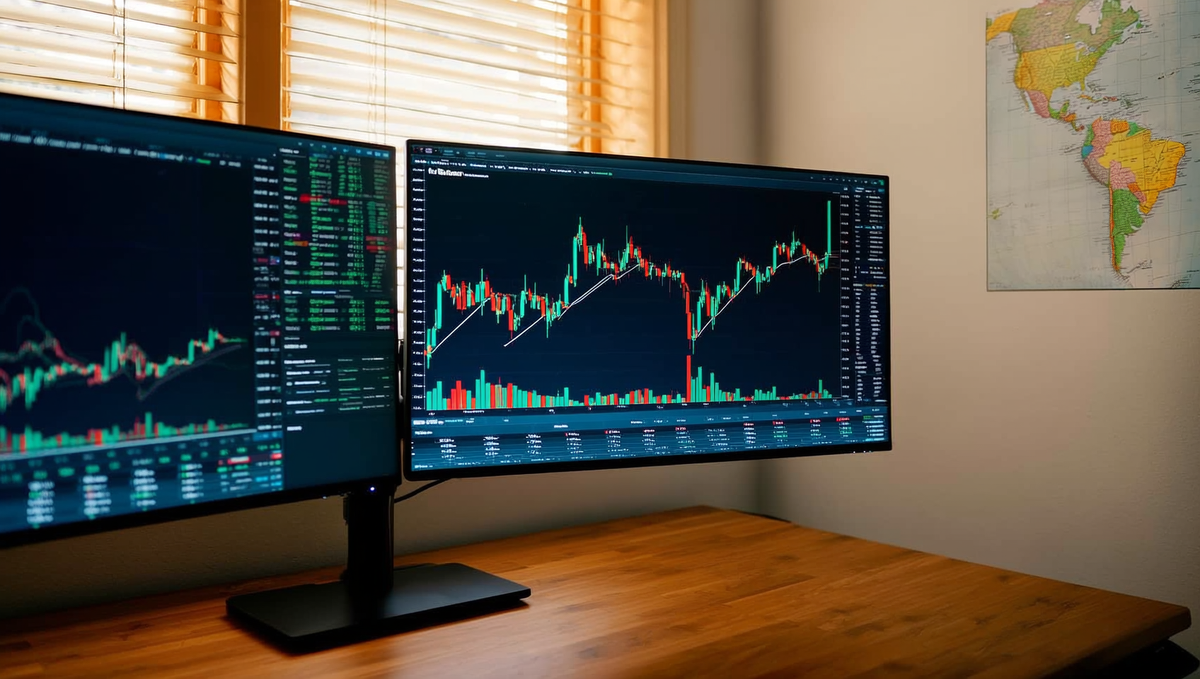
TrendSpider removes the most time-consuming part of chart prep — drawing trendlines, mapping Fibonacci confluences, and scanning for patterns across multiple timeframes — and does it automatically across all eight major pairs. It doesn't trade for you, which is exactly why it's compatible with prop challenges.
Multi-Timeframe Pattern Detection
The core edge TrendSpider gives you is multi-timeframe pattern recognition that runs simultaneously rather than sequentially. Where most traders manually flip between the daily, 4H, and 1H to check alignment, TrendSpider's raindrop charts overlay real intra-bar volume and price activity — so you're not just seeing a candle close, you're seeing where within that bar price actually spent its time. That matters when you're trying to verify whether a breakout above a key level had genuine participation or was a thin-air spike that's about to reverse straight into your stop.
For TrendSpider forex use, the pattern scanning covers flags, wedges, head-and-shoulders, and dynamic trendline breaks across EURUSD, GBPUSD, USDJPY, and the rest of the majors in a single dashboard view. If you're running a prop challenge where you need to be selective — three high-quality setups a week rather than fifteen marginal ones — this kind of automated confluence mapping is what separates a structured watchlist from noise.
Building Alerts That Don't Blow the Daily Loss Limit
This is where TrendSpider earns its place in the toolkit for AI tools for prop traders specifically. The alert system lets you set multi-condition triggers: price reaches a Fibonacci level and a trendline and RSI is below 50 — your phone pings, you assess, you decide. Execution never leaves your hands, which keeps you inside prop firm rules on automation.
The practical discipline here is building alerts around your challenge's daily loss limit, not just around setups. If you're running a 5% max daily drawdown, you can use TrendSpider's price alerts to flag when open positions are approaching a level that would eat half your daily buffer — a reminder to tighten management before you're making emotional decisions under pressure. That's not a feature TrendSpider markets loudly, but it's one of the more useful ways to wire the tool around challenge constraints rather than just chart aesthetics.
Best For
Traders who do their own technical analysis but want the mechanical work — trendline detection, Fibonacci mapping, pattern scans — automated so they can spend session time on decision-making rather than chart drawing. Particularly strong for anyone trading the majors across the London and New York overlap.
Cost
TrendSpider runs on a subscription model starting around $39/month for the basic plan, with multi-timeframe scanning and raindrop charts available on mid-tier plans. A free trial is available — worth running it against your current manual chart prep to see how much time it recovers per session.
Prop-Firm Compatibility
Fully compatible. TrendSpider is an analysis and alerting platform — no automated execution, no EA, no API order routing. It sits entirely on the research side of the workflow, which means no conflict with prop challenge rules on automated trading systems.
5. Autochartist — the pattern-recognition veteran
Autochartist has been running machine learning pattern recognition on FX markets for over a decade, and in 2026 it remains one of the most battle-tested AI forex analysis tools available to retail and prop traders alike. The edge most traders miss isn't the signals themselves — it's the quality score attached to every single one.
Best For
Traders who want objective, ML-generated pattern identification without building their own model. If you're scanning multiple pairs across sessions — London open setups, New York continuation plays — and you want a second opinion on whether a flag, wedge, or harmonic is actually clean, Autochartist does that work in the background while you focus on execution decisions. It's particularly useful for traders who know the patterns but want to cut confirmation bias out of the identification phase.
Cost
Here's the practical reality: for most traders, Autochartist costs nothing out of pocket. It's bundled free with a large number of brokers and platforms — you likely already have access and haven't activated it. If you need standalone access or your current setup doesn't include it, paid tiers exist, but exhaust the free route first. Check your broker's platform dashboard or plugin library before spending anything.
Prop-Firm Compatibility
Fully compatible with prop challenge rules. Autochartist is a read-only analysis and signal tool — it generates alerts and pattern data, it does not place orders, does not connect to your account via API, and does not execute anything autonomously. It sits cleanly on the research side of your workflow. No automated trading system flags, no rule conflicts. You stay in control of every fill.
How It Integrates with MetaTrader 5
Autochartist runs as a plugin directly inside MetaTrader 5, which means you don't need a separate browser tab or dashboard. Once installed, pattern alerts appear within the MT5 interface with the identified structure, projected move, and — critically — the quality score overlaid. Setup is straightforward: install the plugin from your broker's MT5 marketplace or the Autochartist portal, authenticate, and the feed goes live across whatever instruments you've enabled. For traders running XAUUSD, major pairs, or indices on MT5, the integration is seamless and adds zero friction to an existing workflow.
The Reliability Score Most Traders Ignore
This is the part worth slowing down for. Every Autochartist signal comes with a quality score out of 10, derived from the historical accuracy of that specific pattern type on that specific instrument under comparable market conditions. Most retail traders glance at the pattern shape and ignore the number entirely.
That's a mistake. Filtering your trade consideration to signals scoring 7/10 or above has historically produced a material improvement in win rate compared to taking every alert indiscriminately. The tool is telling you, in plain numbers, how much confidence its model has in this particular setup — treat it like the R:R filter you'd apply to any other edge. A 5/10 pattern on EURUSD at 3 AM on low volume is not the same signal as a 9/10 pattern on GBPUSD into a key level during London session. The score encodes that difference. Use it.
Pair Autochartist's quality-filtered alerts with your own confluence checklist — structure, session timing, upcoming news events — and you've added a genuine AI forex analysis layer without touching your execution autonomy or your prop challenge standing.
6. Tickeron — AI Signals with Confidence Scores
Tickeron publishes real-time forex signals generated by its AI Robots, each one tagged with a historical win rate so you can see exactly how a pattern has performed before you act on it. That transparency is the point — it turns a signal into a conversation, not a command.
The platform runs a pattern search engine across FX pairs, scanning for classic technical setups — head-and-shoulders, double tops, ascending triangles — and attaching a confidence score derived from backtested outcomes. On EURUSD and GBPUSD in particular, the pattern hit-rate data is granular enough to be genuinely useful as a second opinion. That phrase matters: second opinion, not primary signal source.
Pattern Search Engine for FX Pairs
Tickeron's AI-powered FX forecasting engine doesn't just flag a pattern — it tells you what percentage of similar historical setups resolved in the predicted direction, over what average timeframe, and with what typical price move. If you're already watching a GBPUSD pullback into a key level during London session, running that pair through Tickeron's pattern scanner gives you one more data point to either confirm or challenge your read. When the AI's confidence score contradicts your bias, that friction is the value. It forces you to re-examine whether you're trading a real setup or a narrative you've already decided on.
The hard warning: never take Tickeron signals blindly. A 72% historical win rate on a bullish flag pattern does not mean the next trade wins. It means you have a statistically informed starting point. Your job is to layer in session context, upcoming news risk — FOMC, NFP, CPI — and your own structure analysis before touching the trigger.
The Subscription Tier That Actually Matters
Tickeron runs a freemium model. The free tier gives you limited daily pattern scans and delayed signal data — enough to explore the tool, not enough to trade off it seriously. The AI Robots subscription, which sits in the $90–$180/month range depending on the asset bundle, is where the real-time forex signals and full confidence-score history unlock. If you're using it purely as a second-opinion filter on two or three FX pairs, the entry-level paid tier covers the use case without paying for equity or crypto robots you won't use.
Best For
Traders who already have a defined edge and want an AI forex trading system to pressure-test setups rather than generate them from scratch. Particularly useful if your strategy is pattern-based and you want historical win-rate context before committing size on a challenge account.
Cost
Free tier available. Paid plans from approximately $90/month for the forex-focused AI Robot bundle.
Prop-Firm Compatibility
Fully compatible. Tickeron generates signals; you execute manually. There is no EA, no API connection, no automated order routing. Your prop challenge rules stay intact because you remain in control of every entry and exit. Use the confidence scores to sharpen your decision-making — the final click is always yours.
7. Kavout — Quant-Grade AI Ratings
Kavout's K Score is one of the more rigorous machine learning models in retail-accessible AI trading tools — but be upfront with yourself: it was built for equities, and it shows. Where it earns a seat at the prop trader's desk is in its coverage of USD-correlated instruments, indices, and futures that sit directly adjacent to the FX pairs you're already trading.
Best For
Multi-asset prop traders who run FX pairs alongside US indices or DXY-correlated futures. If your watchlist is purely EUR/USD and GBP/JPY, Kavout is probably overkill for your setup. But if you're trading US100 or watching DXY as a directional filter for dollar pairs — which most serious USD traders should be — the K Score adds a quantitative layer that's genuinely hard to replicate manually. Think of it as your quant desk for the equity and index side of a multi-asset strategy.
Cost
Kavout operates on a tiered subscription model starting around $20–$50/month for individual access, with institutional pricing negotiated separately. The free tier gives you a taste of the K Score rankings but gates the deeper screening and portfolio tools. For most prop traders, the mid-tier plan is sufficient — you're not running a fund, you're pressure-testing bias on correlated instruments.
Prop-Firm Compatibility
Fully compatible. Kavout is a research and ratings platform — there is no execution layer, no API hook into your MT4/MT5 terminal, no automated order routing. You read the K Score, you form a view, you execute manually. Your challenge rules are untouched. This is AI trading forex and indices in the way prop firms actually allow: you do the thinking, the machine sharpens your inputs.
The K Score for FX-Adjacent Instruments
The K Score runs a proprietary machine learning model across hundreds of data points — price momentum, volume patterns, fundamental signals — and outputs a 1–9 ranking of expected near-term performance. On equities it's been backtested extensively. On pure FX pairs, coverage is thin and the signal quality drops noticeably. Where it stays relevant for forex traders is through DXY futures, US equity indices, and sector ETFs that move in tight correlation with dollar pairs. A high K Score on USD-sensitive tech stocks, for instance, can reinforce a bullish DXY bias that feeds directly into your USD/JPY or EUR/USD directional view. It's not a direct FX signal — it's a corroborating data point from a correlated market.
When to Use It vs Skip It
- Use it if your prop challenge account trades US indices alongside FX — the K Score gives you a structured, data-driven view on index direction that most discretionary traders lack.
- Use it when you're trying to confirm or challenge a DXY narrative before sizing into a major dollar pair trade.
- Skip it if your strategy is 100% focused on non-USD crosses like EUR/GBP or AUD/NZD — the correlation to Kavout's core coverage is too loose to justify the subscription.
- Skip it if you want a purpose-built AI forex trading tool with direct pair analysis — Tickeron or Autochartist will serve you better for that specific use case.
Kavout is a specialist instrument used in the right context. Honest verdict: it belongs in a multi-asset trader's toolkit, not a pure-FX one. Know what it is, use it where it's strong, and don't ask it to do a job it wasn't designed for.
8. MyFXBook AutoTrade and Signal Stack — Allowed?
MyFXBook AutoTrade and Signal Stack both do the same fundamental job: they take a signal from an external source and route it directly into your account as a live order. For retail trading, that's a genuinely useful automation layer. On a prop challenge, it's one of the fastest ways to get your account terminated.
How Copy-Trading and Signal Routing Work
MyFXBook AutoTrade mirrors trades from a master account — or a published strategy — into your account in near real-time. Signal Stack goes a step further, acting as middleware between signal providers (TradingView alerts, Telegram bots, AI forex trading systems) and your broker or platform. You set the lot-sizing rules, it handles the execution. Neither tool requires you to click a single button once the pipeline is live.
From a pure mechanics standpoint, both are elegant. The problem isn't the technology — it's what the technology represents to a prop firm's compliance team.
Why Most Prop Firms Flag These
Prop firms structure their evaluations around assessing your decision-making, risk management, and discipline under drawdown pressure. The moment an external signal source is generating your entries and exits, the firm can no longer evaluate you — they're evaluating whoever built the master strategy or the AI forex trading system sitting upstream of Signal Stack.
This creates two problems for the firm simultaneously:
- Aggregated risk exposure: If hundreds of challenge accounts are copying the same signal source, a single bad trade floods the firm with correlated losses across the entire book. That's an existential risk management issue, not a minor policy concern.
- Evaluation integrity: The performance reward structure is built on the premise that a skilled trader is behind the account. Copy-trading breaks that contract at the foundation.
Most prop firms — not just For Traders — explicitly prohibit copy-trading, signal services, and any third-party order routing that originates outside the account holder's own analysis. Violations typically result in immediate account termination with no appeal, regardless of whether the account was in profit.
Specifically What For Traders Permits
This is where you need to go directly to the source rather than rely on any summary — including this one. The For Traders rulebook is the definitive answer. Rules in this industry update, and what applied six months ago may not apply today.
What the general framework looks like: using an AI forex trading system as a research and analysis layer — generating trade ideas, scanning sentiment, flagging setups — is a very different thing from using it to execute orders automatically. The former keeps you in the decision seat. The latter removes you from it entirely.
If you're using MyFXBook purely for performance tracking and journaling your challenge account, that's a different use case — one that doesn't involve order routing and is generally unproblematic. The line gets crossed the moment AutoTrade is activated or Signal Stack has a live connection to your challenge account.
Before you connect any automation layer to a For Traders challenge, read the rules, then read them again. If anything is ambiguous, contact support directly and get a written confirmation. The few minutes that takes is worth infinitely more than an account termination you didn't see coming.
9. Python + Backtrader — the Free DIY Route
If you're comfortable writing code, this is the most powerful and flexible AI research stack available — and outside your time, it costs nothing. Python paired with Backtrader and a machine learning library like scikit-learn or PyTorch lets you build custom neural-network filters that screen FX setups against historical price behaviour before you ever touch the trigger on a live challenge.
Best For
Technically inclined traders who want full control over their edge — no black box, no monthly subscription, no vendor dependency. If you've ever found yourself frustrated that a commercial tool won't expose its internal logic, this route is your answer. You define the features, you inspect the weights, you own the model.
Cost
Python is open-source. Backtrader is free. scikit-learn and PyTorch are free. Historical FX tick data from providers like Dukascopy or Alpha Vantage has free tiers. Your only real cost is time — and depending on how deep you go, that time investment is significant. Budget weeks, not hours, to get a properly validated backtest pipeline running.
Prop-Firm Compatibility
This stack is fully compatible with prop trading challenges, including For Traders evaluations — with one clear boundary. Python and Backtrader are research and signal-generation tools. You use them offline to identify patterns, validate filters, and sharpen your entry criteria. Execution stays manual. The moment you wire any automated execution layer to your challenge account, you're back in the territory covered in the previous section: read the rules, get written confirmation, or don't do it. The research side? No issues. The auto-execution side? That's a different conversation entirely.
Building a Neural-Network Filter for Entries
The practical workflow looks like this: pull OHLCV data for your pair, engineer features — think ATR-normalised candle size, session-overlap flags, RSI divergence scores, recent swing structure — then train a binary classifier in scikit-learn to predict whether a setup that matches your manual criteria is more likely to hit target or stop. Backtrader handles the historical simulation; scikit-learn or a lightweight PyTorch model handles the classification layer on top.
The honest caveat: overfitting is the silent killer here. A model that scores 78% accuracy in-sample and 51% out-of-sample has told you nothing useful. Walk-forward validation and keeping your feature set deliberately lean are the disciplines that separate a real edge from a curve-fitted illusion. The same psychological traps that blow challenge accounts — confirmation bias, moving the stop — show up in model development too.
Where Trade Ideas and MetaStock Fit
Not everyone wants to write code, and that's a legitimate position. Trade Ideas and MetaStock are the two commercial platforms most worth knowing if you want machine-learning-assisted signal generation without touching Python.
- Trade Ideas uses an AI engine called Holly that scans US equities and, to a lesser extent, forex-correlated instruments for pattern-based setups each morning. It's primarily an equities tool, but the underlying scanning logic transfers well to traders who want to understand what institutional flow looks like on correlated assets like US indices alongside their FX pairs.
- MetaStock includes a built-in neural-network module and access to its XENITH data feed, making it a more self-contained option for traders who want ML-assisted chart analysis without assembling a stack from scratch. It's not cheap — expect a meaningful monthly subscription — but the learning curve is far shorter than building in Python.
Both tools are research instruments. Neither connects directly to your challenge account for execution. For the trader who wants the analytical horsepower of machine learning without the engineering overhead, they're worth the cost. For the trader who wants to understand exactly what the model is doing, Python remains the only honest answer.
10. AI Sentiment Tools for NFP, FOMC and CPI
AI sentiment engines give you a directional bias score on major macro events before the number drops — they do not tell you when to pull the trigger. Used correctly, they sharpen your pre-positioning thesis; used incorrectly, they get you killed in the first 30 seconds of a CPI release.
The mechanics matter here. Modern sentiment tools run on transformer-based NLP models — the same architecture behind LLMs like GPT-4 — trained specifically on financial text. They ingest Reuters and Bloomberg wire feeds, Federal Reserve speech transcripts, FOMC minutes, X (Twitter) trader commentary, Reddit, and central-bank forward guidance, then output a scored directional bias: bullish USD, bearish USD, or neutral, with a confidence weighting. The better platforms — MarketPsych, Acuity Trading, and the sentiment layer inside platforms like Squawk Box or Benzinga Pro — update those scores in near real-time and let you track how bias shifts in the 24 hours leading into a red-folder event.
For AI-powered FX forecasting around macro catalysts, the workflow looks like this: you check sentiment bias the evening before NFP, again at the London open, and once more 90 minutes before the release. If all three readings are pointing the same direction and aligning with the technical structure on DXY or the pair you're trading, that's a high-conviction pre-positioning setup — taken before the number, not during it.
How Sentiment Analysis Actually Works in FX
Transformer models tokenise text and assign probabilistic weights to phrases based on their historical correlation with price movement. "Inflation remains well above target" scores differently than "inflation is returning toward our 2% goal" — even though both sentences are about inflation. The model has seen thousands of Fed statements mapped against subsequent USD moves and has learned which language clusters precede which market reactions. That's the edge in AI for forex market analysis: speed and pattern depth at a scale no human analyst can match.
Where it breaks down is novelty. A genuinely unexpected headline — a geopolitical shock, an off-cycle Fed statement, a data print four standard deviations from consensus — has no clean historical analogue. The model's confidence score becomes unreliable exactly when you most want certainty. That's not a reason to abandon the tool; it's a reason to understand what it's actually doing.
The 30-Minute Rule Around Red-Folder News
Regardless of what any sentiment analysis tool is telling you, the prop-trader rule of thumb is non-negotiable: no new positions 30 minutes either side of a red-folder event. NFP, FOMC rate decision, CPI, Core PCE — all of them. The spread widens, liquidity evaporates, and your stop gets blown through a gap before the broker's price feed has even caught up. A sentiment score of 87% bullish USD means nothing if the actual print is a miss and you're holding a long with a 10-pip stop into a 40-pip wick.
The discipline here is using AI sentiment as a bias filter, not an entry signal. If sentiment is strongly hawkish USD into FOMC and price has already run 80 pips on the anticipation, you're not late — you're waiting. Let the release happen, let the dust settle, and then use the sentiment score to confirm whether the post-release direction aligns with what the models expected. That's where the real edge lives: fading the overreaction when sentiment and structure agree the initial move was noise.
Best For
Macro-focused traders running EURUSD, GBPUSD, or USDJPY around scheduled high-impact events. Also strong for anyone trading DXY-correlated pairs who wants a structured pre-event checklist rather than a gut feel about what the Fed might say.
Cost
Entry-level sentiment feeds (Acuity Trading via broker integration, basic Benzinga Pro) run $40–$80/month. Institutional-grade data like MarketPsych or direct Bloomberg sentiment layers start at several hundred dollars monthly. For most prop challenge traders, the mid-tier options are more than sufficient — you're using the score directionally, not building a quant model on top of raw data.
Prop-Firm Compatibility
No execution, no API connection to your account — these are read-only research tools. There is no prop-firm rule they can violate. The only risk is behavioural: if a bullish sentiment score tempts you to hold through an FOMC release rather than respecting your daily loss limit, the tool is working against your challenge. The 30-minute rule exists precisely to protect your account from that temptation.
How to use AI in forex trading: a session-by-session workflow
The traders using AI most effectively aren't running it all day — they're hitting specific tools at specific times, then stepping back. Here's a repeatable daily structure that maps AI to the moments where it actually moves the needle.
Pre-London: bias-building with LLMs (06:30–08:00 UTC)
Before price does anything meaningful, your job is to build a directional bias — and this is where LLMs like ChatGPT or Claude earn their keep. Open your session with a structured prompt: paste in the day's macro calendar, overnight Asia range, and any relevant news headlines, then ask for a plain-language summary of the environment. Something like: "Given NFP is Friday, FOMC minutes dropped yesterday, and DXY closed below the 50-day — what's the bias case for EUR/USD today and what would invalidate it?"
The LLM won't tell you where to enter. What it does is force you to articulate the thesis before you're staring at a moving chart. Run this alongside TradingView: mark your key daily and weekly levels while the model's output is still fresh. You're cross-referencing narrative with structure, not replacing one with the other.
Keep the prompt output short — bullet points, not essays. If you're reading three paragraphs before London opens, you've already over-researched and under-prepared.
London–New York overlap: signal filtering (12:00–16:00 UTC)
This four-hour window is where the real volume lives, and where most challenge accounts get damaged. Your AI tools shift from research to confirmation here.
If you're using TrendSpider or Autochartist, let the pattern-recognition layer flag setups that align with the bias you built pre-London — but treat every alert as a question, not an instruction. Does the flagged breakout match your level? Is spread widening into the news event? Are you two trades into the day and already at 60% of your daily loss limit?
The core rule for using AI to trade forex during live sessions: AI confirms, you execute. No tool fires your order. You click the button only when the pattern, the level, and the macro context are aligned — and when your risk is sized correctly for the challenge phase you're in. One clean R:R 2.0 trade per session beats three impulsive fills that a sentiment score talked you into.
If you're in a prop trading challenge, this discipline is non-negotiable. The overlap session is where drawdown happens fast. Keep the AI tools open in a separate screen — visible but not dominant.
Post-NY: journaling and pattern review (21:00–22:00 UTC)
This is the most underused slot in most traders' days, and the one with the highest long-term return. After the NY close, paste your trade log into Claude with a single prompt: "Review these trades. Flag any where I moved a stop, sized up after a loss, or held through a scheduled event. Identify the pattern."
Claude will surface behavioural patterns faster than manual review — not because it's smarter than you, but because it isn't tired and it doesn't have an ego invested in the day's result. Tag emotional trades separately. Log the lesson in one sentence. Over two or three weeks, you'll see the same two or three mistakes repeating. That's your actual AI forex trading strategy edge: using the machine to eliminate the errors your brain keeps rationalising.
The full loop — bias, confirmation, review — takes roughly 90 minutes of active AI engagement across a trading day. Everything else is you watching price and managing risk. That ratio is intentional.
Ready to trade funded capital?
Choose your path — Instant Accounts, One-Step or Two-Step Challenges — from just $23, with up to $300,000 in funded capital.
Choose your challengeProp-firm compatibility: what For Traders allows
The short answer: AI-assisted analysis is permitted on For Traders challenges; fully autonomous execution is not. If you're the one pulling the trigger on every trade, informed by whatever AI tools you like, you're in the clear. If a script is opening and closing positions without your manual intervention, you're not.
This distinction matters more than most traders realise before they start a challenge. A lot of confusion in the AI forex trading space comes from conflating analysis tools with execution systems. ChatGPT summarising overnight sentiment is not an EA. A Python script that fires market orders based on a signal is — regardless of whether a language model generated the signal upstream.
Allowed: AI-assisted analysis, journaling, alerts
Everything in the research-and-review loop is fair game. That includes:
- LLM-based analysis — using ChatGPT, Claude, or Gemini to build bias frameworks, summarise macro data, or stress-test your thesis before the session opens
- AI journaling tools — platforms like Tradezella or Edgewonk that apply pattern recognition to your trade log and surface recurring mistakes
- Sentiment scanners — tools that aggregate news flow, social data, or options positioning into a directional read you then act on manually
- Custom alert scripts — Pine Script or Python alerts that notify you when a condition is met; you decide whether to trade
- Backtesting and simulation — running historical data through a model to validate an edge before risking challenge capital
The unifying principle: a human being makes the final execution decision on every single trade.
Restricted: EAs, HFT, copy-trading, latency arbitrage
The following are restricted on For Traders challenges, regardless of whether AI is involved in generating the signals:
| Restricted activity | Why it's restricted | Common AI wrapper that doesn't change the rule |
|---|---|---|
| Expert Advisors (EAs) / fully automated execution | Removes human decision-making from order placement | GPT-4 generating entry signals fed directly to MT4/MT5 EA |
| High-frequency trading (HFT) | Exploits infrastructure latency, not tradeable edge | ML model executing hundreds of micro-scalps per session |
| Copy-trading / signal following | Mirrors another account's execution automatically | AI-curated signal service auto-copied to your challenge account |
| Latency / price arbitrage | Exploits data-feed discrepancies, not market analysis | Algorithmic feed-comparison tool triggering instant fills |
If you're unsure whether a specific tool crosses the line, the rule of thumb is simple: does the software place or modify an order without you clicking confirm? If yes, get clarification from For Traders support before you run it on a live challenge account.
How to test an AI strategy safely on a challenge
The For Traders evaluation structure is genuinely well-suited to iterating on an AI-assisted approach. The rules are published clearly, and reset options mean a failed attempt doesn't have to be an expensive dead end — it's a data point.
- Paper-run the workflow first. Spend one to two weeks using your AI tools — sentiment scanner, LLM bias builder, journaling loop — without touching a challenge account. Confirm your manual execution is consistent before you add evaluation pressure.
- Start with the smallest challenge size. You're testing a process, not a position size. Keep risk per trade at 0.5–1% while the AI-assisted workflow beds in.
- Log every AI input alongside every trade. Note which tool influenced the decision and how. After 20 trades, your journal will tell you whether the AI layer is adding edge or just adding noise.
- Use the reset if the process breaks down, not just the P&L. If you abandoned the workflow mid-challenge — skipped the morning bias, ignored the journal review — that's the real failure to analyse, not the drawdown number.
For Traders challenges exist to separate disciplined process from lucky runs. An AI forex trading system that keeps you structured and honest about your edge is exactly the kind of tool that helps you end up on the right side of that filter.
Disclosure: this article is published by For Traders. We've aimed to give you an honest picture of what's permitted and what isn't — including where our own rules restrict common AI tools.
The limits of AI in forex — regime shifts, overfitting, hallucinations
AI forex trading tools are genuinely useful — but every machine-learning model has a failure mode, and if you don't know yours before you deploy on a live evaluation, the market will find it for you. Here's where the cracks appear.
Why 2020 and 2022 broke most FX models
Most neural networks and machine learning models trained on 2019–2021 data learned one dominant lesson: buy the dip, trend follows. That regime was unusually forgiving — low realised vol, coordinated central bank stimulus, clean directional structure on majors. Then March 2020 happened. Then 2022 delivered the sharpest USD repricing in decades, with EUR/USD shedding 1,600 pips in a near-straight line. Models built on pre-2022 data had never seen synchronised rate-hiking cycles at that speed. They didn't adapt — they blew up.
The core problem is regime dependency. A trend-following AI forex trading system will perform brilliantly in a trending environment and haemorrhage in a range. A mean-reversion model does the opposite. Neither knows which regime it's in right now. You do — or you should. That contextual judgment is still a human job in 2026, regardless of how sophisticated the model looks on a backtest report.
Overfitting compounds this. A neural network with enough parameters will fit any historical dataset perfectly and generalise to almost nothing. If your backtest Sharpe is above 3.0 and your max drawdown is suspiciously clean, that's not alpha — that's curve-fitting. Real edges are messy.
How LLMs hallucinate price data
This one catches traders off guard. Large language models like ChatGPT and Claude are pattern-completion engines trained on text — they are not connected to live price feeds, and their training data has a cutoff. Ask an LLM what EUR/USD closed at on a specific date and it will often give you a confident, plausible-sounding number that is simply wrong. It isn't lying; it's completing a pattern based on surrounding context. The result looks like a data point and isn't.
The practical rule: never use an LLM to retrieve or verify price levels, historical closes, or economic release figures. Use it for reasoning, structuring analysis, and stress-testing your thesis. Pull your actual price data from a verified source — your platform's chart history, a Bloomberg terminal, or a primary data provider. Treat any number an LLM gives you about the market as unverified until you've confirmed it yourself.
The backtest discipline that keeps you honest
Before you put any AI-assisted strategy on a funded evaluation, run it through a minimum of 200 trades across at least two distinct market regimes — not just the friendly one. That means including a trending period and a ranging or high-volatility period. If your edge only shows up in one of them, you don't have an edge; you have a regime bet.
Walk-forward testing matters more than in-sample performance. Split your data: train on the earlier segment, test on the later one you haven't touched. If the out-of-sample results collapse, the model overfit. That's information worth having before you risk a challenge fee, not after.
The traders who use AI well treat it the way a good analyst treats any junior researcher — useful for generating ideas and organising information, but not the final word. You verify. You stress-test. You stay in the driver's seat. That discipline is what separates a trader who uses AI as a genuine edge from one who outsources their judgment to a system that has never seen the regime they're about to trade in.
AI forex trading: honest pros and cons
Pros
- Massively accelerates chart analysis and multi-timeframe context building
- LLMs surface confluence and blind spots a tired trader misses at 3am
- Sentiment tools give a genuine edge around scheduled news events
- AI journaling reveals behavioural leaks faster than any manual review
- Free and low-cost tiers make the entry cost trivial for testing
Cons / risks
- LLMs hallucinate prices, dates, and news — never trust without verification
- Autonomous AI execution is banned on most prop challenges including strict EA restrictions
- Models overfit to past regimes and fail when volatility structure shifts
- Signal-following without your own analysis destroys the skill you need to pass evaluations
- Subscription stacking gets expensive fast — most traders overspend on tools they don't use
Frequently Asked Questions
What are the best AI tools for forex trading in 2026?+
The strongest AI tools for forex trading in 2026 fall into three categories: analysis assistants (ChatGPT, Claude, Gemini), dedicated FX platforms (Trade Ideas, Tickeron, AutoChartist), and custom Python-based models built on libraries like scikit-learn or TensorFlow. Each serves a different function — LLMs help you structure your thesis and journal your edge, while dedicated platforms scan for pattern setups across multiple pairs. The best traders use a stack, not a single tool, and always validate AI signals against their own price action read before sizing in.
How do prop traders use AI in forex analysis without breaking firm rules?+
Prop traders can use AI freely for analysis, journaling, and pre-trade research — most firm rules restrict automated execution, not analytical assistance. The key distinction is decision-making authority: AI can surface a setup, but you pull the trigger manually. Tools like ChatGPT or Claude are particularly useful for reviewing your trade logs, stress-testing your reasoning, and identifying emotional bias patterns. Always read your challenge provider's terms on automated trading bots before connecting any AI system directly to your execution layer.
Can AI reliably forecast FX currency pairs?+
AI can identify statistical tendencies and pattern probabilities in FX pairs, but reliable point-in-time price forecasting remains unsolved — even for the most sophisticated institutional models. What AI does well is ranking setups by historical edge, flagging macro divergence, and filtering noise from your watchlist. Treat AI output as a probability-weighted input, not a signal. The traders who get burned are the ones who outsource conviction to a model; the ones who thrive use AI to sharpen a thesis they already understand.
How do you use AI for forex analysis during London and NY sessions?+
During London open, use an LLM to quickly synthesise overnight Asia price action, key level tests, and any macro releases due in the session — a structured prompt takes under two minutes. Into the NY overlap, AI sentiment scanners and news-aggregation tools (like Squawk or AI-enhanced economic calendars) help you track FOMC-adjacent flows and dollar correlation shifts in real time. The goal is compressing your pre-session checklist, not replacing it. Your read on order flow and session structure still has to come from you.
Is there free AI forex trading software worth using?+
Several free-tier AI tools deliver genuine value for forex traders. ChatGPT (free tier) and Claude handle trade journaling, strategy review, and macro synthesis well. TradingView's built-in AI screener and Pine Script community scripts offer free pattern recognition across FX pairs. For sentiment, the free tiers of tools like Myfxbook AutoTrade analytics or ForexFactory calendar integrations pair well with LLM analysis. Free tools have rate limits and lag behind paid tiers, but for a trader building discipline during a prop challenge, they are more than adequate.
What AI forex trading systems are allowed on prop trading challenges?+
Most prop trading challenges, including those at For Traders, permit AI-assisted analysis but restrict fully automated execution bots that trade without human oversight — check your specific challenge terms. Manual traders using AI for pre-trade research, journaling, or market scanning operate well within standard rules. Where it gets grey is copy-trading integrations or EAs that fire orders autonomously; those typically require explicit approval. When in doubt, contact your challenge provider directly — a quick clarification is far cheaper than a disqualification.
How does AI-powered FX forecasting actually work under the hood?+
Most AI-powered FX forecasting models use one of three architectures: LSTM neural networks that learn temporal price sequences, gradient-boosted decision trees trained on technical and macro features, or transformer models adapted from NLP that treat price bars as token sequences. They are trained on historical OHLCV data, sometimes enriched with sentiment, positioning (COT), or macro indicators. The model outputs a probability distribution over future price ranges, not a single price target. Understanding this helps you use AI output correctly — it is a probability estimate, not a prophecy.
What AI forex trading strategy works best during a prop evaluation phase?+
During a prop evaluation, AI is most valuable as a filter and a journal partner, not as a signal generator. Use it to eliminate low-probability setups from your watchlist before each session — feeding your criteria into an LLM and asking it to stress-test your reasoning catches confirmation bias early. Post-trade, log every entry into a structured AI-assisted journal to track R:R consistency and drawdown patterns. The evaluation phase rewards discipline over frequency; AI helps you slow down, not speed up, your decision-making.
How do you combine ChatGPT or Claude with a trading journal for edge?+
Build a structured trade log template — pair, session, setup type, entry rationale, emotional state, outcome, R:R — and paste weekly batches into ChatGPT or Claude with a prompt asking it to identify your highest-win-rate setups and your most common pre-loss behavioural patterns. Over two to three months, patterns emerge that raw spreadsheet review misses: maybe you overtrade the first 30 minutes of NY, or your R:R collapses on Fridays. That feedback loop, applied consistently, is one of the most underrated edges available to retail and prop traders right now.
What are the risks of using AI trading tools on a funded account?+
The primary risks are over-reliance, rule violations, and false precision. Over-reliance means deferring to an AI signal when your own read says something different — that erodes the discretionary edge that got you funded. Rule violations occur when automated AI execution tools breach your firm's bot or copy-trade restrictions. False precision is the subtlest risk: AI outputs look authoritative, which can inflate position sizing beyond what your actual edge justifies. Use AI as a second opinion, maintain your own trade criteria, and never let a model override your risk management rules.
Written by
Marcel Hambálek
Senior Trader, For Traders
Marcel trades Futures and Forex day-trading setups on funded accounts and writes about the executional details most traders skip — order types, slippage, session timing, platform quirks on MT5 and NinjaTrader. Pragmatic, mechanics-first, no fluff.
Follow on LinkedInReady to trade funded capital?
Choose your path — Instant Accounts, One-Step or Two-Step Challenges — from just $49, with up to $300,000 in funded capital.
Choose your challengeTrade up to $300,000
Choose challenge